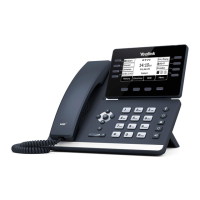
REDIAL: Displays a list of the last numbers placed, redials the last number dialed, + uses the outgoing call records stored in the call log.
.
+ TO USE: Press REDIAL Key. Display shows recent outbound calls.
Scroll through the list to find the number.
Tap the number you wish to call.
CALL HISTORY: Displays a list of your most recent incoming answered, incoming missed, outbound and forwarded calls.
+ TO USE: Tap CALL LIST. The most recent Placed, Missed and Received (answered) calls are displayed on the right.
+ TO VIEW INDIVIDUAL CALL LISTS: Tap the list name on the left.
+ TO CALL: Tap the applicable call and then tap CALL.
REDIAL AND CALL (HISTORY) LISTS
+ TO VIEW CALL INFORMATION: Tap . Date, Time and duration and number of calls are displayed on the screen.
+ TO EDIT BEFORE CALLING OR TO ADD TO CONTACTS: Tap .
Need support? Connect with us at www.northland.net/get-support or
Dial 4357 (HELP) or 315-671-6262 to speak to a Northland Representative Page 12



 To Next Page
 Loading...