6
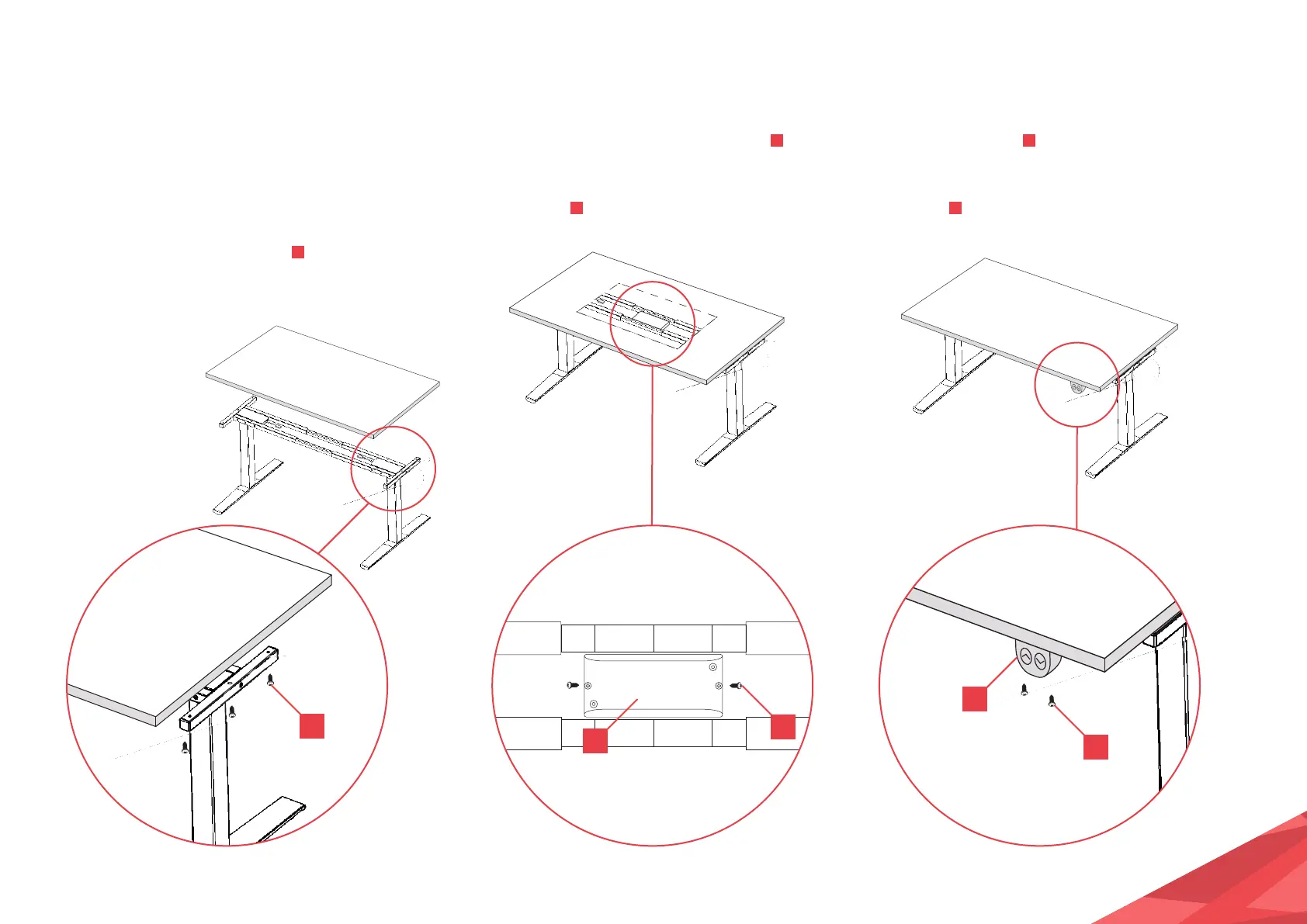
STEP 6:
Attach your table top to the frame by
lining it up with the edge. (It can be
easier to turn the frame upside down, you
will need a soft, non abrasive surface to
protect your table top.)
Using 6 of the M5x20 screws
J
, screw
the PRO frame to your table top.
STEP 7:
Once your table top is secured, still looking
at the underside, place the Control Box
O
centrally between the two joining bars. Once
centered, screw the control box to the table
top using 2x
J
.
STEP 8:
On the underside of your table top, position
your Control Panel
P
on the front edge, around
10cm from either side.
Using 2x
J
, screw the Control Panel to your
table top, making sure it is secure.
J
J
J
O
P


 To Next Page