7
STEP 9:
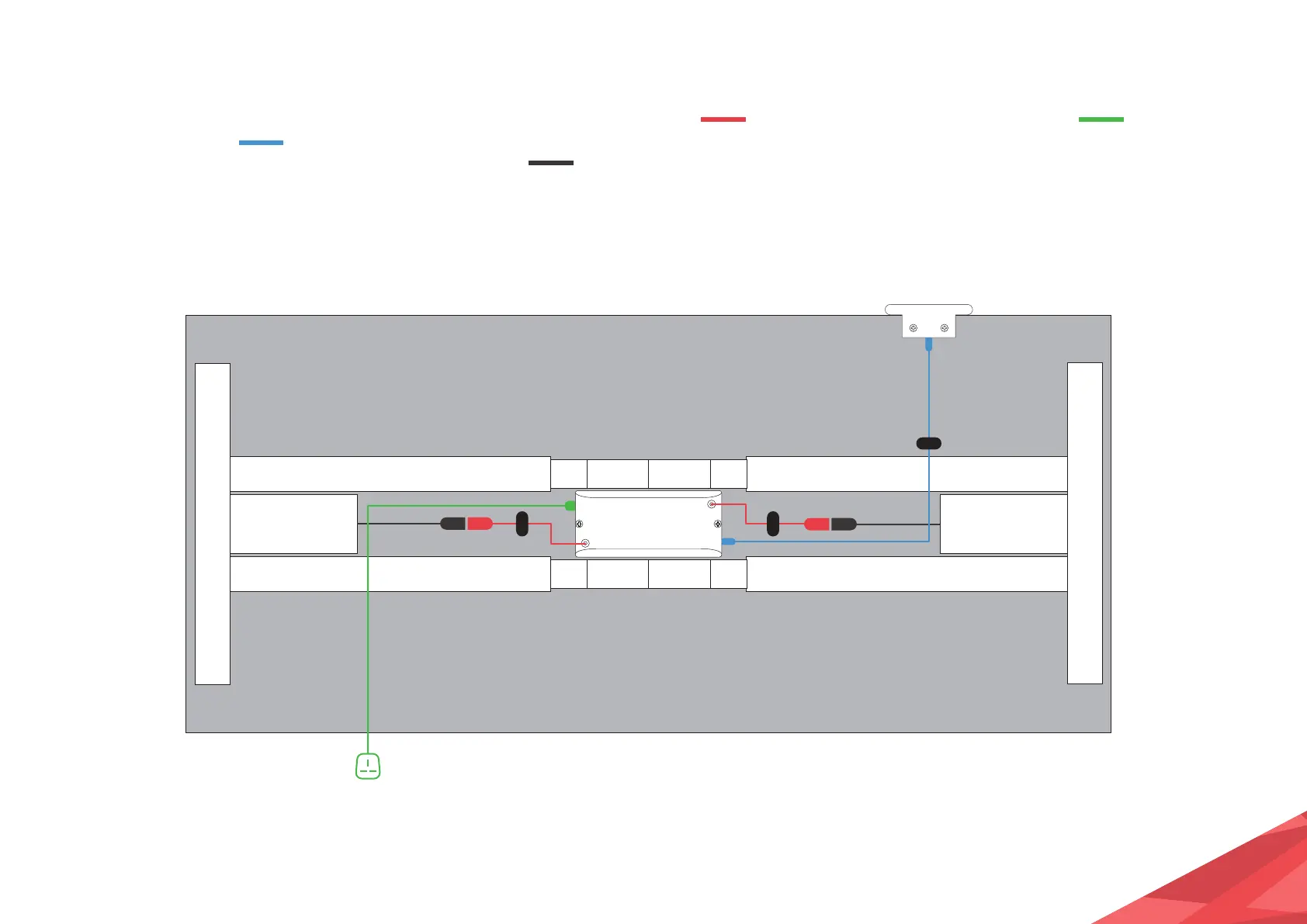
On the underside of your desk, connect
the Information Cable to the
Control Box and then to the Control Panel.
Secure all excess cables using the cable
clips. Screw the required number to your
table top to keep it tidy and safe.
STEP 10:
Connect the Message Cables to
the Control Box and then to the Motor
Cables .
STEP 11:
Connect the Power Cable to the
Control Box and then to a mains plug
socket.


 To Next Page