

EasyManua.ls Logo

YoLuke P1-4X - User Manual

YoLuke P1-4X
44 pages
Print Icon
To Next Page IconTo Next Page
Loading...
- 1 -
WiFi IP CAMERA
QUICK OPERATION GUIDE
Question and Answer IconNeed help?

Do you have a question about the YoLuke P1-4X and is the answer not in the manual?

Summary

Service Guarantee

Product Introduction

Camera Installation Guide

SD Card Slot Information

Mobile App Download

CamHipro App Connection

Connect Camera via Network Cable

Connect the IP camera to the network using a network cable via the CamHipro app.

Connect via Wi-Fi Hotspot

Add Camera to App

Configure Camera Wi-Fi Settings

Connect via Nearby Device Search

CamHipro App Functions

SD Card Video Playback & Download

Playback and download recorded video files from the SD card via the app.

Local Files, Device List & Add Camera

PTZ Preset Points & Auto Cruise

Change Camera Password

Factory Reset Camera Settings

Alarm Management & Notification

Motion Detection Configuration

Email Notification Settings

FTP Configuration

Video & Audio Settings

SD Card Scheduled Recording

Device Time and Time Zone

SD Card Settings Management

Camera Default Settings

Download Camera Search Tool

Search for IP Cameras

View Video via Web Browser

Web Interface Overview

Camera Parameter Settings

Media Settings Configuration

Configure video format, coding, resolution, bit rate, and image quality.

Network Configuration Settings

Alarm System Configuration

Configure Audio Alarm

Set up audio alarm functions, including volume and buzzer connection.

Configure Motion Detection

Set motion detection zones, sensitivity, and alarm triggers.

Alarm Linkage & Image Capture

Configure Alarm Schedule

Advanced Settings Configuration

Configure Auto Snap

Configure Timed Recording

Configure Email Alerts

Configure FTP Uploads

Configure Terminal Settings

RS485 Connectivity Information

Configure Multiple Camera View

Configure Video Shade

Configure Camera Restart Timer

System Settings Management

System Time Synchronization

Synchronize camera time with NTP server or PC time.

System Initialization and Upgrade

Configure language, lens type, reboot, backup, and system upgrade.

View Device Information

Review System Logs

HIP2 P Client Software

HIP2 P Client Software Installation

Download and install the HIP2P Client software on your computer.

Add Camera to HIP2 P Client

HIP2 P Client Area Management

Search and Add Camera via LAN

Modify Camera Password in HIP2 P

Preview Camera Feed in HIP2 P

Frequently Asked Questions

Troubleshooting Remote Viewing Issues

Resolve issues like pausing and delay during remote viewing.

Troubleshooting Password Errors

Resolve password errors by resetting the camera.

Troubleshooting Audio and Connectivity

Fix issues with no audio, offline devices, card ID, and Wi-Fi connection.

Troubleshooting IP Address and Recording

Address IP changes, SD card playback, and remote playback problems.

Troubleshooting Network and Hotspot Issues

RTSP Path Example

Example of an RTSP path for accessing the camera stream.

Troubleshooting Software and Configuration

Install plug-ins, use iSpy, configure auto cruise, and manage alarms.
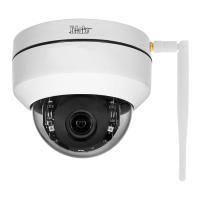
YoLuke P1-4X Specifications

General IconGeneral
BrandYoLuke
ModelP1-4X
CategoryIP Camera
LanguageEnglish

Related product manuals