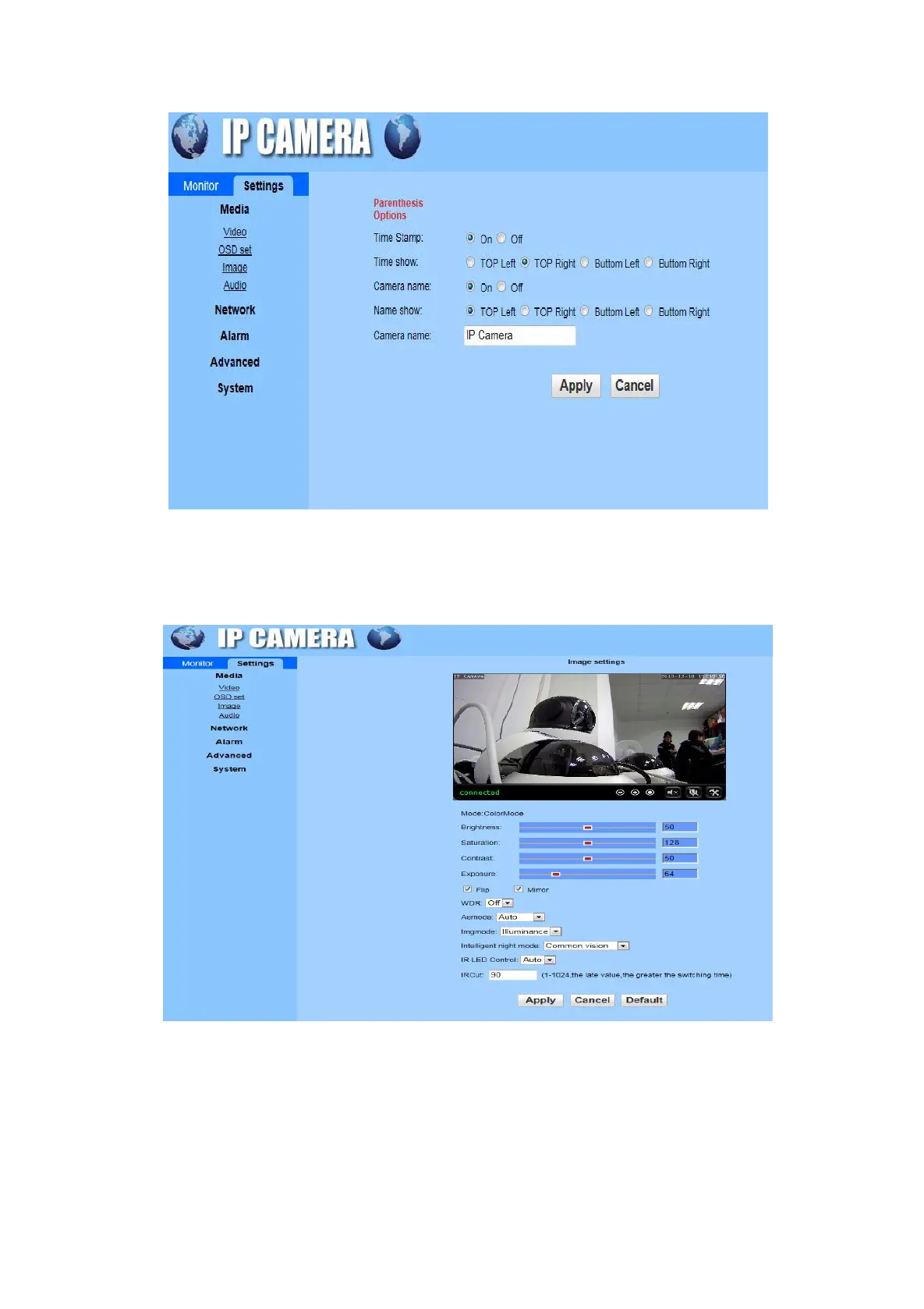
OSD Set: Set time stamp, time show, camera name and name show in this interface.
Image: Adjust the brightness, saturation, contrast, exposure parameter and set the WDR, Aemode,
Imgmode, Intelligent night mode, IR LED Control, IRCut in this interface. (The camera does not support full
colour night vision and smart night vision currently.)
Audio: Audio type support G711 / 726 protocol, audio stream selection on/off, audio input type selection,
input / output volume adjustment
6.5.2 Setting
Network
Network: The IP address can be selected manually settings or automatically obtain. The DNS also can be
selected manually or automatically.


 To Next Page