5. Mobile APP CamHipro Connection
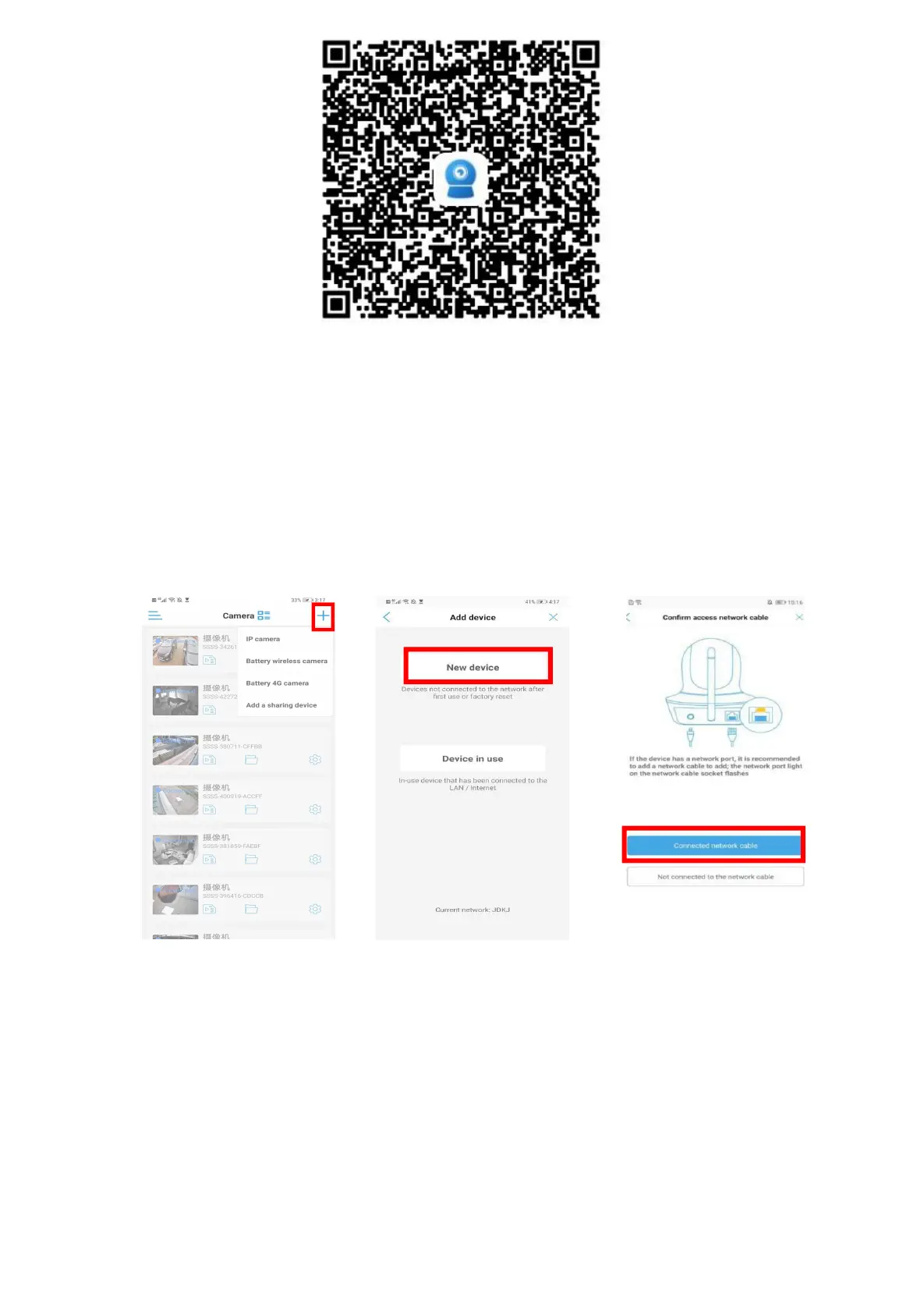
5.1 Connect the Camera by Network cable
Install the APP, connect the mobile phone to the WIFI network, enter the APP and click the
Add Device button to enter the Add Device interface. Choose different adding methods according
to different types of cameras, because common IP cameras cover various adding methods. The
following adding instructions are based on IP cameras.
Step 1 Step 2 Step 3


 To Next Page