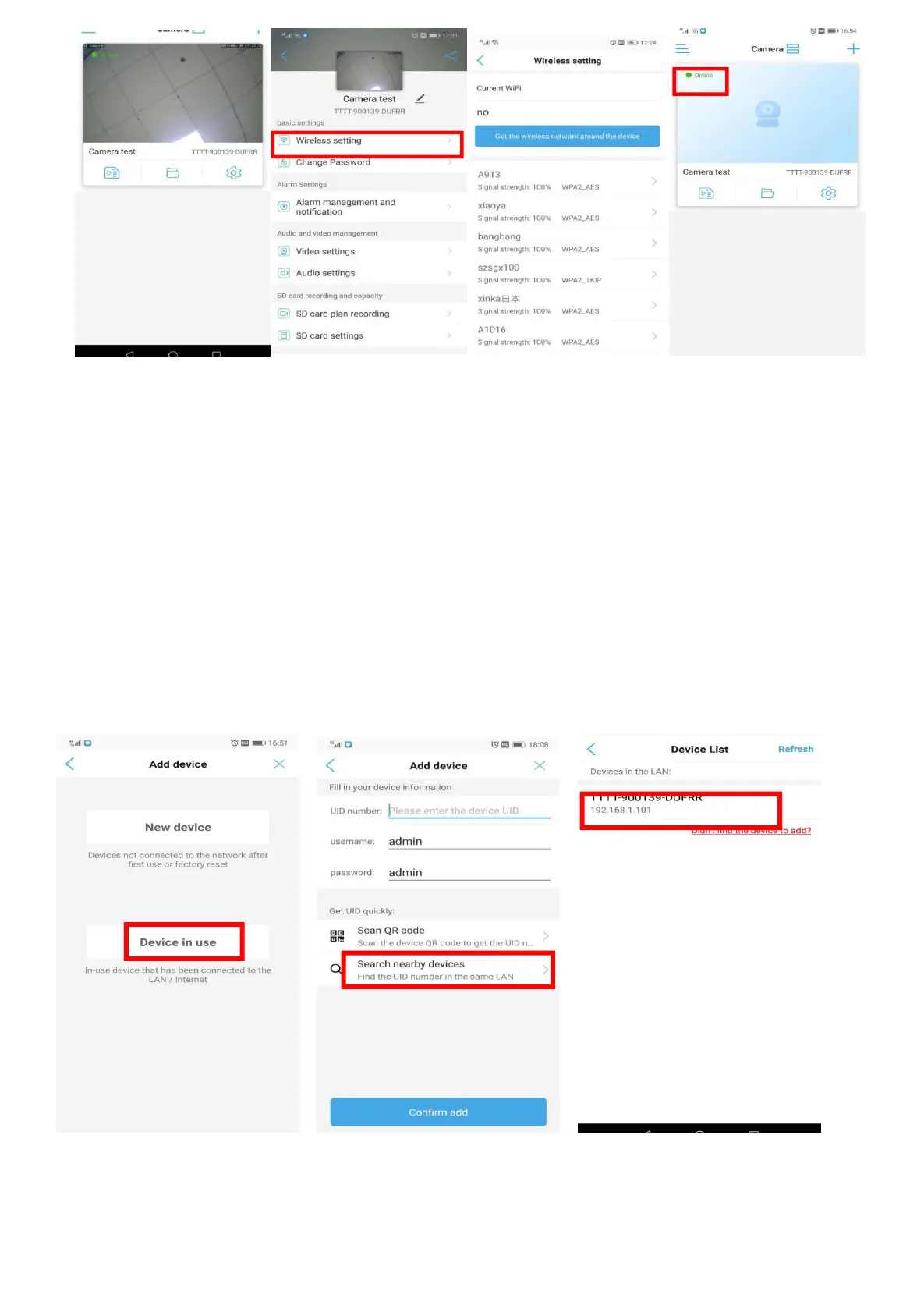
Step 1 Step 2 Step 3 Step 4
5.5 Connect the Camera by Search Nearby Devices
A
)
Connect the camera to the power supply and the camera would turn into self-test mode, which
would take about 15 seconds. Open the ‘CamHipro’ APP.
B) Add the camera by Search Nearby Devices follow the below steps.
Note:
1.Please make sure that the camera has been connected to router’s Wi-Fi.
2.Please make sure that your cell phone connects the same Wi-Fi as the camera connected.
3.If there is no camera on the device list, please come close to the camera and refresh.
Step 1 Step 2 Step 3


 To Next Page