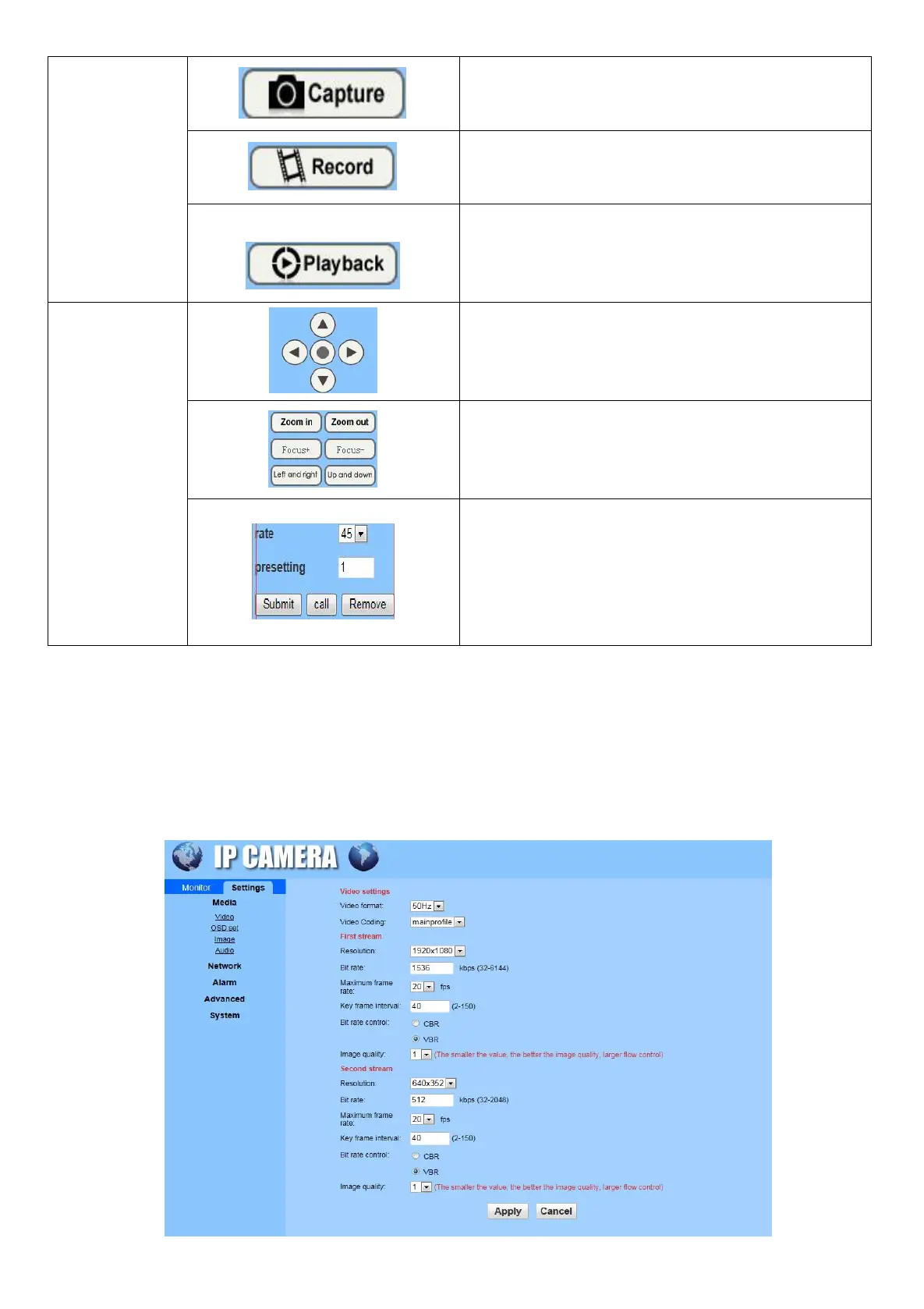
Click on the capture and take the current image.
Video Recording playback: Click the playback, select
the date and time, select the local playback or SD card
playback, search the video files and double click on
the file to play.
PTZ control operation interface, control the camera to
rotate horizontally and vertically.
Control the camera zoom in/out, focus +/-, left / right
and up / down cruise.
Adjust the camera rotation speed and presetting point
settings: Select presetting point 1, the camera rotates
to the screen you want to monitor, click on the setting
to set the preset point. Type 41 in Presetting to call the
command of auto cruise.
6.5 Parameter Settings
6.5.1 SettingMedia
Video: Set the video format, video coding, resolution, bit rate, max frame rate, key frame interval, bit rate
control and image quality.


 To Next Page