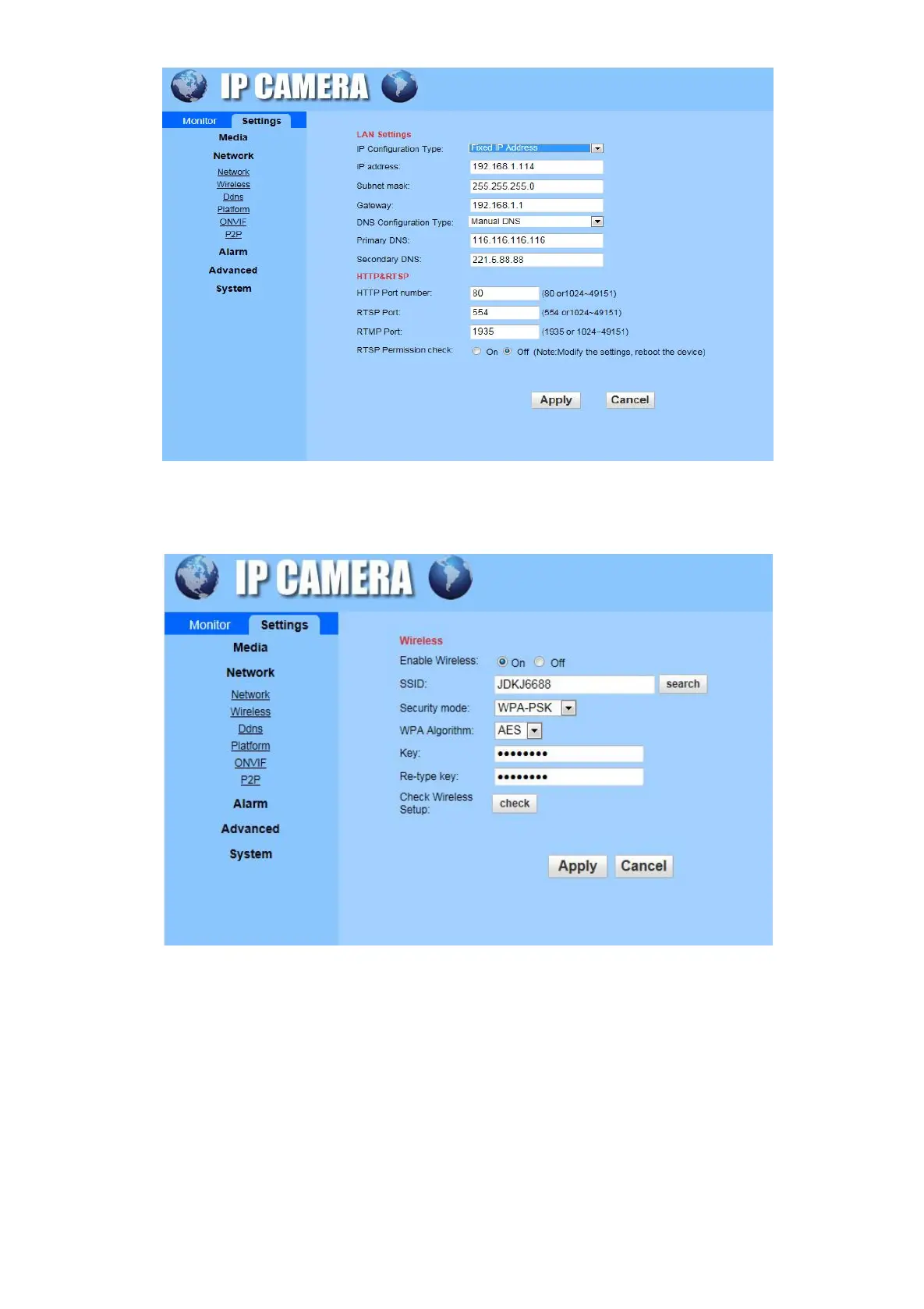
Wireless: Enable Wireless to search and select the wireless network that you want to add, put password.
Click the “check” to verify camera if connected to the wireless signal.
DDNS: To set up DDNS (Remote access), requesting an dynamic domain name to fill in the username and
password which provided by Service provider. Contact us to get the cam ID number, each camera
username and password will be different. Also you could use a third-party domain name to set it up.


 To Next Page