41
REVIEW
20.1 mg /h /g @20 6.8 mg /L
REC:1 EMPTY
10:32 AM
09/21/98
NEXT REC. MODIFY SAVE SEND
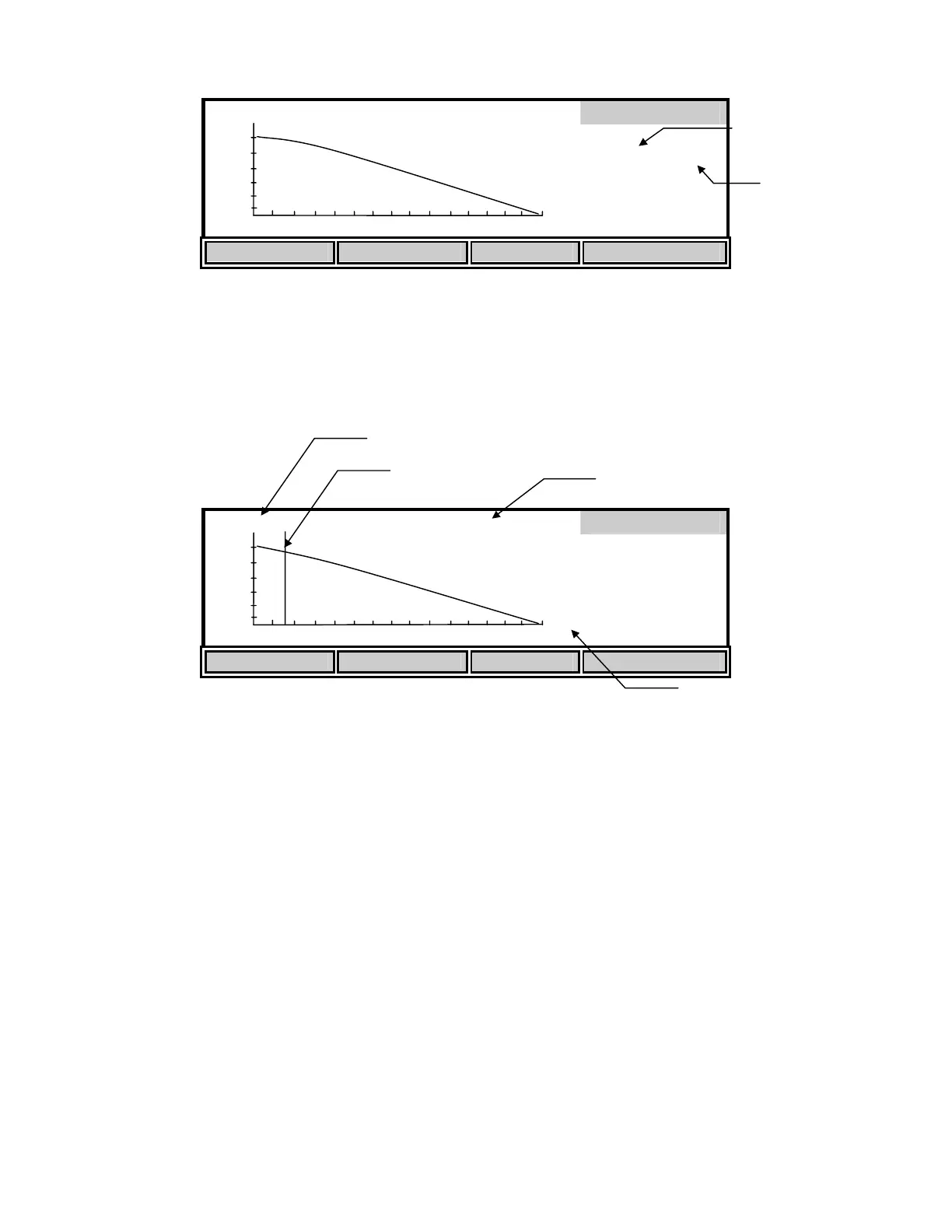
Press the [NEXT REC.] soft-key to change the record number to find an empty slot, or pick a slot
to overwrite (you cannot delete results, you must overwrite). Press the [SAVE] soft-key to save
the current test data into that slot. Once you have saved the data you can press the [MODIFY]
soft-key to change the parameters of the test.
MODIFY
20.1 mg /h /g @20 6.8 mg /L
REC:1 FULL
10:32 AM
09/21/98
! "
SETTINGS
Press the ! or " soft-keys to move the start time reference point to an optimal place on the
curve. The reference point is represented by a vertical line. Only data to the right of the
reference point will be used to calculate the SOUR value. Moving this reference point allows
you to start the test at anytime and trim off unwanted data after the test has run. The DO reading
at the reference point is shown at the top. The reference point cannot move closer than the
minimum time to the end of the test.
The [SETTINGS] soft-key allows you to modify or input values for the Dilution factor and
Solids Weight. These changes are saved if you save the record again.
0
mg
/L
705
SOUR
DO (at Reference
Test time
Time Reference
0
mg
/L
705
Record Number
FULL or EMPTY
indicator


 To Next Page