17
5.4 System Setup
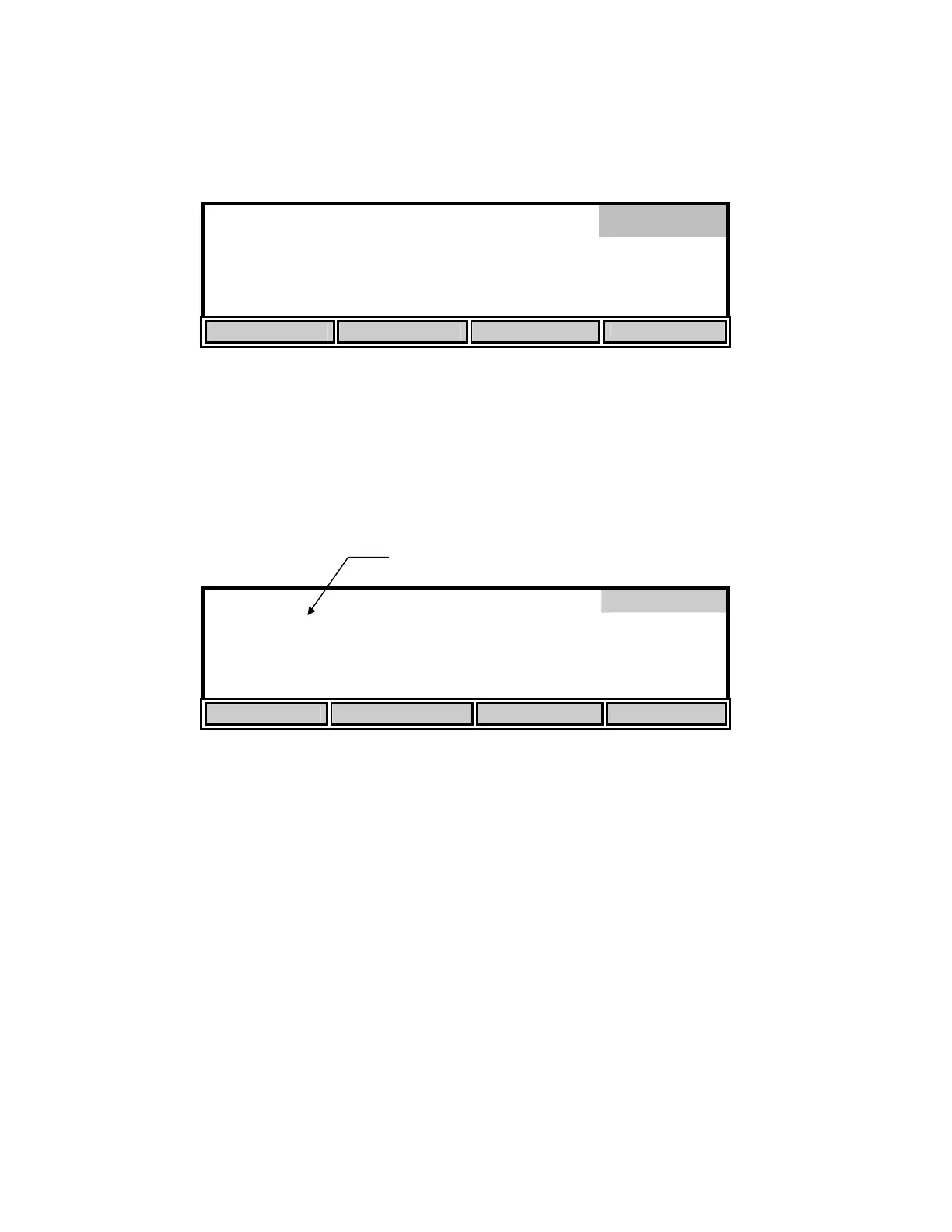
From the Setup menu, press the [SYSTEM] soft-key to display the following menu.
8.38
*
mg
/L
24.38°C 11:47
AM
AUDIO off TIME / DATE VERSION RS232
The [AUDIO on/off] soft-key allows setting the beeper on or off. The key toggles between an
[AUDIO off] soft-key and an [AUDIO on] soft-key. The present state of the beeper would be the
OPPOSITE of the function shown on the soft-key. If the beeper is currently on, the soft-key
shows “AUDIO off”; i.e., your alternate choice.
The [TIME/DATE] soft-key brings up the following menu to allow setting of the date and time.
Time/Date
09:58:04
01/20/96
UP DOWN DIGIT NEXT
Use the UP, DOWN, DIGIT and NEXT soft-keys to enter the time in 24-hour format. The
display digit that is flashing is increased or decreased by pressing the [UP] or [DOWN] soft-key.
If the [UP] or [DOWN] soft-key is held down, the digit will continue to change until the key is
released. The [DIGIT] soft-key makes it easy to make large changes by selecting the digit you
wish to change. After you have set the hour, press the [NEXT] soft-key to move to the next
parameter, minutes. Repeat the process for the remaining parameters.
When you have finished entering the time and date, press [ENTER] to confirm and return to the
system setup menu. The message
“TIME SETTING SAVED” will be displayed on the message line
at the bottom of the screen. The Time/Date sub-menu can be left without making any changes by
pressing the [MODE] key instead of [ENTER]. Operation returns to the system setup menu.
System
Flashing Digit


 To Next Page