32
3.2 Equipment buttons description
3.2.1 Master power switch
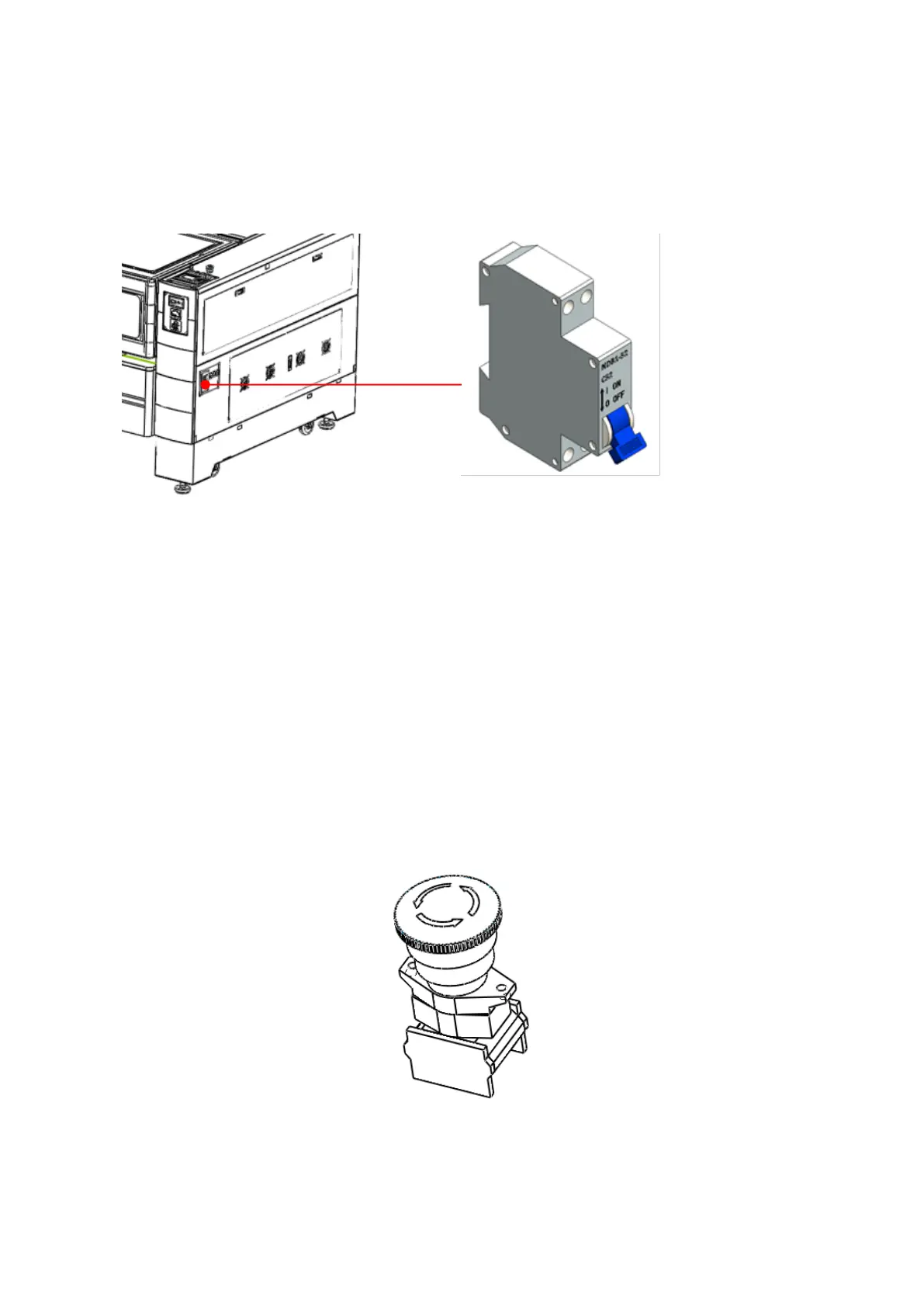
The master power switch is located below the front right side of the machine, as shown below:
Figure 3-20 Master power switch
The master power switch controls the general power of the equipment. When this switch is turned on, the
lamp in the machine will be lighted automatically.
3.2.2 Emergency stop button (optional)
If the equipment is equipped with an emergency stop button, the button will be mounted on the end cap on
the right side of the equipment. In case of emergency, you can press this button to activate the emergency stop
function. When this button is pressed down, all the power will be cut off, and the machine is in the "STOP" state.
Figure 3-21 Emergency stop button


 To Next Page