34
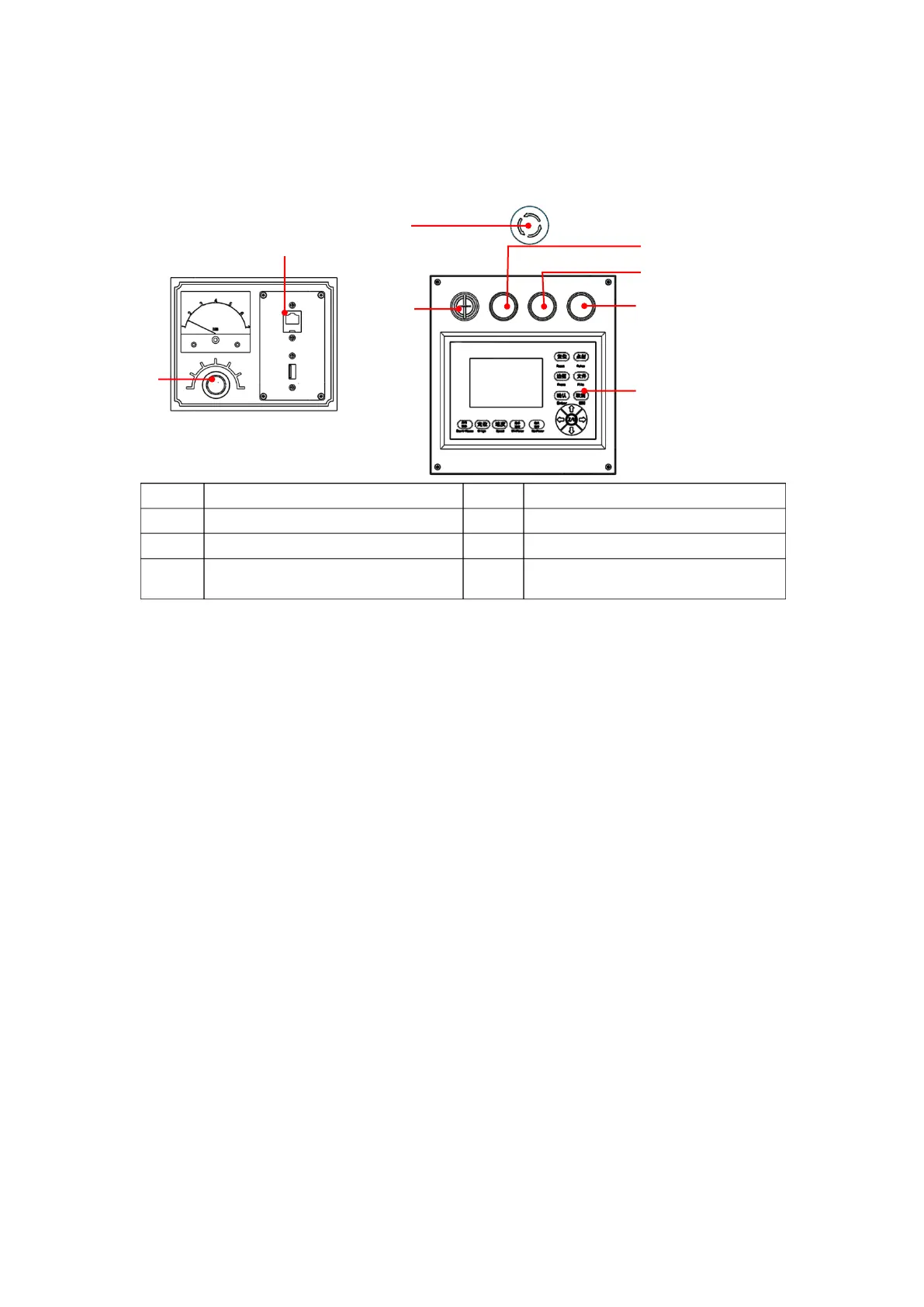
3.2.4 Description of Operation Panel
3.3 Equipment debugging
After installation, the equipment needs debugging and processing test. Equipment debugging mainly
completes state detection of each module of the machine, including motion module, laser module and electrical
I/O module.
3.3.1 Check before turning on
Before first turning on, check every part and make sure that all parts are firmly connected, the electrical
wiring isn’t loose, the water inlet/outlet pipes of the laser tube are connected, and the cooling water has
been filled.
USB and Network Interfaces
Key on/off (unavailable for
certain models)
[USB] interface: The interface is connected to USB interface of the PC, can be used by USB
disk.
Current knob [Laser power]: In the process of cutting debugging, adjust the laser energy of
the cutting head by turning this button, turn clockwise to increase, and turn
counterclockwise to reduce; the digital display meter in the top can be used for accurate
reading.
[EMERGENCY] button: Press the EMERGENCY button to activate the emergency stop
function. When the button is pressed, all the power will be cut off, and the device is in
“Stop” state; when emergency stop is released, turn the button clockwise.
[Key on/off]: Turn the key to “ON”, and the equipment starts working; turn it to “OFF” to
lock the machine and prevent misuse.
[Start]: Press this button to start the system.
[Stop]: Press this button to shut down the system.
[Laser on/off]: Press this button to turn on the laser power supply.
5# Control Panel: For details, see “SmartCarve43-8-C-06-05 5# Controller User's Manual”


 To Next Page