EasyManua.ls Logo

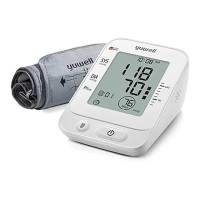
Yuwell YE660D - User Manual

Yuwell YE660D
115 pages
Print Icon
To Next Page IconTo Next Page
Loading...
Metrax GmbH
Rheinwaldstr. 22, D-78628 Rottweil, Germany
JIANGSU YUYUE MEDICAL EQUIPMENT & SUPPLY CO., LTD.
NO.1 Baisheng Road Development Zone, Danyang, Jiangsu 212300
CHINA
www.yuwell.com 730169-0B
YE660D
Electronic Blood Pressure Monitor
User's Manual
Please read the user's manual and label closely before using!

Table of Contents

Questions and Answers

  • S
    Steven CruzAug 18, 2025
    What to do if my Yuwell Blood Pressure Monitor is showing the battery icon?
    • J
      jessica70Aug 19, 2025
      If your Yuwell Blood Pressure Monitor shows the battery icon, it indicates that the battery is running out. Replace the batteries with new ones.
  • J
    Jacob RamirezAug 21, 2025
    What does Err7 mean on my Yuwell YE660D Blood Pressure Monitor?
    • S
      Sheri PerezAug 21, 2025
      If the Yuwell Blood Pressure Monitor displays 'Err7', it means the cuff is too loose or has fallen off. Fasten the cuff tightly and try again.
  • W
    wendy73Aug 23, 2025
    How to fix a Yuwell YE660D Blood Pressure Monitor that won't turn on?
    • F
      fholmesAug 23, 2025
      If your Yuwell Blood Pressure Monitor doesn't work after pressing the power button with batteries installed: * Check that the batteries are installed correctly. * Try replacing the batteries with new ones.
  • J
    Jennifer CruzAug 26, 2025
    What to do if my Yuwell Blood Pressure Monitor gives incorrect readings?
    • K
      Kristen Barron DDSAug 26, 2025
      If you experience multiple measuring failures or the measured value is consistently low or high with your Yuwell Blood Pressure Monitor: * Check the connection and winding of the cuff. * Ensure the cuff isn't too tight or too loose; remove clothing if it's rolled too tight. * Ensure you are in a quiet, relaxed state. Take deep breaths to relax before measuring.
  • E
    erinharrisAug 28, 2025
    What to do if the value on my Yuwell YE660D is different from the clinic?
    • M
      Michael WuAug 28, 2025
      Write down the value every day, and consult a doctor.
  • N
    Nichole HarveyAug 30, 2025
    What to do if my Yuwell Blood Pressure Monitor gives a different value than at the doctor's office?
    • R
      Ryan JonesAug 30, 2025
      If the value you get from your Yuwell Blood Pressure Monitor is different from what you measure at a clinic or doctor's office, record the value every day and consult with your doctor.
  • D
    Debra WilliamsSep 1, 2025
    What does Err4 mean on a Yuwell YE660D Blood Pressure Monitor?
    • W
      wpattersonSep 1, 2025
      If the Yuwell Blood Pressure Monitor displays 'Err4', it means it was unable to measure the pressure. Make sure to fasten the cuff correctly before taking a measurement.
  • C
    Charles WardSep 4, 2025
    What does Err6 mean on my Yuwell YE660D Blood Pressure Monitor?
    • D
      Daniel HamiltonSep 4, 2025
      If the Yuwell Blood Pressure Monitor displays 'Err6', it indicates a pressurizing error caused by movement of your arm or body. Keep your arm and body still and measure again.
  • K
    Kristopher AndersonSep 6, 2025
    What does Err5 mean on a Yuwell Blood Pressure Monitor?
    • M
      Mary RodriguezSep 6, 2025
      If the Yuwell Blood Pressure Monitor displays 'Err5', it indicates a pressurizing error. Check the cuff for any air leaks.
  • S
    Sean ParksSep 8, 2025
    What does Err8 mean on a Yuwell YE660D?
    • S
      Sarah EwingSep 8, 2025
      If the Yuwell Blood Pressure Monitor displays 'Err8', it means the pressure exceeded the maximum value of 300mmHg. Please measure again.

Summary

Operation Guide

Power - on

Instructions for powering on the device via AC adapter or batteries.

Measurement

Steps for using the cuff, posture, and starting measurement.

Check the records

How to check stored measurement records and average values.

Product Structure

Main part

Identification of the main components of the blood pressure monitor.

Cuff

Details about the blood pressure cuff.

Adapter

Information about the AC adapter specifications.

Accessories

List of included accessories.

Parts

Main part

Detailed view of the main unit's components.

Cuff

Description of the cuff and its suitable upper-arm circumference.

Display

Display

Explanation of the blood pressure monitor display elements.

Cautions

Safety Symbols and Warnings

Explanation of symbols indicating warnings, instructions, and device classifications.

Application Scope and Attention Items

Range of Application

Intended use of the product for adult blood pressure and pulse rate measurement.

Attention Items

Points to consider for accurate measurement and to prevent damage or incorrect results.

Maintenance

Device Protection and Care

Guidelines for protecting the device and ensuring measurement accuracy.

Cleaning and Storage

Instructions for cleaning the monitor and proper storage conditions.

Battery Installation

Battery Installation Steps

How to properly install and replace the device's batteries.

Unit Setting

Setting Measurement Units

How to switch between mmHg and kPa measurement units.

Using Method of Cuff

Cuff Connecting

How to connect the cuff's air connector to the monitor.

Cuff Application

Steps for winding, sticking, and positioning the cuff on the arm.

Measuring Posture

Correct Measuring Posture

Recommended posture for accurate blood pressure measurement.

Incorrect Measuring Postures

Examples of postures to avoid for accurate readings.

Start Measuring

Pre-measurement Preparation

Advice on diet, activity, and timing before taking a measurement.

Measurement Process

Steps involved from zero testing to inflation during measurement.

During Measurement

Maintaining position and avoiding movement during the measurement process.

Measurement Results

How results are displayed after measurement in mmHg and kPa.

Ending Measurement

Steps for taking off the cuff, shutting down, and powering off the device.

Emergency Stop

How to stop a measurement in case of discomfort or other reasons.

Blood Pressure Range Indicator

High Blood Pressure Definition

Defines high blood pressure based on SYS and DIA readings.

Using the Indicator

How the indicator visually shows blood pressure levels.

Memory Function

Storing Measurements

Automatic storage of blood pressure and pulse data, with a limit of 90 records.

Accessing Stored Records

How to view average values, specific measurement groups, and search data.

Deleting Recorded Data

Procedure to clear all stored measurement data from the monitor.

Auxiliary Measuring Function

Cuff Detection

How the device indicates proper cuff winding.

Wrong Operation Indication

Indication for body movement during measurement causing inaccurate results.

Static Mode

Entering Static Mode

Procedure for professional testing using a pressure gauge.

System Restore

Restoring the system before static mode to ensure accurate results.

Static Mode Tips

Advice for using static mode and automatic power-off.

Common Questions of Blood Pressure Measurement

What is Blood Pressure?

Definition of blood pressure, systolic and diastolic pressure.

What is Hypertension?

Definition, causes, and control of high blood pressure.

Why Measure at Home?

Benefits of home blood pressure monitoring compared to clinic readings.

WHO Blood Pressure Classification

Standards for classifying blood pressure levels by WHO.

Hypotension Definition

Definition of low blood pressure (hypotension).

Blood Pressure Variations

Factors affecting blood pressure variations and how to interpret readings.

Best Time for Measurement

Recommended times for measuring blood pressure for consistency.

Common Fault and Trouble Shooting

Device Not Working

Troubleshooting steps when the device does not respond after pressing the button.

Measurement Errors

Solutions for common measurement failures like low/high values or different results.

Fault Indications and Solutions

Table detailing error codes, causes, and resolution steps.

Features and Technical Parameters

Device Specifications

Detailed technical specifications including model, range, power, and dimensions.

Contract Materials

Details on the materials used for different parts of the device.

Electromagnetic Compatibility Information

RF Communications Equipment Use

Guidelines for using RF devices near the SPHYGMOMANOMETER.

Interference Mitigation

Advice on handling potential interference from other instruments.

Emission Test Compliance

Table showing compliance with emission standards like CISPR.

Immunity Test Compliance

Table detailing the device's compliance with immunity standards.

Immunity Tests for Non-Life-Supporting Equipment

Compliance levels for immunity tests on non-life-supporting ME systems.

RF Wireless Communications Test Specs

Specifications for immunity testing against RF wireless communications.

Yuwell YE660D Specifications

General IconGeneral
BrandYuwell
ModelYE660D
CategoryBlood Pressure Monitor
LanguageEnglish

Related product manuals