FN / ISO: FN or ISO quick setting (2.1 Quick Settings).
Up / SHT: Up selection (or add value) or Shutter Speed / Shutter Angle quick setting
(2.1 Quick Settings).
Down / EV: Down selection (or reduce value) or EV quick setting (2.1 Quick
Settings).
OK: Confirmation or to trigger the AF function (2.1 Quick Settings).
F1: AEL (Auto Exposure Lock) by default, can be changed to other quick settings
(2.10 System - Fn).
F2: Load profile by default, can be changed to other quick settings (2.10 System -
Fn).
F3: Aperture quick setting by default, can be changed to other quick settings (2.10
System - Fn).
Power button: Long press for 3 seconds to power on / off the camera, short press to
switch to / back from Playback mode.
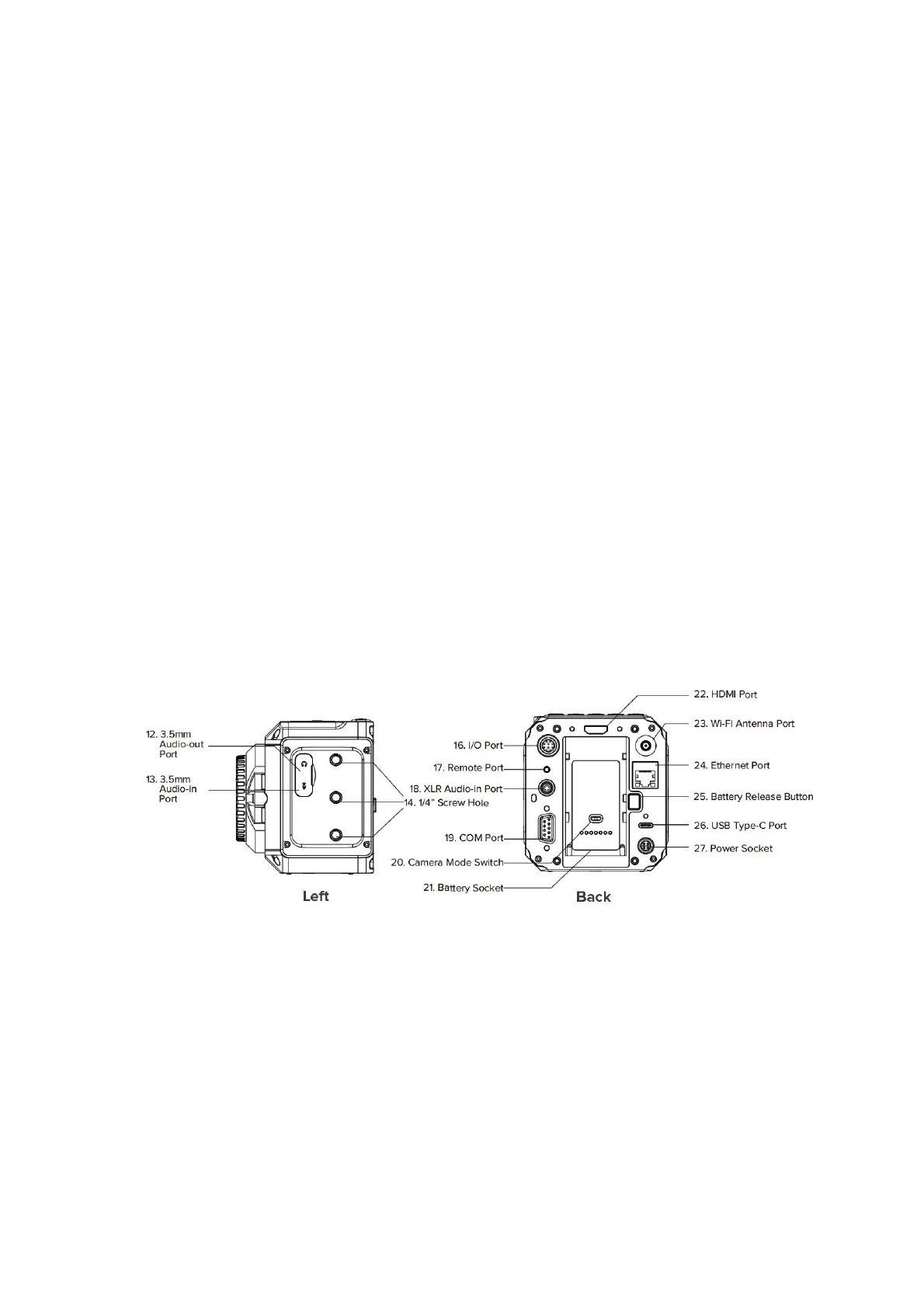
1.5. Interfaces
3.5mm Audio-out: 3.5mm (TRS) jack socket, stereo audio-out, can connect
headphone for audio monitoring
3.5mm Audio-in: 3.5mm (TRS) jack socket, support stereo microphone input (do not
support line-in), can connect external microphone
HDMI: HDMI 2.0 Type A port, video output up to C4K @60fps(10-bit 4:2:2).
Wi-Fi: 2.4GHz Wi-Fi antenna port, 802.11n supported.
Ethernet: Gigabit Ethernet port for camera control, setting & live streaming (with Z
CAM software installed on PC).



 To Next Page