-10-
3 Using the Dash Cam
3.1 Recording Videos
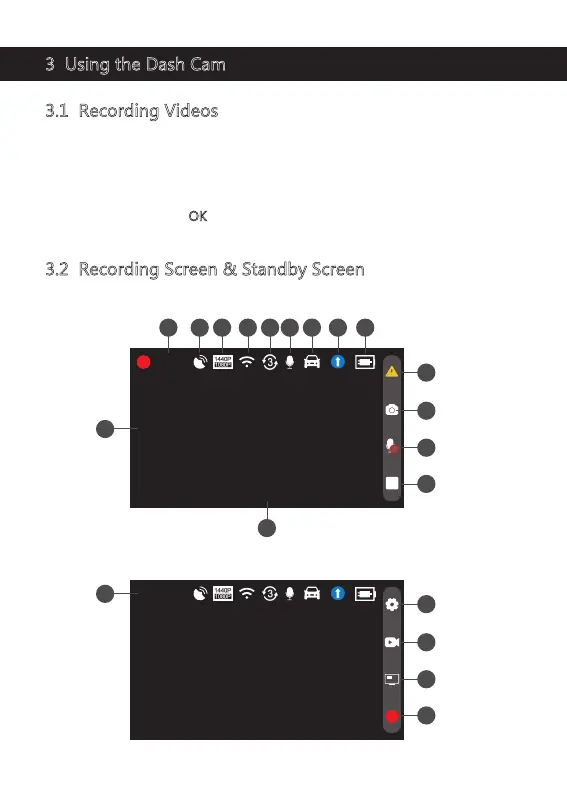
3.2 Recording Screen & Standby Screen
With a Micro SD card inserted and the dash cam connected to power, when the
car engine is switched on, the dash cam will automatically turn on and start
recording. When the car engine is switched off, the dash cam will automatically
save the recording and turn off within 5 seconds.
Alternatively, press the 'OK
' button(6) to stop/start video recording manually.
While the dash cam is recording
00:10
2022/10/20 11:53:00
1 2 3 4 6 7 8 95
10
11
12
13
14
15
WDR
While the dash cam is in standby (Not recording)
00:40:45
2022/10/20 11:53:00
17
18
19
20
WDR
16



 To Next Page