English •
10 Find more information at www.zacorobot.eu
Product operation
1
Place the charging station
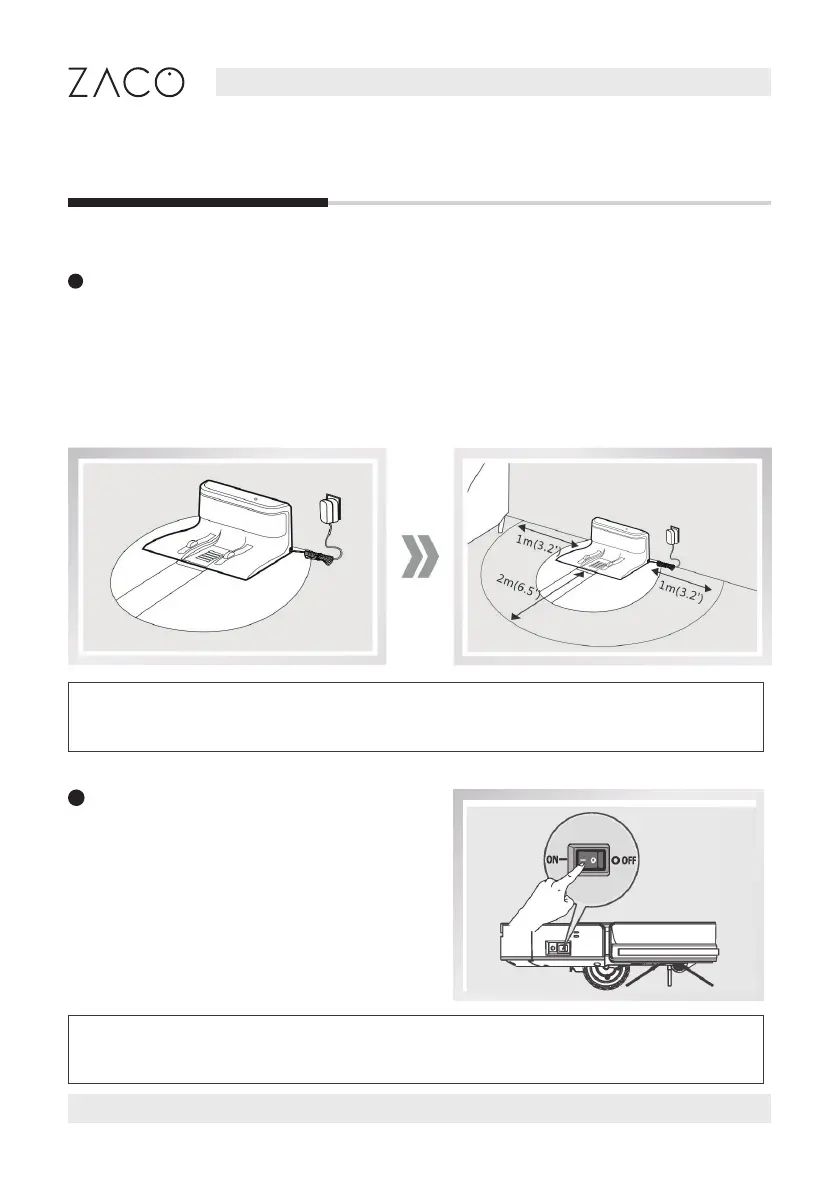
1. Connect the adapter to the charging station
2. Place the charging station on the ground. Do not place any objects 1m to its left /
right side and 2 m to its front. Reective objects, in particular, can cause issues with
nding the charging station.
3. Connect the power supply.
2
Turn on the robot
The power switch is at the side of the robot.
Press “I” to turn on the robot; Press “O” to
turn it o.
Charging Station
Note: After the charging station is connected, the indicator light on the top
of the charging station will be on.
Note: After the robot nished cleaning, it is recommended to not turn it o,
and let it charge for the next use.



 To Next Page