Engish •
Find more information at www.zacorobot.eu 29
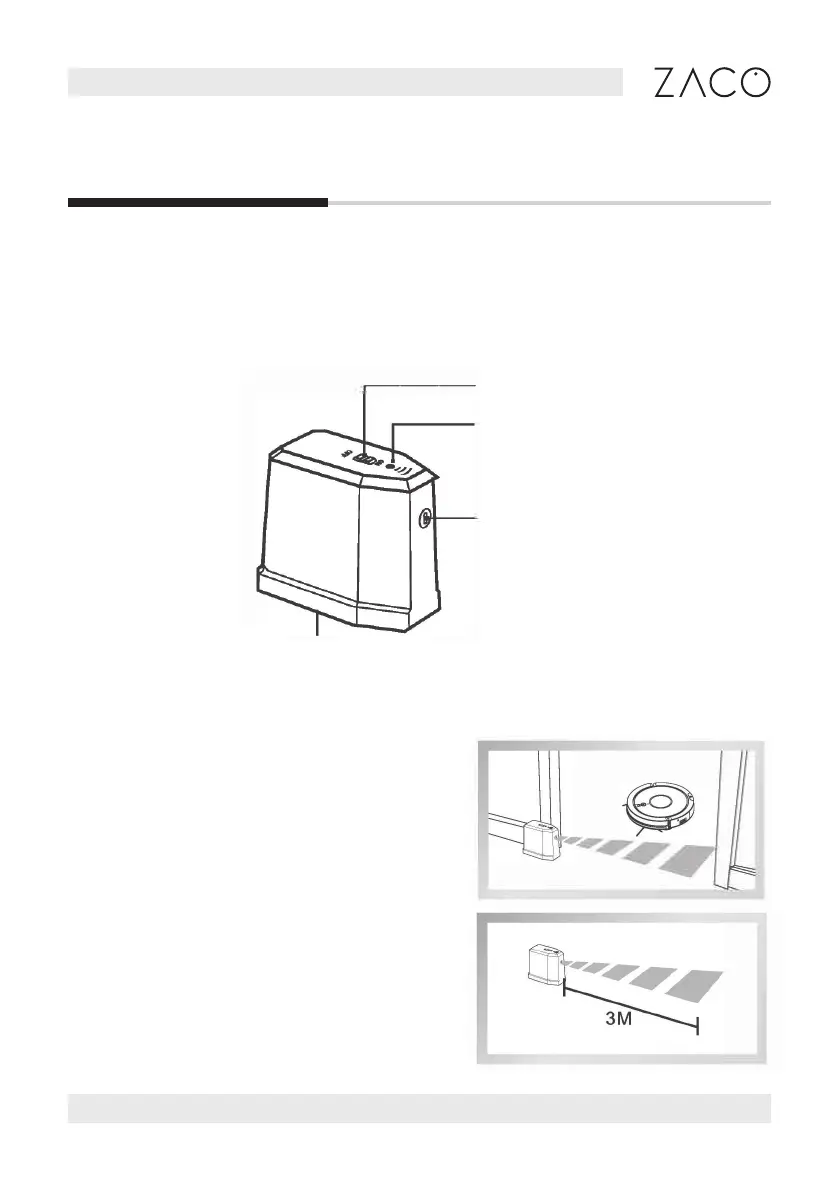
Power switch
infrared indicator
Transmitter
Battery storage
InvisibleWall
Invisiblewall parts
InvisibleWall creates an invisible barrier that the A9s Pro will not cross. This can be used
to prevent the robot from entering certain areas.
InvisibleWall operation
• Install the batteries before turning
the power on
• Put the InvisibleWall in front of the
area that you wish to protect.
Make sure to align the transmitter
according to the instructions on top
of the InvisibleWall device.
• Turn the InvisibleWall o after
cleaning is nished.



 To Previous Page