12
key and you will switch to the previous screen.
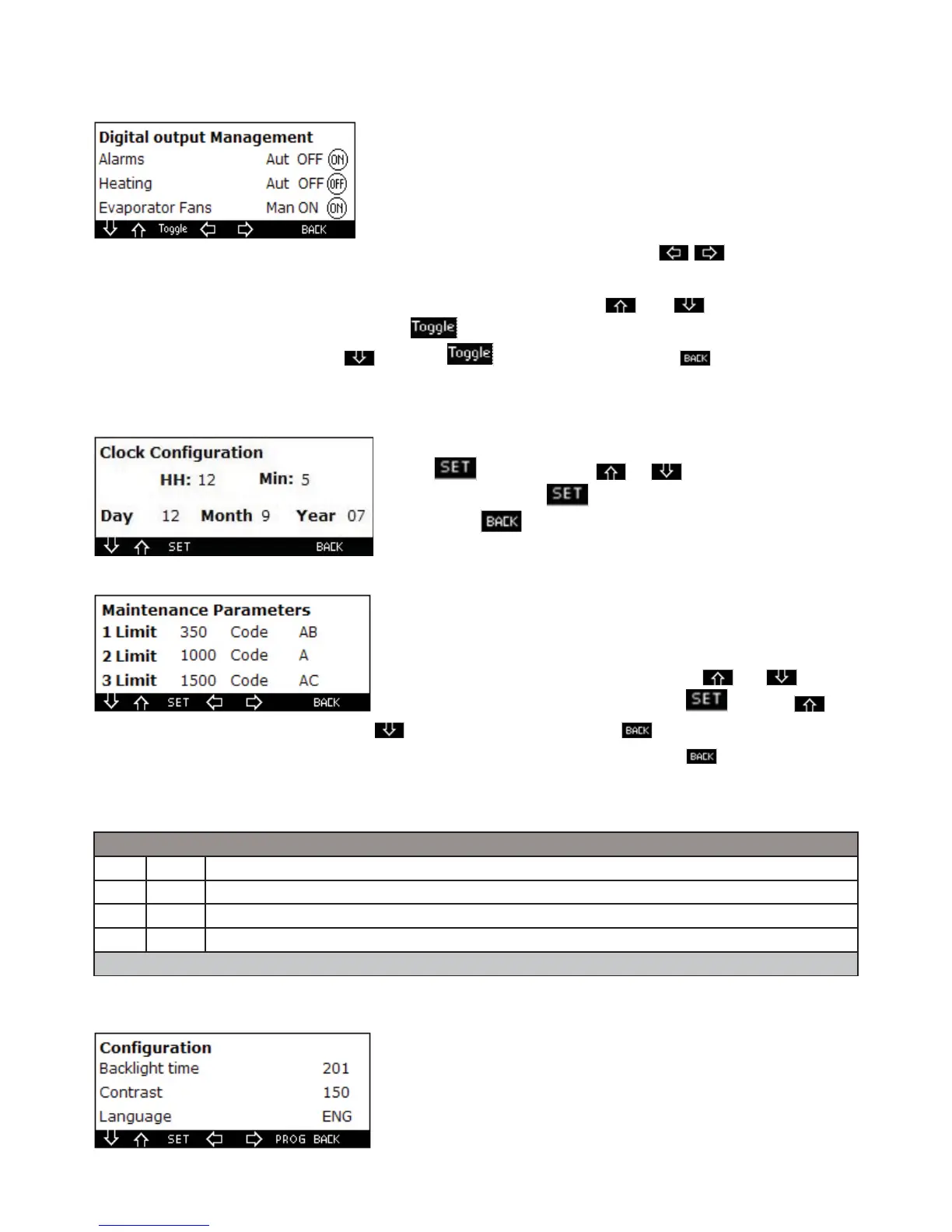
1.16. Digital outputs management
When you enter this section you can display the screen. The labels located
in correspondence of each output from the left represent: if they are in auto-
matic “aut” or in manual “man”, the on/off logic (when they are in manual),
the present state. You can modify the state of each output by setting to
manual and then forcing to on or off; to do it from the initial screen identify
the output to be modif ed by operating on the
keys through which
you can switch
from one screen to the other. When the required output is identif ed press the and keys until the exit
state to be modif ed is highlighted and press the key to switch it to manual. To modify its value switch to
the parameter on the side by pressing and then to force on or off. Press the key to switch to the
previous screen.
1.17. Clock confi guration
If you enter this section you can display the screen
ress the key and then the an to modify the value of the
selected parameter: press again to conf rm.
If you press the key you will switch to the previous screen.
1.18. Maintenance parameters
If you enter this section you can display the screen
In this screen you can set the maintenance thresholds and the maintenan-
ce codes which later will be shown at user level.
To program the duration of a threshold press the and keys
until the required one is highlighted, then press and then and
to modify its values, press again to conf rm. To modify the code
perform the same procedure once the required code has been highlighted. If you press the key you will switch
to the previous screen.
1.19. Probe parameters
In these masks conf gure some parameters which are represented in the table below:
P2P OFF Evaporator probe is provided
P3P OFF Condenser probe is provided
Csa 0 Environment probe adjustment
CF °C Unit of measurement °C/°F
The programming of these parameters is always performed like the others
1.20. Confi guration
If you enter this section you can display the screen
n this screen you can set
the duration of the retro-illumination
the contrast
the language
take into account that if the 201 value is set, the retro-illumination is
always on



 To Next Page