14
1.22. Maintenance messages reset
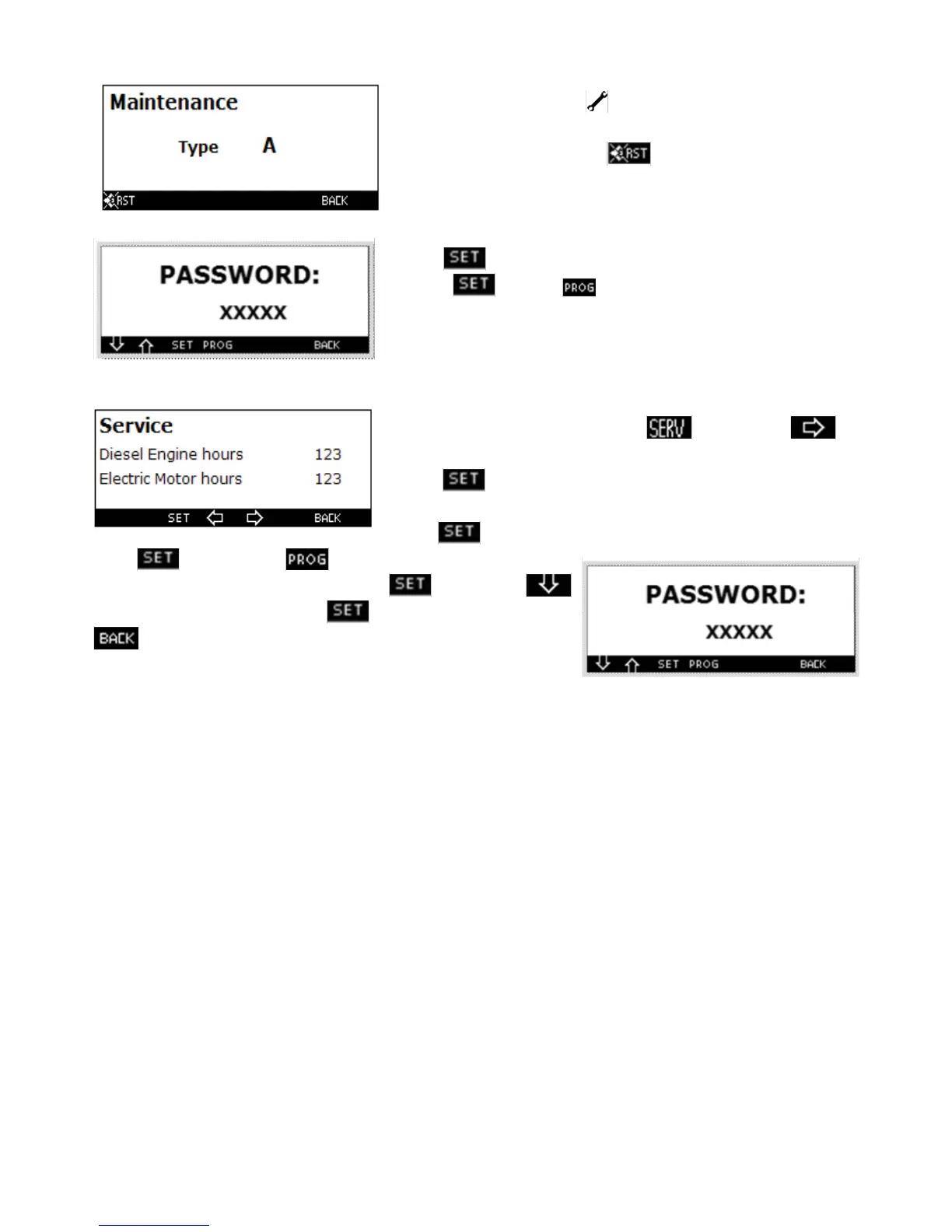
When on the main screen the icon is displayed, by pressing the
maintenance key, for example, the screen will be displayed.
To reset this information press the , key, the screen will be displa-
yed.
Press the key and set through the arrow up, select number 3 and
press again and then in this way the maintenance request is
reset.
1.23. Hour reset of diesel or electric motor’s operation
Access the service screen by pressing the key. Press the
key until the screen below is displayed.
Press the key for some seconds. The screen below is displayed.
Press the key and through the arrow select both number 11 and
press again and then , the previous screen with the value of
hours highlighted will be displayed. Press the key and the
to reset the operation hours, press again to conf rm. Press the
key to switch to the previous screen.



 To Next Page