13
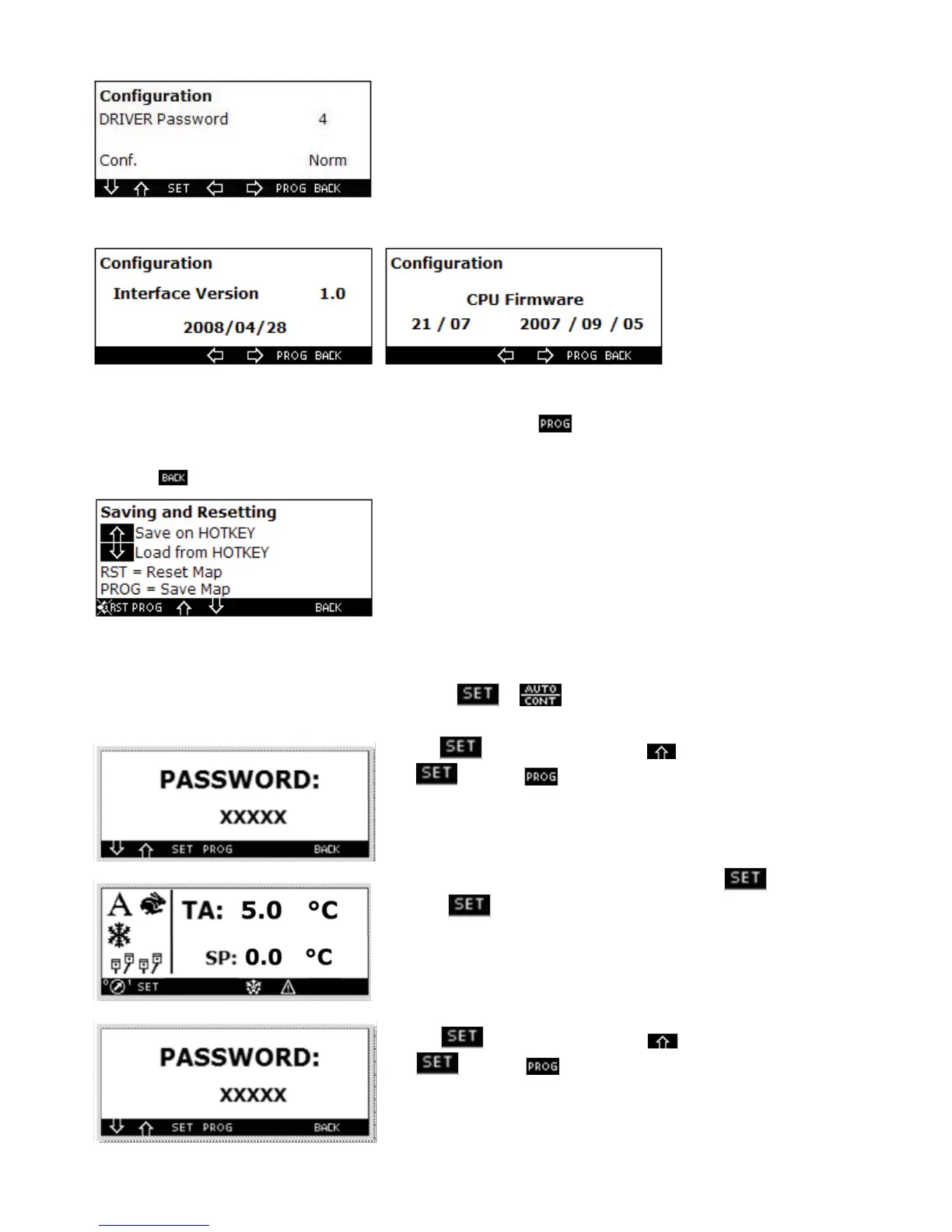
In the subsequent screen you can set:
The password to activate the driver’s mode
The control unit conf guration : Standard, multi-temperature, trailer.
The two subsequent masks are information masks relevant to the software conf guration
In this section you can also save or download on hot key (through input on the power card) the machine conf gura-
tion or you can re-set the default values. For this purpose, press the
key, and you will access the screen under
which the various functions are shown.
Press the key to switch to the previous screen.
1.21 Driver’s screen
To set the driver’s screen simultaneously press the keys + keys for f ve seconds, now the screen will be
displayed.
Press the key and set through the key, number 4 and press
again and then . Through this procedure the main screen will
be the one below.
To return to the standard conf guration press the keys + the key on
the right of for f ve seconds.
Press the key and set through the key, number 4 and press
again and then . Through this procedure you return to the
standard conf guration.



 To Next Page