6
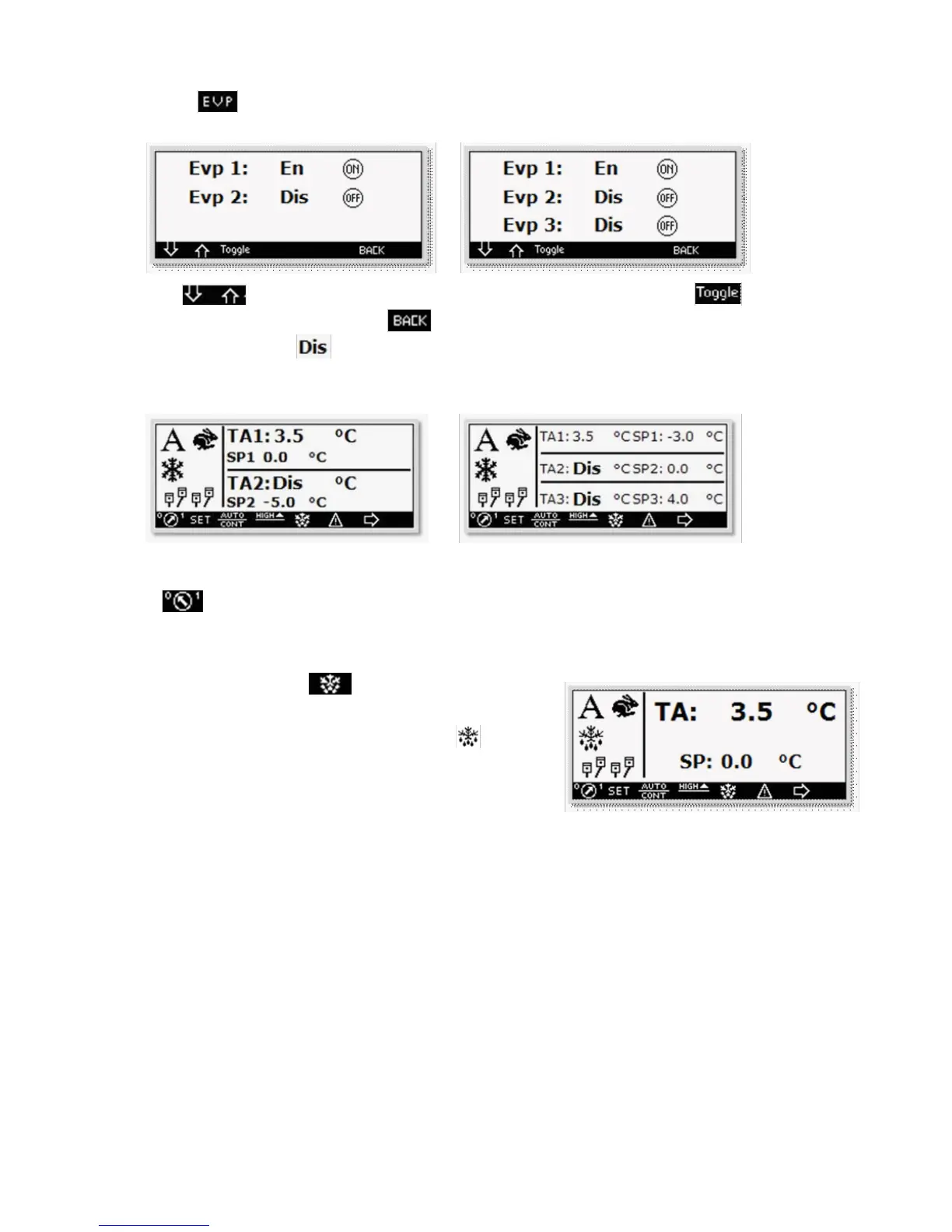
By pressing the key you enter the evaporator’s enable and disable screen.
n°2 Evaporators n°3 Evaporators
Through the keys, select the evaporator to be disabled or enabled and press the key to change its
state. To return to the main screen press the key.
The main screen will display a note which indicates the disabled evaporators.
n°2 Evaporators n°3 Evaporators
1.5. Refrigerating group switching on
Press the key to switch the refrigerating group on/off, while the display is lit.
1.6. Manual de-frosting
From the main screen press the key for 5 seconds. The
de-frosting activation is affected by the closure of the de-frosting end
thermostat ( Klixon ). During the de-frosting phase the icon will
de displayed and simultaneously the key will start f ashing. Once the de-
frosting cycle is over the dip phase starts with unit stopped and f ashing
display.



 To Next Page