Accessories
101
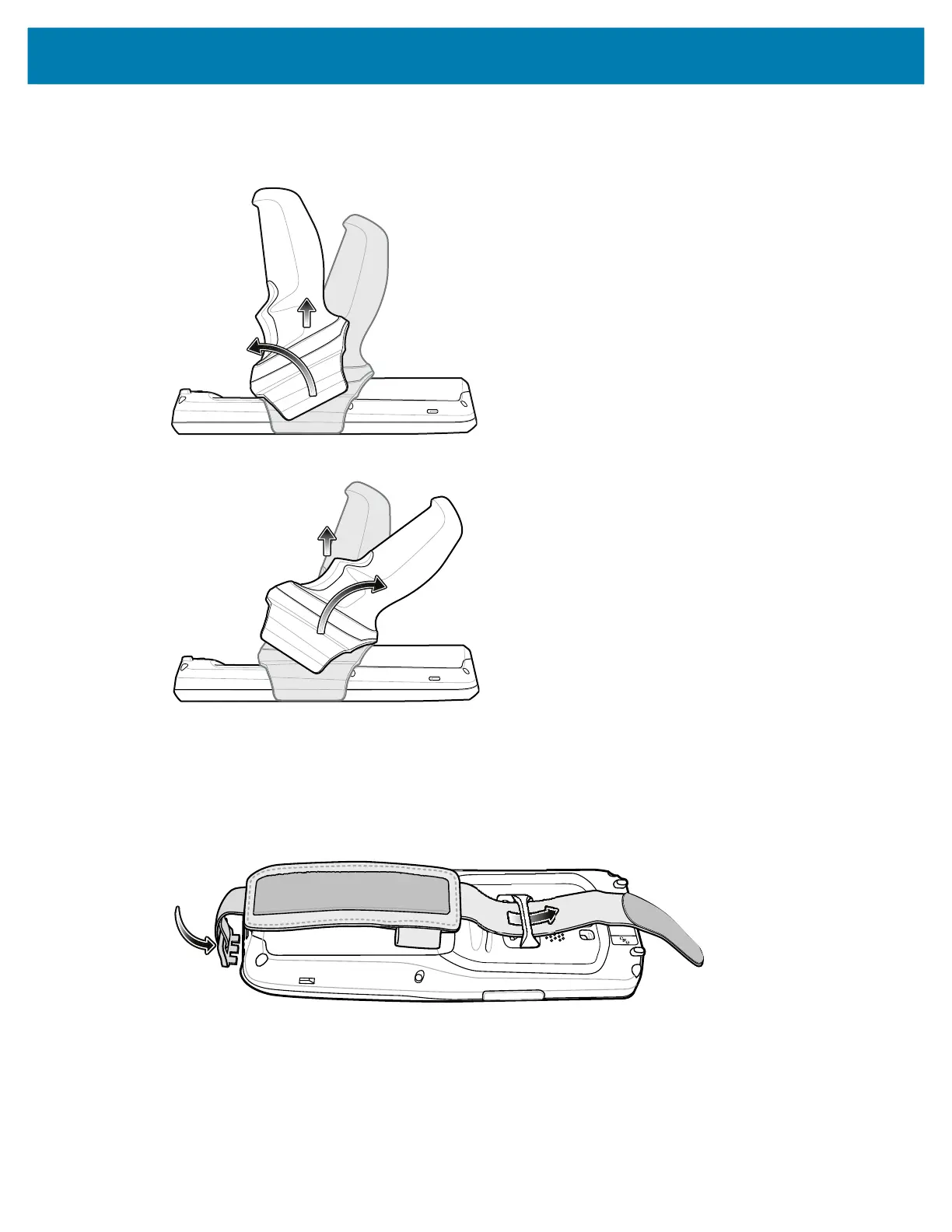
Removing the Trigger Handle
Rotate the trigger handle toward the top of the device and lift up to remove.
Alternately, rotate the trigger handle toward the bottom of the device and lift up to remove.
Hand Strap
Installing the Hand Strap
1. Insert the hand strap clip into the hand strap clip slot on the bottom of the device.
F
2. Feed the top end of the hand strap through the hand strap mount at the top of the device.
2
mc2200-mc2700-a10-prg-en.book Page 101 Friday, September 25, 2020 10:24 AM



 To Next Page
 Loading...