Cancer Institute Microscopy Core Facility
V1.0
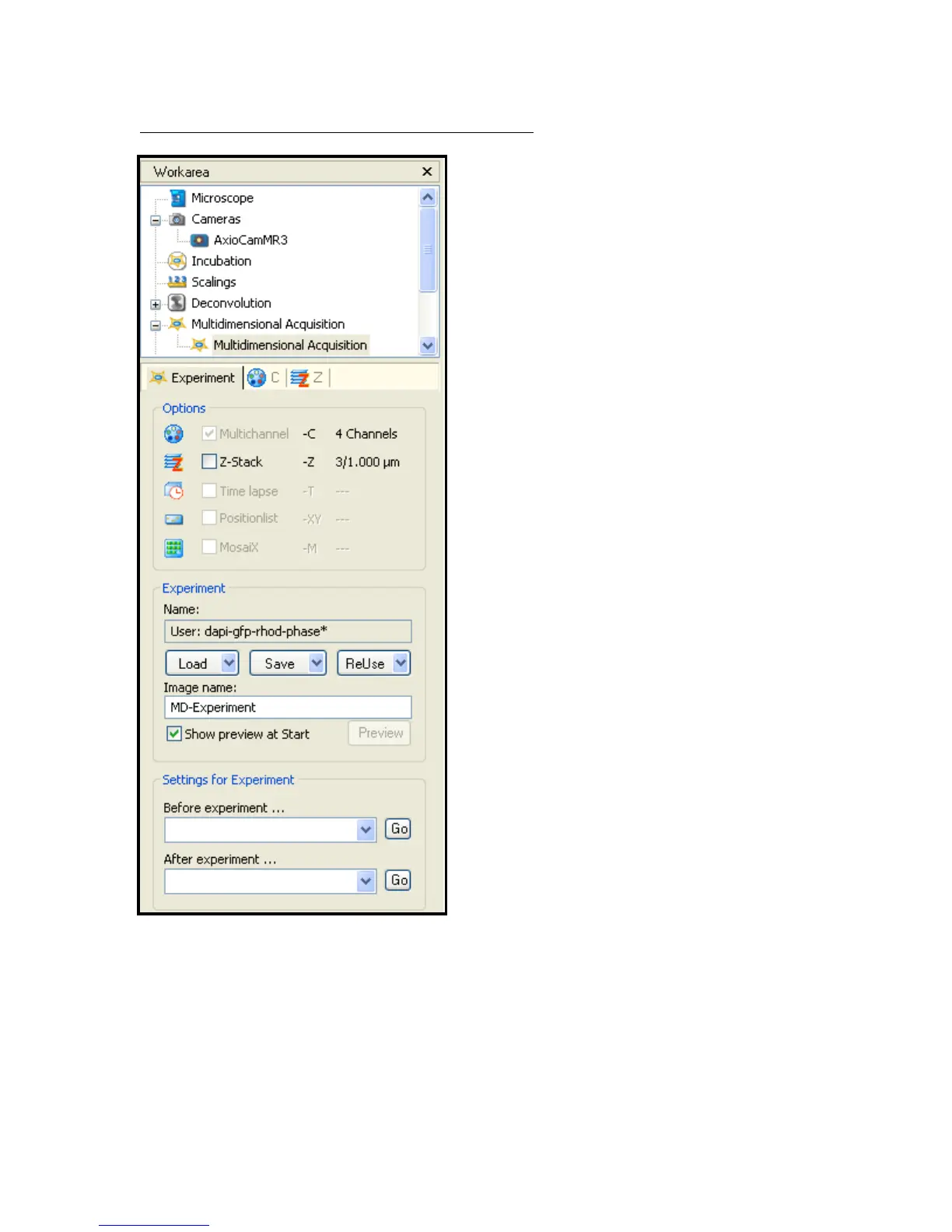
Fig 6 – Multidimensional Acquisition Experiment Tab
d) Select Experiment tab and click on
ReUse button – Fig 6
e) Select a .zvx file normally found in
directory;
‘my documents/Carl Zeiss/data/experiment’
These files are labelled with the
combination of channels that will be
examined by microscope if chosen.
For example in the Experiment box
shown in Fig 6 the name shown is
‘dapi-gfp-rhod-phase*’ – This file will
make the microscope acquire images
through all 4 channels
It is also possible to reselect settings
from a saved image to replicate the
settings from that. This is achieved in
the ‘ReUse’ drop down menu and
choosing to load from image.
f) If you desire to create a Z-Stack click
the Z-Stack button in the ‘Options’
box
g) Select the C tab – Fig 6


 To Next Page