18 Feb 2011,<qsg-wf1> p. 2/8
Startup procedure
Turn on (in this order):
• if required: heater unit and heater, 4 hours before live imaging to allow focus to stabilise:
• c plate holder
• d chamber
• if required: CO
2
supply
• switch on the mercury fluorescence lamp
• MAIN switch on the wall, on the right side of the microscope
• computer
Log in with your local account (not your IC login) and start the Volocity software.
Adjusting brightfield Köhler illumination
• make sure the LIGHT PATH (button on the left / bottom) is switched to 100%
BINOCULAR: press button until displayed on the microscope top display
• switch to 10x objective with the objective buttons on the right side of the
microscope
• you can move your specimen in xy-direction with the joystick, holding the
button on top of the joystick makes the stage moving faster
• focus on your sample
• if focus beeps, override the top limit by pushing the top focus button on the
right side of the microscope while turning the focus wheel
(when you hear double beeps, the
mechanical limit of the focus is reached which cannot be overrun)
• open brightfield shutter with S1 (labelled ‘BF’ on the filter wheel pad)
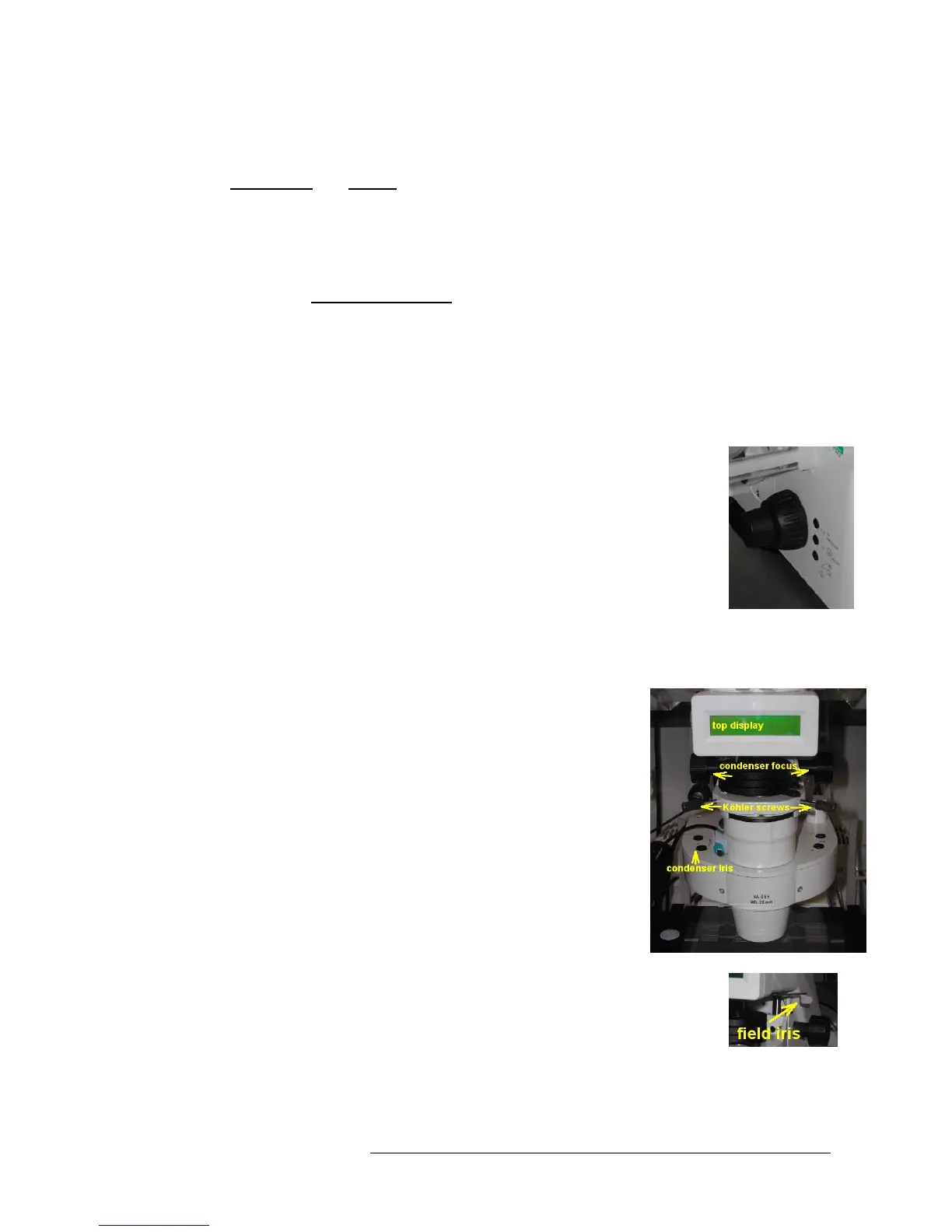
• adjust brightness with large black button on front / bottom of
microscope)
• make sure condenser iris is not completely closed (two buttons on
top of illumination filter wheel)
• completely close field iris (top silver lever) (if the image turns
completely black, reopen until you see some light, proceed to next
step and close again after you have focussed the iris)
• focus iris (black condenser focus wheel)
• centre iris (2 silver Köhler screws)
• reopen field iris until the edge is just not visible anymore










 To Next Page