13
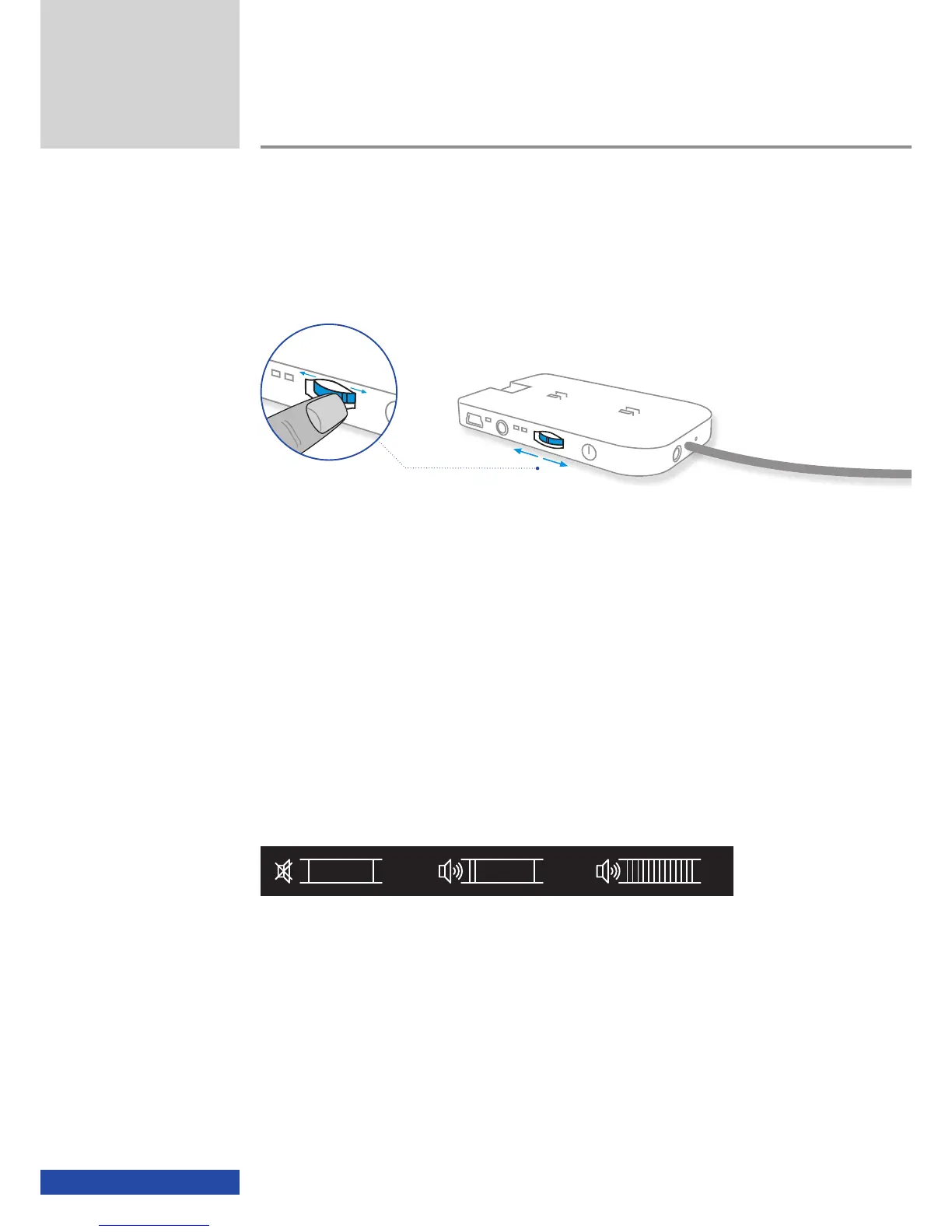
Volume
You can change the volume of the cinemizer
OLED
video glasses using the
multifunction switch.
On the usage of an iPod or iPhone with the cinemizer
OLED
glasses, the
volume control on the iPod or iPhone is inhibited. On some iPod or iPhone
models, the volume may still be indicated on the display if the volume but-
tons are actuated, but the volume in the cinemizer
OLED
will not change.
With an iPod or iPhone connected you can only adjust the volume on
the cinemizer
OLED
.
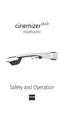
Each time you change the volume, the volume symbol will be displayed
briefly on the virtual screen in the cinemizer
OLED
glasses.
Mute Lowest volume Maximum volume
A total of 11 different volume settings and a mute setting are available. Each
time you power on the cinemizer
OLED
video glasses the volume is set to the
default volume, which is 50% of the maximum volume.
+
-
Usage
+
!


 To Next Page