28
OSD settings
Activation of the OSD
You can change the settings for the multimedia
video glasses using the integrated On-Screen
Display (OSD). The on-screen display is a menu
displayed in the virtual image generated by the
video glasses.
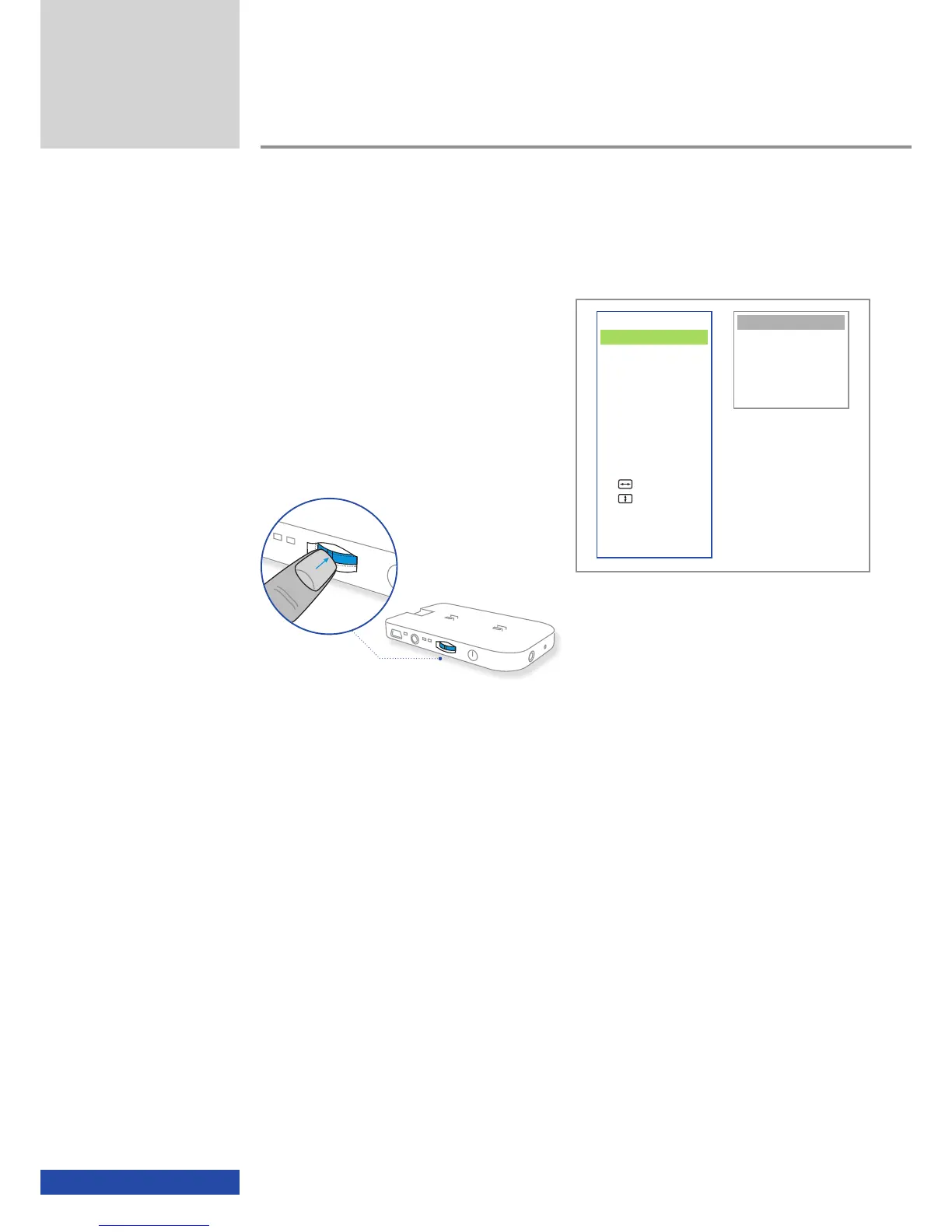
You can activate the OSD by briefly pressing the
multifunction switch.
The menu page on the left contains the main
menu and the menu page on the right contains
the settings menu. The green bar always indi-
cates the actual position of the cursor, which
is either on the main menu or on the settings
menu.
If you do not undertake any actions with the
OSD activated, the OSD disappears automati-
cally after 7 seconds.
Additional functions
VIDEO
3D-Mode
Aspect
Contrast
INFO
Connection
Status
ADVANCED
Auto Adjust
Man. Adjust
Man. Adjust
Brightness Bal
EXIT
Side-by-Side (L/R)
Side-by-Side (R/L)
Top/Bottom (L/R)
Top/Bottom (R/L)
ttt Back


 To Next Page