22
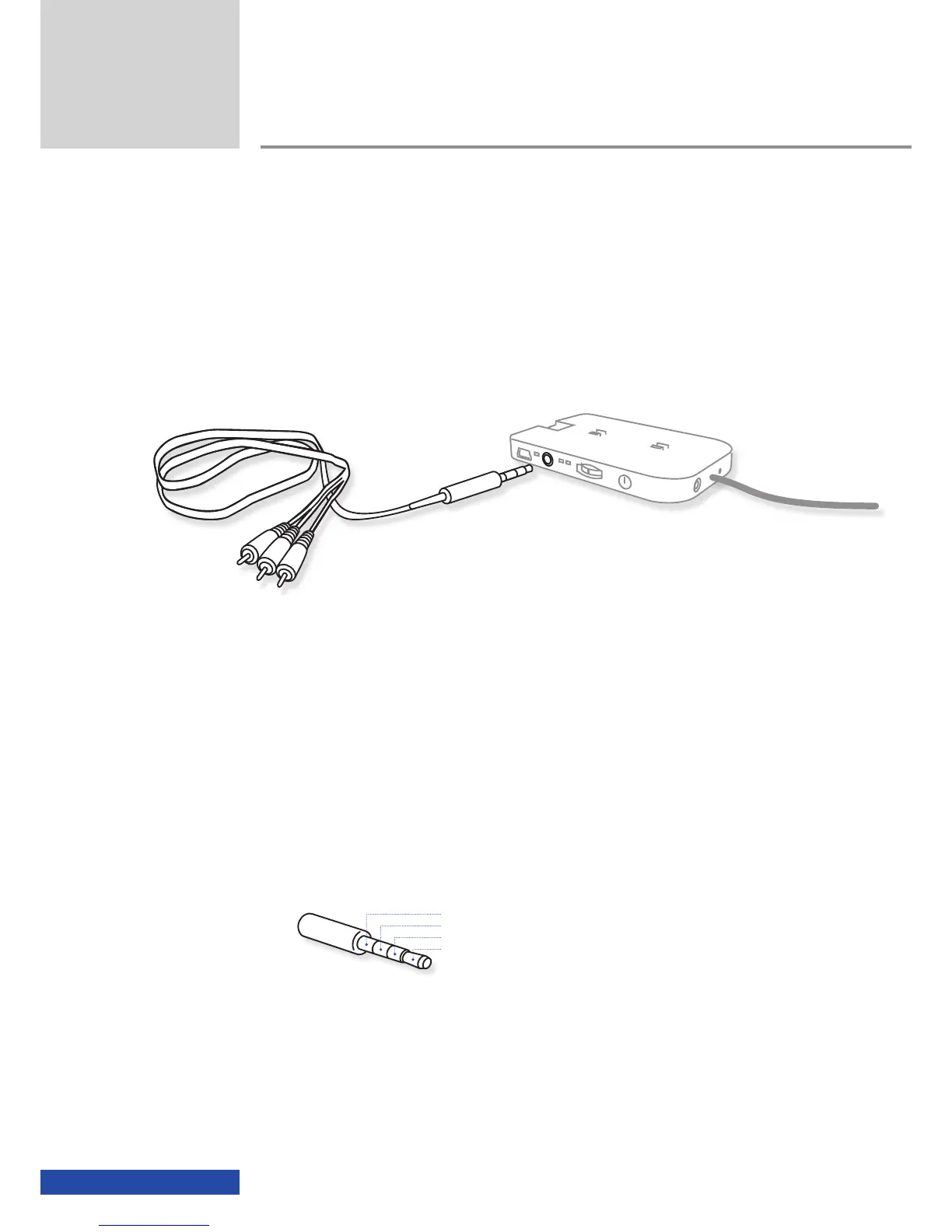
Other playback devices via cinch video cable
All playback devices that output a "video composite" signal via the familiar
yellow cinch jack can be connected (e.g. DVD players, mobile phones, smart-
phones, games consoles, multimedia hard disks, camcorders, digital reflect
cameras, etc.) using the 3.5 mm AV-In jack integrated into the cinemizer
OLED
battery box.
A video cable is required for this connection; this cable in included
in the package and is available from dealers or online shops
(www.zeiss.com/cinemizer/shops).
Please note that the iPod/iPhone or HDMI adapter must be removed on
playback via the AV-In jack!
On purchasing a video cable, it is IMPERATIVE you pay attention to the cor-
rect PIN assignment.
Pin 1 = GND/Common
Pin 2 = Video
Pin 3 = Audio right
Pin 4 = Audio left
Usage
!


 To Next Page