15
Battery status
When the cinemizer
OLED
is powered on, the battery status LED indicates to
you the charge status of the battery. Low battery capacity is signalled by an
orange (critical) or red (very critical) LED.
If the battery status LED illuminates red or orange, you should try to charge
the battery using a USB cable.
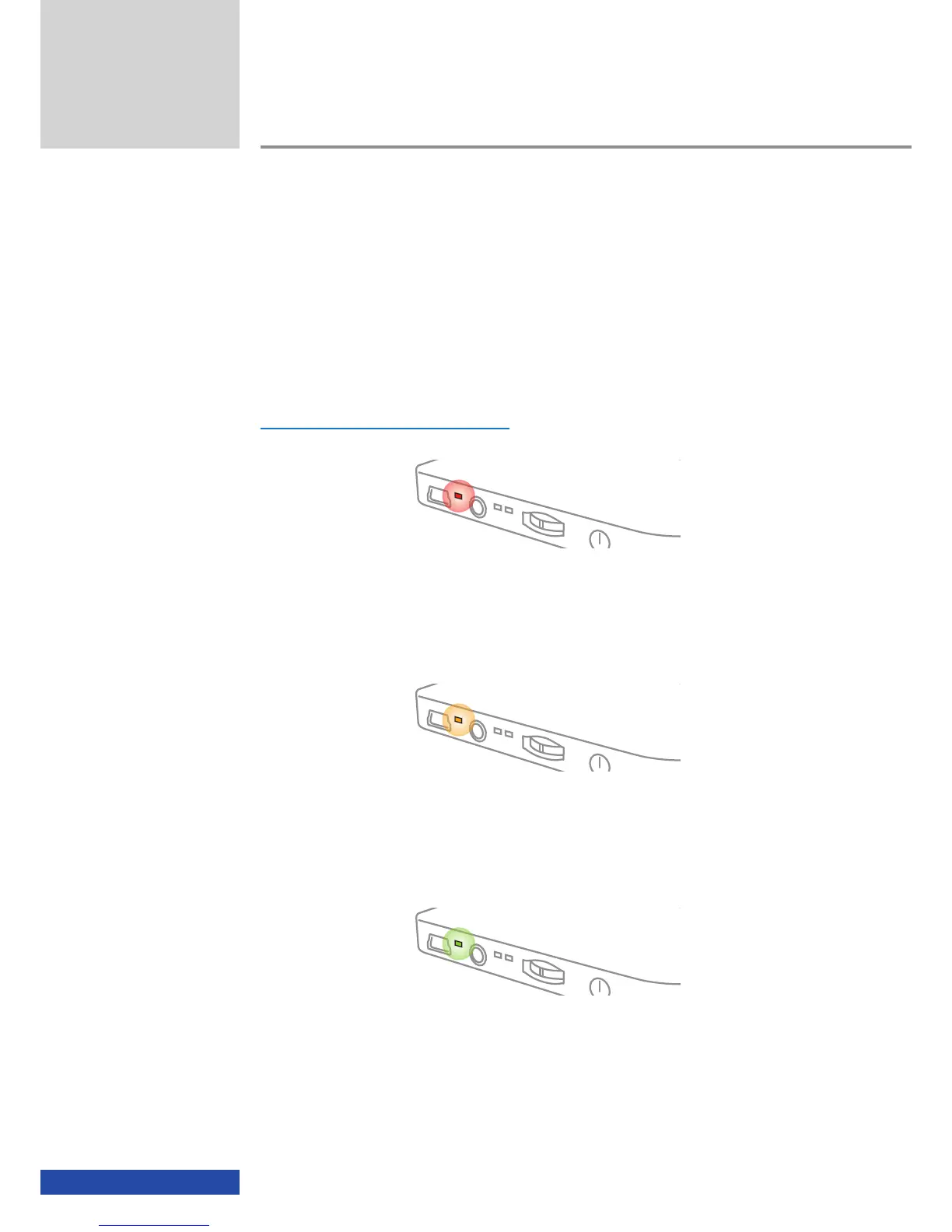
Battery status LED Battery status
Illuminated red
The battery capacity is very low and therefore it is imperative the battery is
charged. Depending on the playback device and the connection used (HDMI
®
,
iPod, video), the battery will be able to supply power for max. 30 minutes.
Illuminated orange
The battery capacity is low and therefore the battery should be charged.
Depending on the playback device and the connection used (HDMI
®
, iPod,
video), the battery will be able to supply power for max. 60 minutes.
Illuminated green
The battery for the cinemizer
OLED
video glasses is charged. Depending on the
playback device and the connection used (HDMI
®
, iPod, video), the cine-
mizer
OLED
can be operated portably for up to 6 hours.
Usage


 To Next Page