5
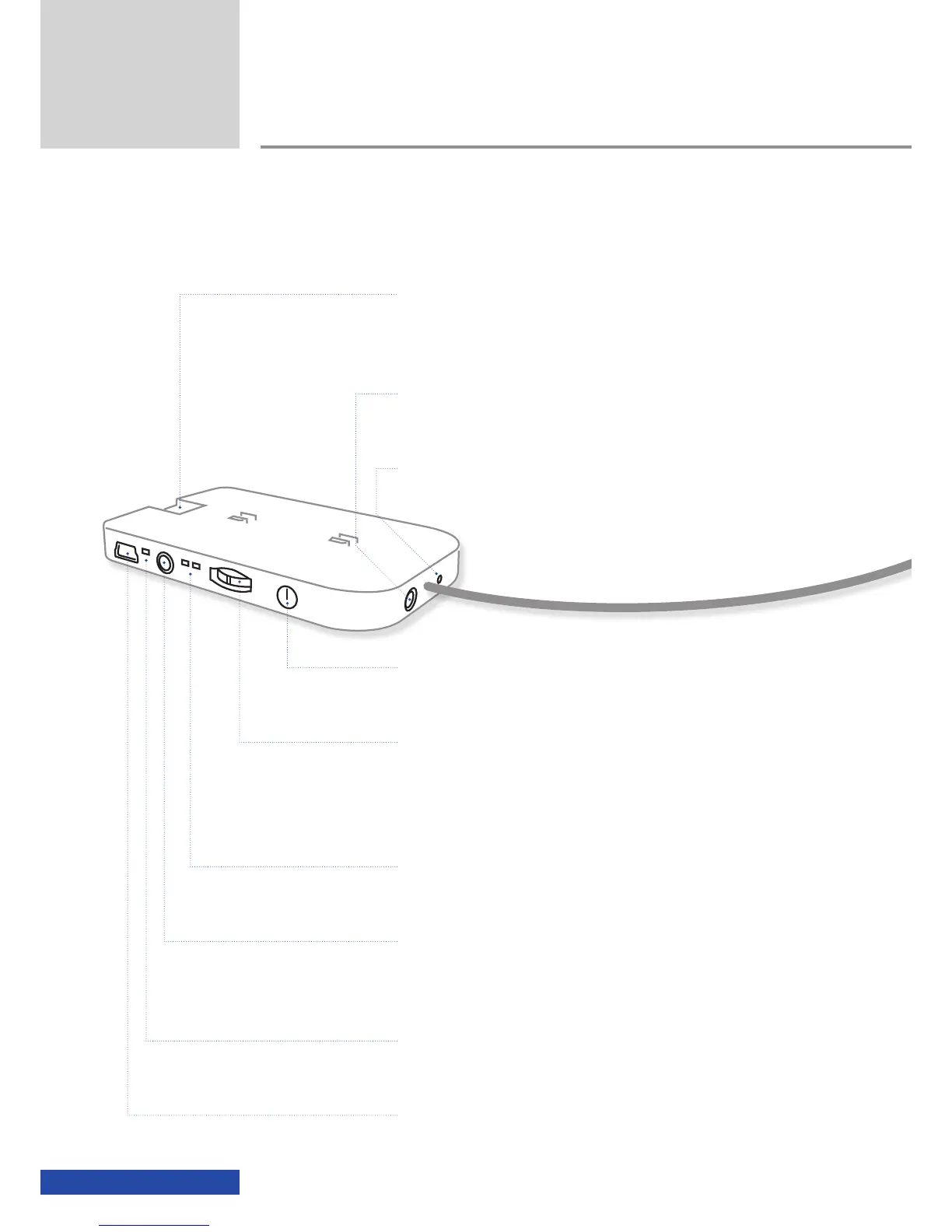
Battery box controls
Overview
On/Off button
video glasses
Multifunction switch
for activating the On-Screen Display (OSD), switching between 2D and 3D
mode and for adjusting the volume
Mode LEDs
2D/3D mode display
AV-in jack
for connecting (3.5mm, 4-pin) other playback devices
Battery status LED
charging/battery status display
Mini USB jack
for charging the battery
cinemizer socket
for the connection of the HDMI
®
adapter or optionally an iPod/iPhone
adapter
Earpiece jack
for the connection of stereo earpieces (3.5mm)
Reset button
for resetting the video glasses



 To Next Page