30
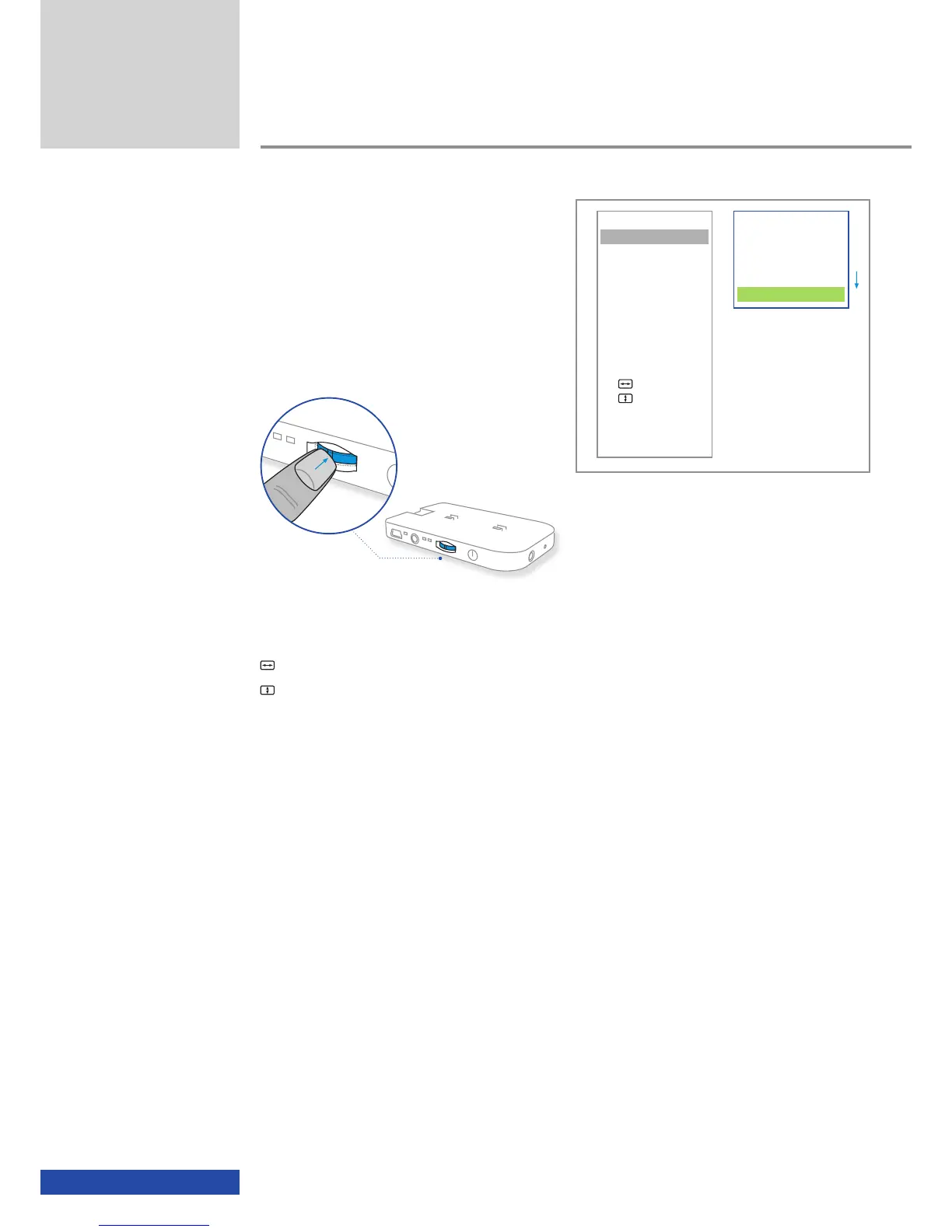
Side-by-Side (L/R)
Side-by-Side (R/L)
Top/Bottom (L/R)
Top/Bottom (R/L)
ttt Back
If you do not want to make any changes or do
not want to apply the changes, move the cur-
sor to the " ttt Back" field and confirm by
pressing the multifunction switch or wait until
the OSD disappears after approx. 7 seconds.
Additional functions
VIDEO
3D-Mode
Aspect
Contrast
INFO
Connection
Status
ADVANCED
Auto Adjust
Man. Adjust
Man. Adjust
Brightness Bal
EXIT
In the case of the two menu items
Man. Adjust,
Man. Adjust,
the changes must be specifically confirmed using "Store settings".
It the changes are not confirmed using "Store settings" (by pressing the
multifunction switch once), the changes are not applied.


 To Next Page