33
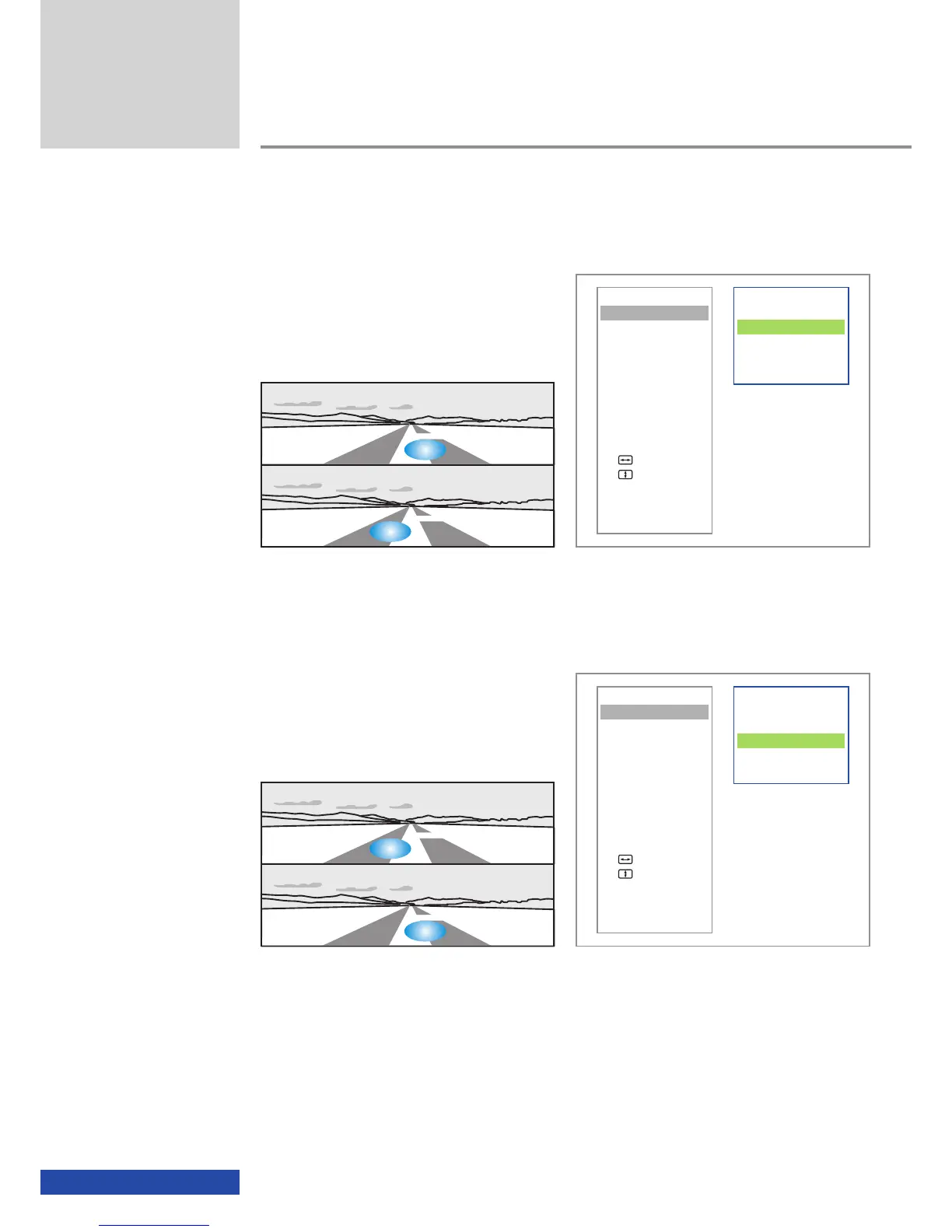
Top/Bottom (L/R)
Another 3D format supported is the so-called
"top/bottom" 3D format. With this format the
perspectives (left/right) are arranged one above
the other.
Top/Bottom (R/L)
If the perspectives (left/right) of your 3D film or
3D game are arranged such that "top" forms
the right perspective and "bottom" forms the
left perspective, then please select the mode
"Top/Bottom (R/L)".
Additional functions
L
R
R
L
VIDEO
3D-Mode
Aspect
Contrast
INFO
Connection
Status
ADVANCED
Auto Adjust
Man. Adjust
Man. Adjust
Brightness Bal
EXIT
VIDEO
3D-Mode
Aspect
Contrast
INFO
Connection
Status
ADVANCED
Auto Adjust
Man. Adjust
Man. Adjust
Brightness Bal
EXIT
With both top/bottom variants (L/R and R/L) the related stereo images are reduced
to 50% of the original height so that both images fit in one video frame.
Side-by-Side (L/R)
Side-by-Side (R/L)
Top/Bottom (L/R)
Top/Bottom (R/L)
ttt Back
Side-by-Side (L/R)
Side-by-Side (R/L)
Top/Bottom (L/R)
Top/Bottom (R/L)
ttt Back
An overview of the resolutions that support the 3D format top/bottom is given in the section "3D
support".
Top/Bottom (L/R)
Top/Bottom (R/L)


 To Next Page