Working with the microscope Instructions for Use
305935-9900-000–1.3 –2020-08-25-for USA 37 / 65
7.1.3 Adjusting white balance of camera
White balance of the camera ensures that the color of its output image of an object under
White Light Mode is close to the true color of the object as seen under normal daylight.
Readjust the white balance of the camera if the color temperature of light source is
changed.
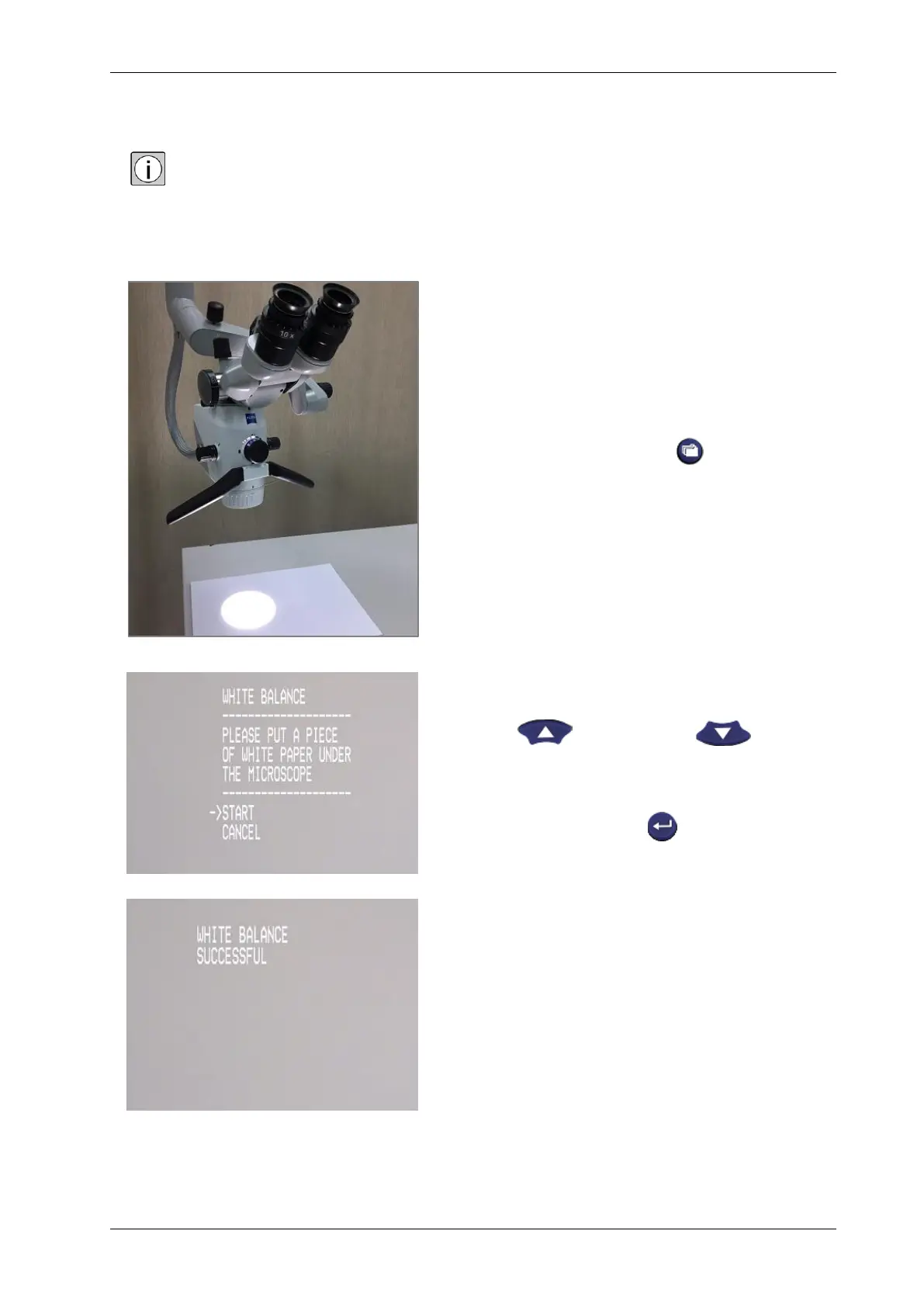
1. Put a blank white sheet of paper
below objective lens.
2. Press the index button .
3. Look at the video and press up button
or down button to
move the arrow to the option START.
4. Press enter button .
5. Wait for several seconds and the
screen will show “White balance
successful”.



 To Next Page