26 27
Z
-
E 2 014 M
OPERATION OF iPOD/iPHONE SOURCE
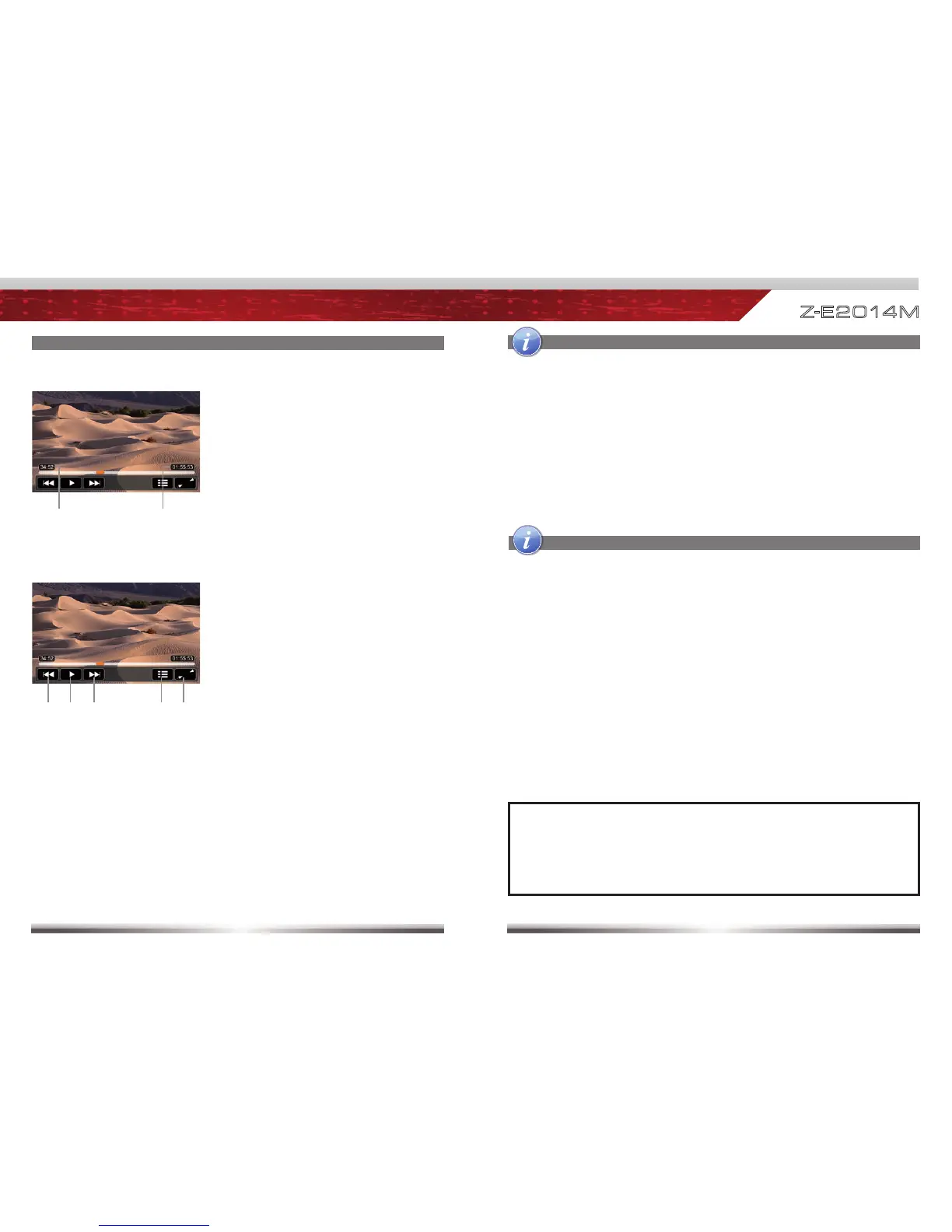
Control elements:
Previous title
Play/Pause
Next title
To Playlist Page
Full screen mode
Display elements:
Current temporal position in title
Total duration of title
Elements to control playback of video fi les:
OPERATION OF iPOD/iPHONE SOURCE
NOTE:
See www.zenec.com for:
■ Compatible fi le formats and possible restrictions.
■ iPod/iPhone compatibility list.
■ Depending on the size of the search list, results may be delayed during first
search. That is due to the iPod, which takes a moment to poll and provide
the search index.
■ iPods/iPhones may show, depending on content and sorting, an extended set
of information on the Playlist Page.
■ It's not possible to connect and use more than one iPod/iPhone to the USB
hub.
SMART DIAL OPERATION
■ Rotate the smart dial controller (see p.4) to vertically scroll up and down in
playlists. Rotate the encoder to select a song/track and confirm your selection
by pressing.



 To Next Page