48 49
Z
-
E 2 014 M
MAIN DEVICE SYSTEM SETUP: GENERAL
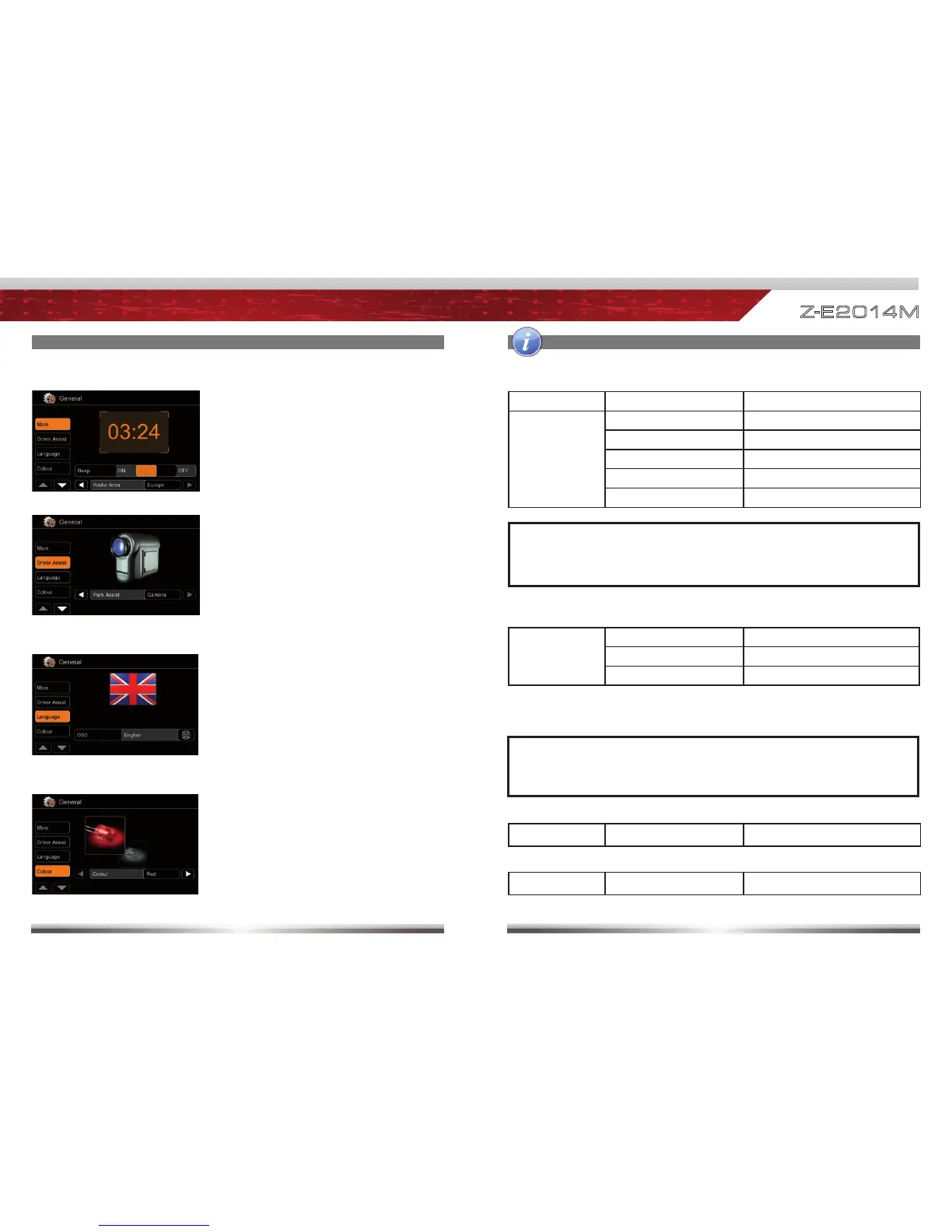
System time gets periodically updated
by GPS time stamp.
Animated picture visualises your chosen
driver assist setting.
Choose reverse mute "On" to mute
audio signal when reverse gear is
engaged.
Shown flag visualises the chosen
OSD language.
NOTE:
Name Function Choice/Range
Main
Beep On, Off
Radio area Europe, Latin, USA
Bluetooth On, Off
Volume Pop-Up On, Off
Antenna supply On, Off
NOTE:
■ Switch above mentioned antenna supply parameter to "Off", if your
vehicle does not deploy an active antenna.
Language OSD Set OSD language
Driver
assist
Parking assist Off, Rear view camera, OPS*
Reverse mute
On, Off
AC info* On, Off
NOTE:
■ *Functions are only present if respective data is present in CAN bus
network.
Choose between red or white key
illumination.
Colour Colour Red, White



 To Next Page