22
BLUETOOTH MODE
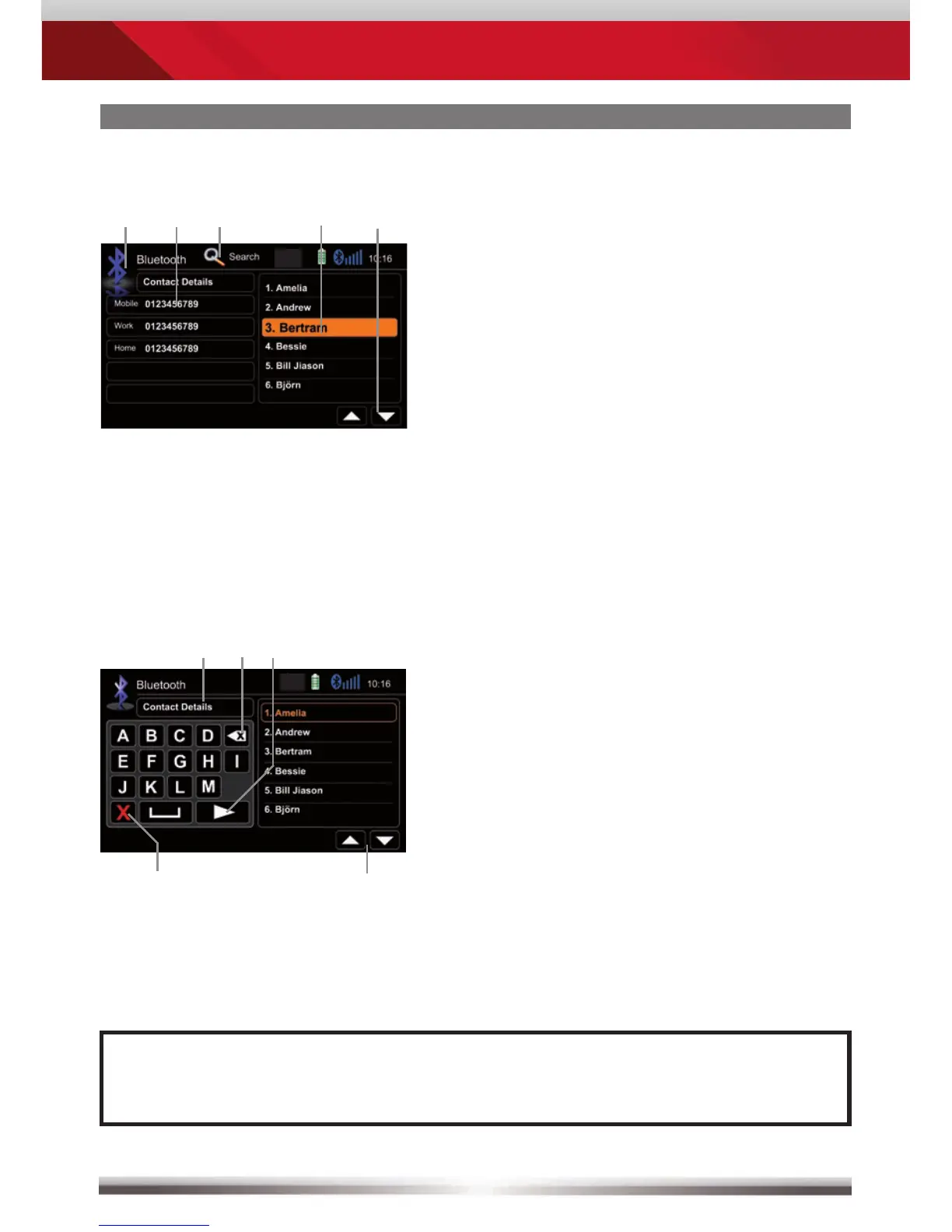
Back to BT main menu
Tap a contact number to start a call
Search
Choose contact name from list
Browse contact list up/down
Contacts - Manage phonebook:
Control elements:
No function, when keypad is active
Quit keypad
Display input
Tap to delete last character
Switch to next page of keypad
Search for an entry:
NOTE:
■ You may search for up to 15 leading characters.



 To Next Page