23
ZE-MC296
BLUETOOTH MODE
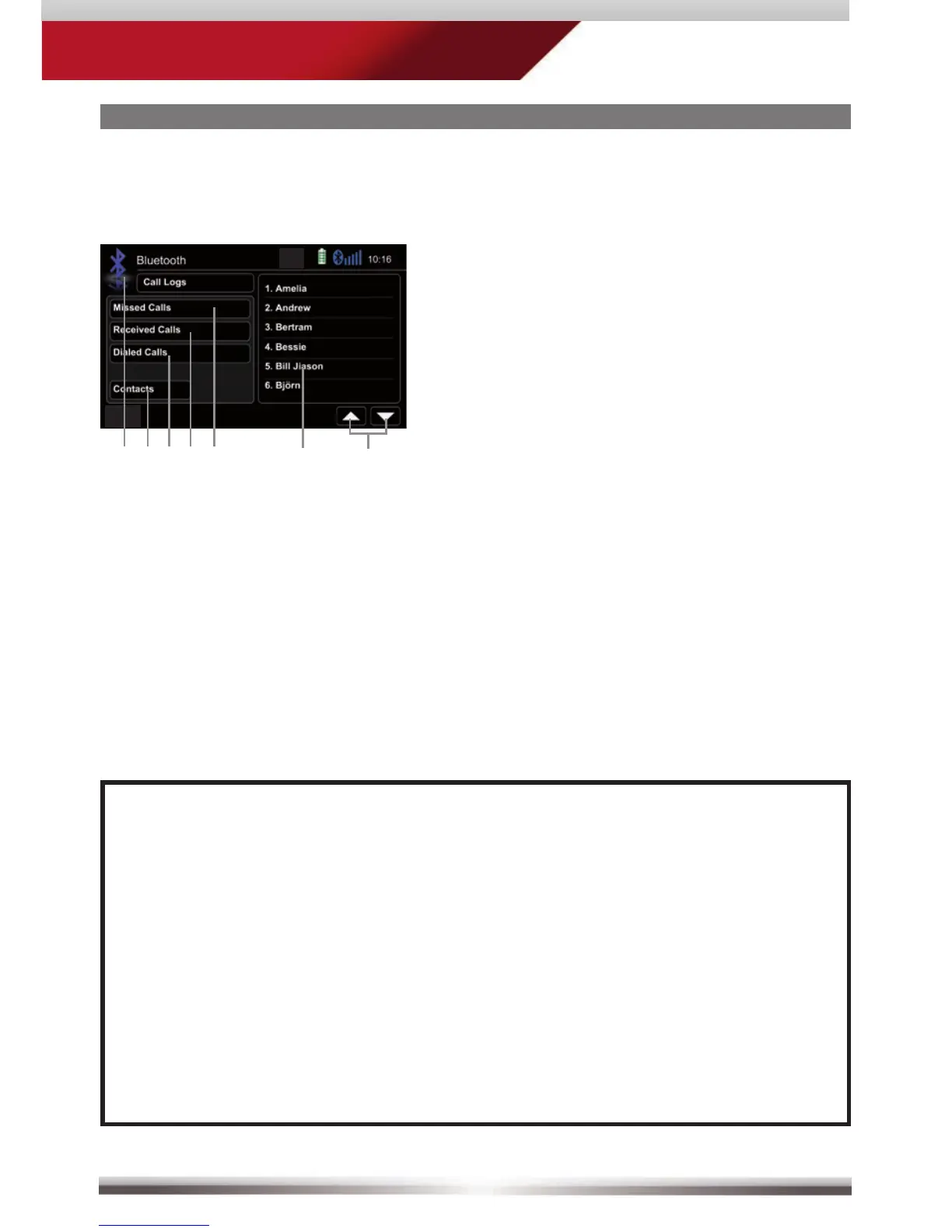
Go back to BT main menu
Go to contacts page
Tap to display outgoing call list
Tap to display incoming call list
Tap to display missed call list
Tap on entry to call
Page up/down
Manage phonebook:
Control elements:
NOTE:
■ The synchronisation, the transferring, the sorting as well as the display
of the phone book entries depend on the mobile phone brand and model.
If the synchronisation doesn't work properly, disconnect the cell phone
and repeat the pairing process.
■ If automatic phone book synchronisation does not work, consult the
manual of your mobile phone. Some mobile phones require explicit
activation of that function.
■ After entering the BT main menu press & hold either the Contacts or
Call-Log icon in order to force a resync of the entire phone book (if you
have experienced syncing problems).



 To Next Page