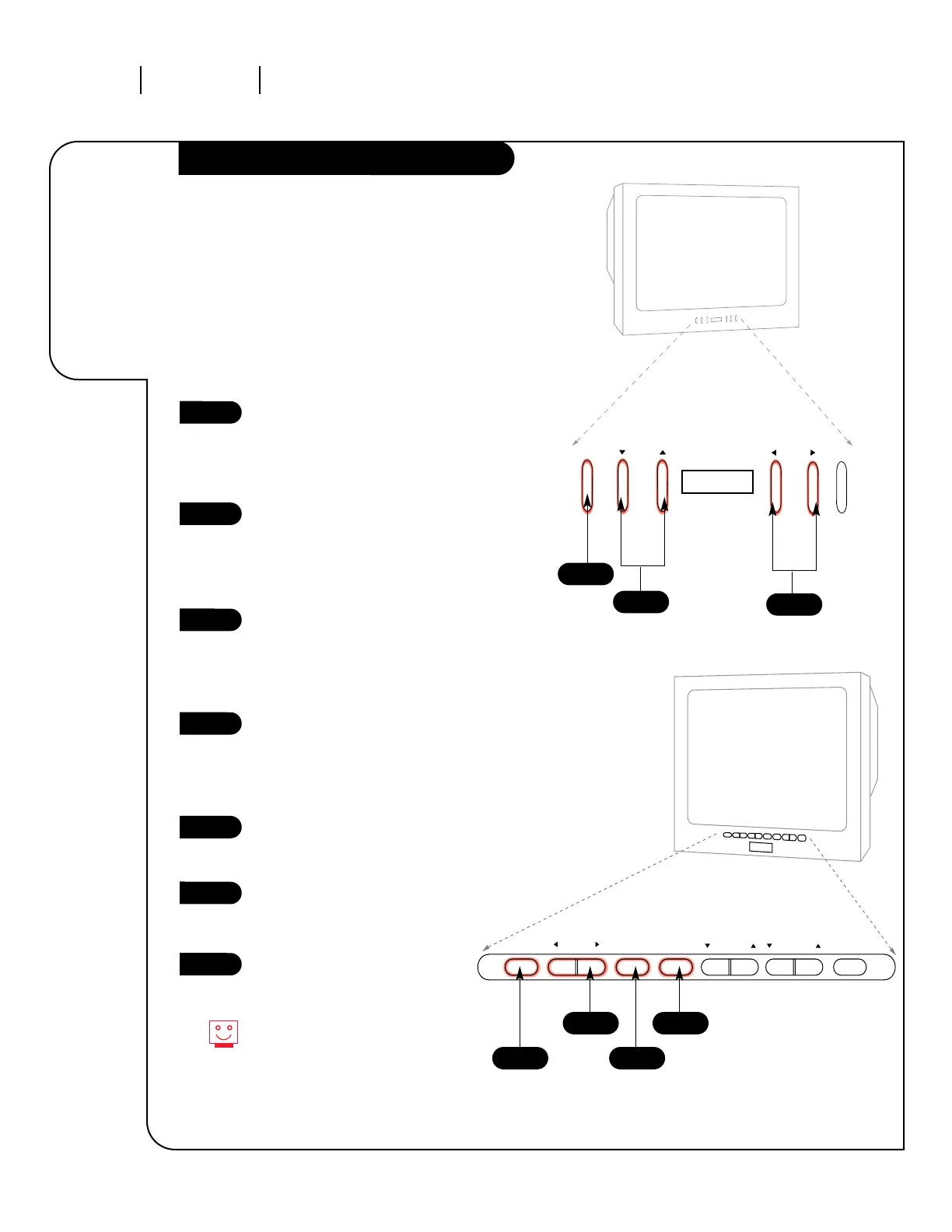
To access the on-screen menus,
push the MENU button on the
panel. Cycle through the various
menus by pushing the button
repeatedly.
Choose the function you wish to
change using the CHANNEL
UP/DOWN buttons. The Channel
buttons act as a “Select”
(Up/Down) function.
The VOLUME buttons act as an
“adjustment” (Left/Right)
function. Use the VOLUME
buttons to make changes or
adjustments.
Menus disappear after five seconds.
To get them back, push the MENU
button again.
1
2
3
1
2
The front keypads on your Entertainment
Machine vary from model to model. Examine the
front panel and follow the directions which apply
to your machine.
When using the on-screen menus, the buttons on
the front keypad correspond to the buttons on
the remote control as follows:
VOLUME = Adjust Left/Right
CHANNEL = Select Up/Down
3
To access the on-screen menus,
push the MENU button on the
panel. Cycle through the various
menus by pushing the MENU but-
ton repeatedly.
Press the SELECT button
repeatedly to highlight the option
you want to modify.
Press either Right or Left on the
ADJUST button to modify the
option you have chosen.
Push the ENTER button to return
to normal TV viewing.
1
2
3
4
4
1
2
3




 To Next Page