3373-O
OPERATION REMOTE FUNCTIONSPAGE 28
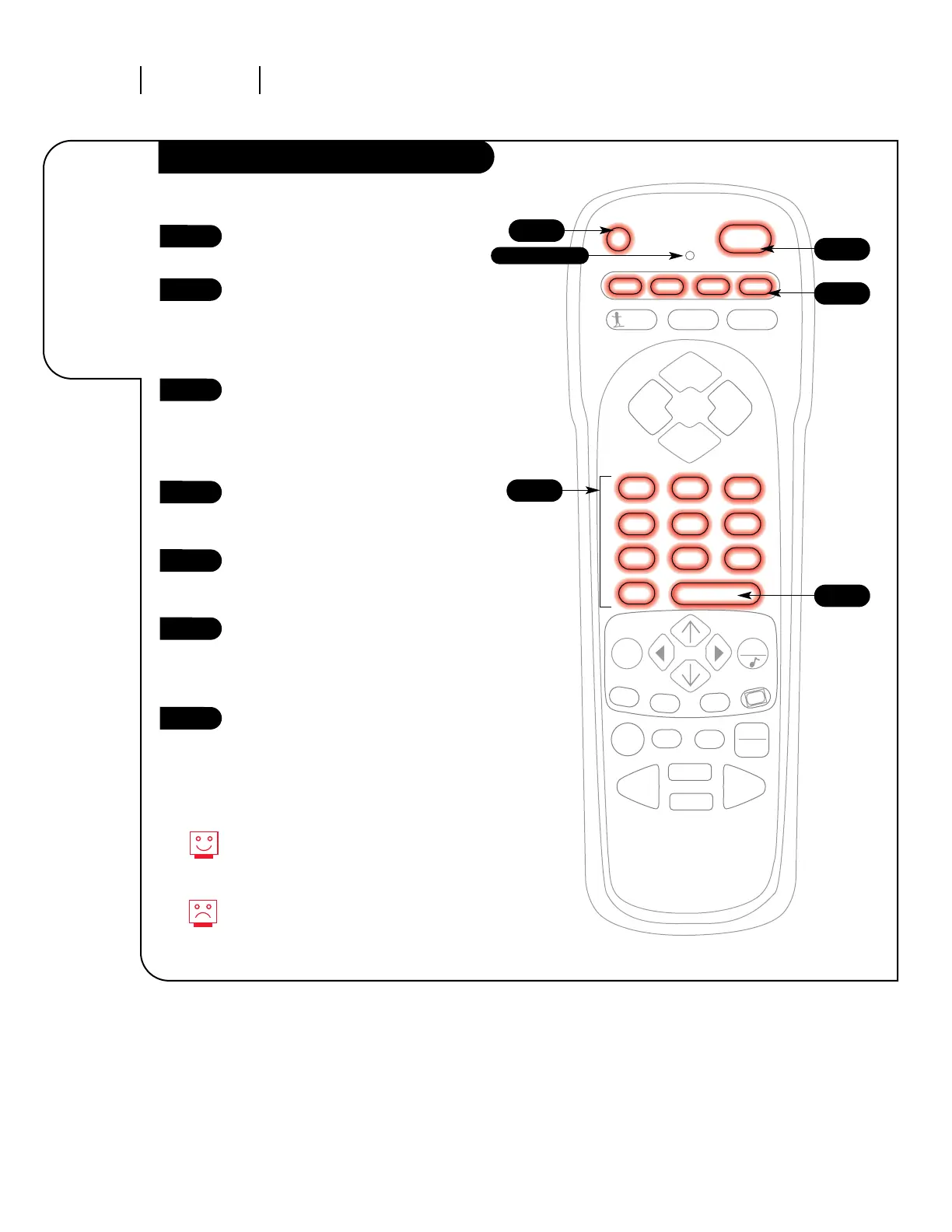
Programming the Remote
The device you want to program
should be ON.
On the chart in this manual, find
the type of device you’re program-
ming and then find the brand
name. Make a note of the three-
digit code—you’ll need it soon.
Press and hold the PRG key. It’s
recessed so it doesn’t get pushed
accidentally. When the indicator
light turns on, you can release
the button.
Push the button with the name of
the device you’re programming
(VCR, CABLE, AUX, TV).
Using the number pad, enter the
three digit code found on the
chart in the Reference section.
Press ENTER to save the code The
indicator light will flash three
times and turn off if the code was
accepted..
Aim the remote at the device and
push the POWER button. It should
turn off. If not, try the other
codes listed and continue from
step three.
Programming your Zenith remote
will allow you to use one remote
to work up to 7 different devices!
Not all devices will work with your
Zenith remote control.
1
2
3
4
5
6
7




 To Next Page