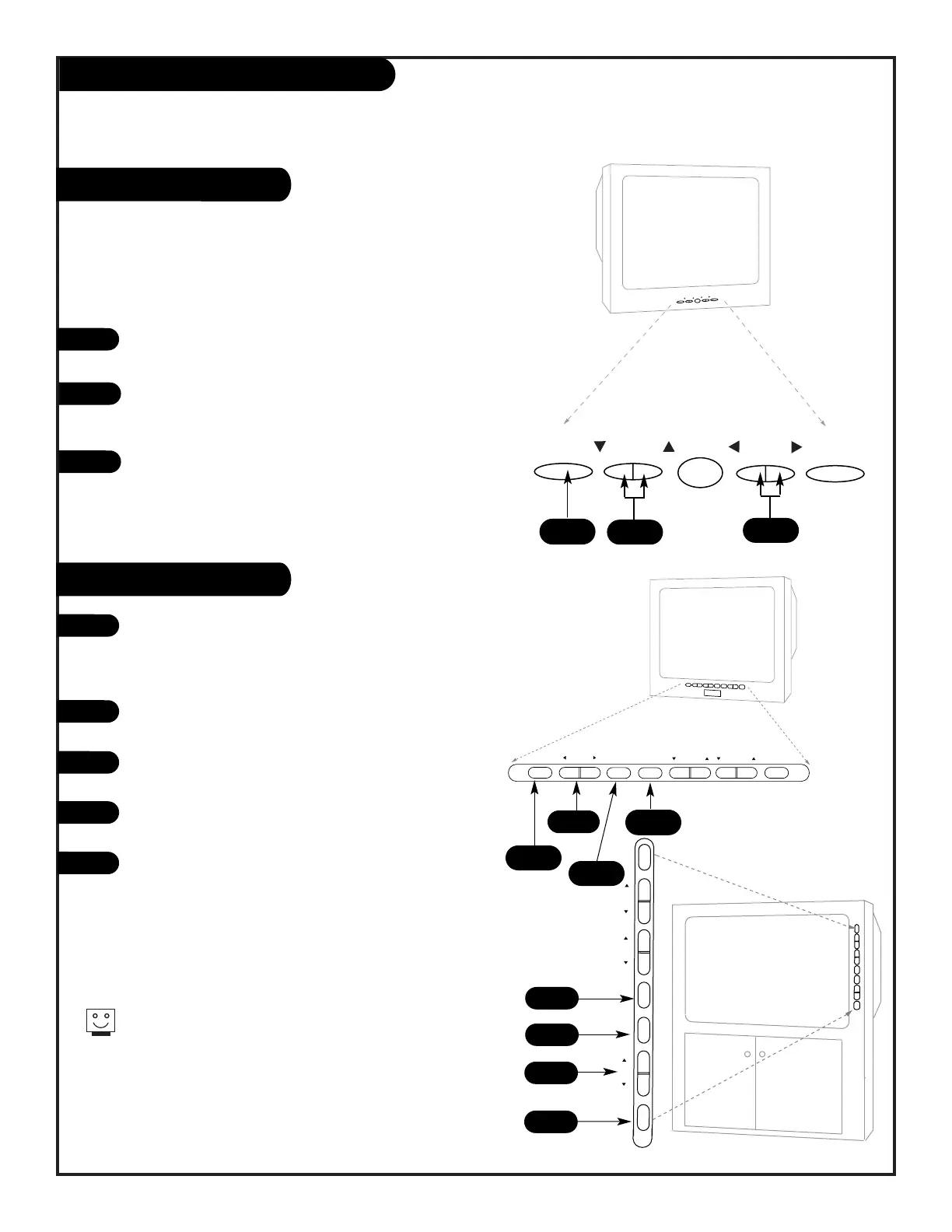
To access the on screen menus, press the MENU button
repeatedly on the front panel.
Choose the menu and then the function you wish to change
using the CHANNEL UP/DOWN buttons. The Channel buttons
act as a “select” (Up/Down) function.
The VOLUME buttons act as an “adjustment” (Left/Right)
function. Use the VOLUME buttons to make changes or
adjustments.
Menus disappear after five seconds.
To get them back, push the MENU
button again.
1
2
3
1
When using the on-screen menus, the buttons on the front panel
of these models correspond to the remote control buttons
as follows:-
VOLUME = Adjust Left/Right
CHANNEL = Select Up/Down
2
There are three different front panel button styles used with this Operating Guide. Select the front
panel that resembles the Entertainment Machine you are using and learn what each button operates
and controls.
Six Button Front Panel
To access the Setup menu, press
the MENU button repeatedly until
the Setup Menu appears on
screen.
Press the Select button to choose
the function you wish to change.
Use the ADJUST buttons to make
changes or adjustments.
Press the Enter button to clear
the screen.
The Volume and Channel rocker
buttons control Volume Up/Down
and Channel Up/Down only.
1
2
3
4
1
4
3
5
2
4
3
2
1
3
206-3588



 To Next Page