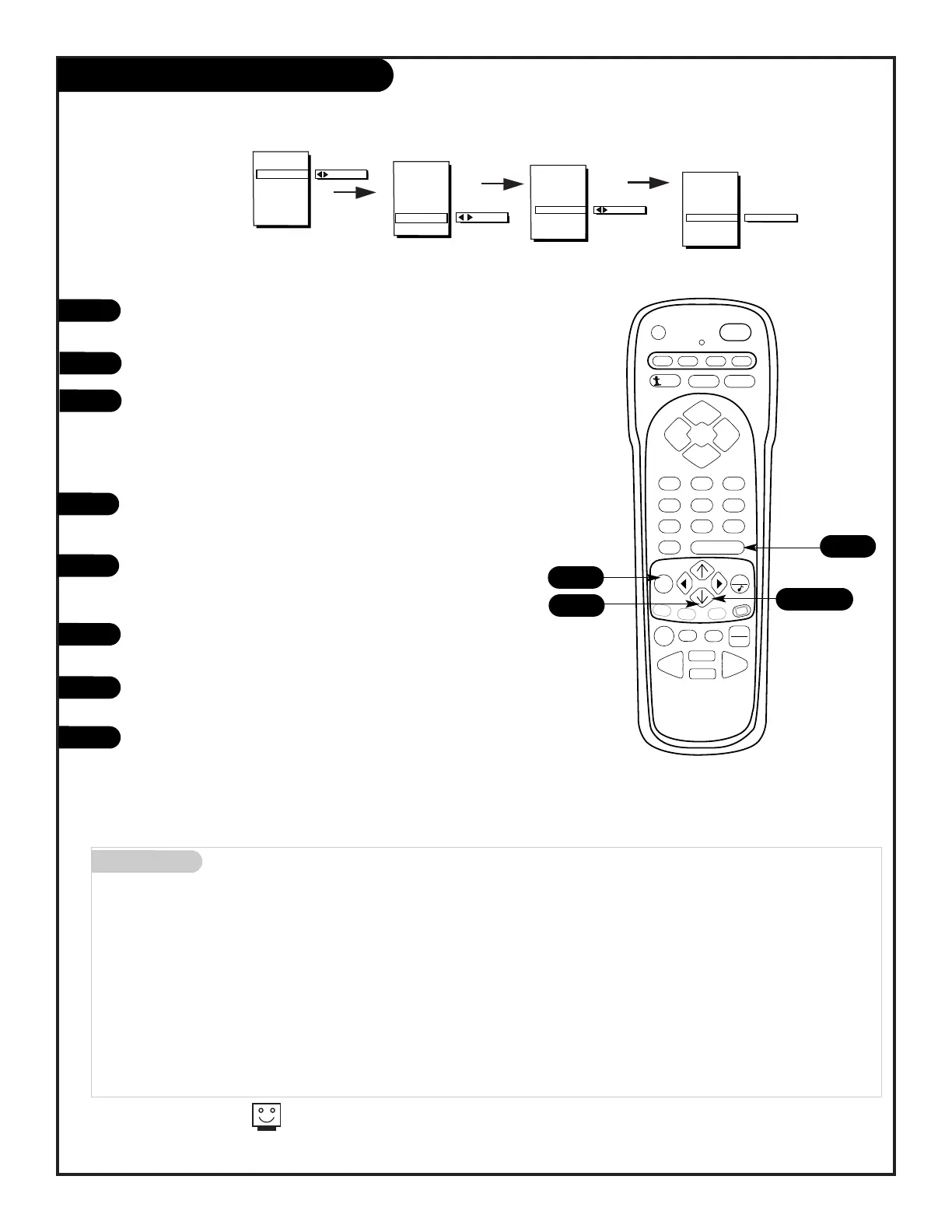
Press the MENU key repeatedly until the Special Features
menu appears on screen.
Select Parental Control, using the UP/DOWN arrow keys.
Press the RIGHT/LEFT arrows to select Block Channels.
Using the UP/DOWN arrow buttons, select MPAA to block
channels according to the MPAA guidelines. Select Age
Block to block according to Age and Content Block to
block channels according to program content.
If you wish to block a video source (VCR or DVD, etc),
press the UP/DOWN arrow keys and select AUX. BLOCK and
repeat 3.
To set the hours you wish the Parental Control feature to
be on, press the UP/DOWN arrow keys and select SET
HOURS.
Use the SET PASSWORD feature to insert a four digit code
that will make sure no one else can change your settings.
Finally set the lock to ON to complete the blocking out of
the channels or video sources.
Press ENTER to return to normal viewing.
8
9
For a complete restriction coverage you should set restrictions
for both General and Children in the Age Block Option.
Mini glossary
MOTION PICTURE ASSOCIATION OF AMERICA (MPAA) RATING SYSTEM
G General Audiences Content not offensive to most viewers.
PG Parental Guidance Content is such that parents may not want their children to view the program.
Suggested
PG-13 Parental Guidance Program is inappropriate for preteens, with a greater degree of offensive material
Suggested than a PG rated program.
R Restricted viewing Not for children under age 17. Strong elements of sex and/or violence.
NC-17 Restricted Viewing Not for children under age 17 under any circumstances. Strong sexual content.
X Hard Core Films Same as NC-17 rating.
Note: Zenith Electronics Corporation is not liable for any program content that appears when using this rating system; as always, user dis-
cretion is advised.



 To Next Page