EasyManua.ls Logo

Zenith C27A24T - Language Options

Zenith C27A24T
43 pages
Print Icon
To Next Page IconTo Next Page
To Previous Page IconTo Previous Page
Loading...
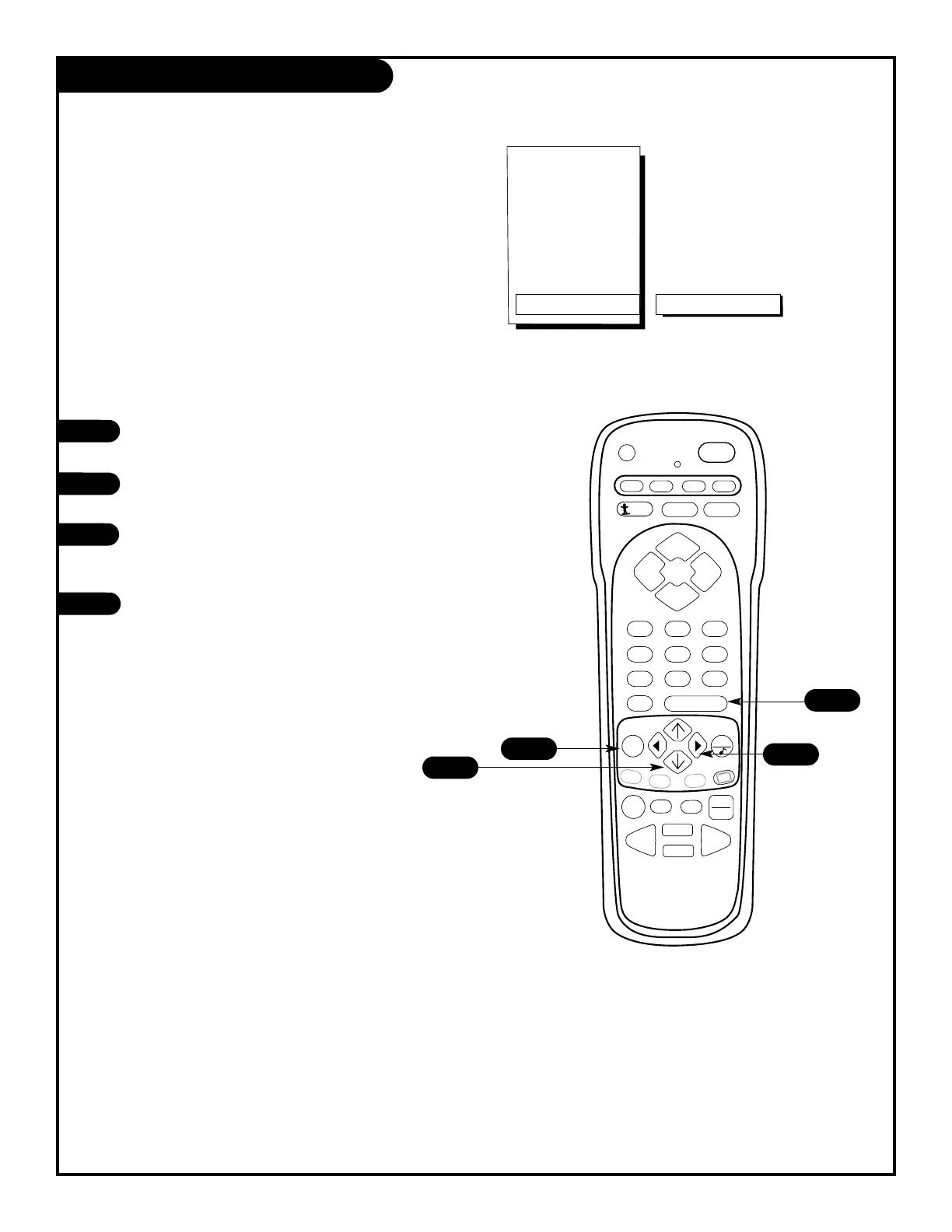
Press the MENU key on the remote control so that
the Setup menu appears.
Using the UP/DOWN arrows on the remote control,
select Language on your screen.
Press a RIGHT/LEFT arrow to choose any of the fol-
lowing options: English, Spanish,
or French.
Press ENTER to return to regular TV viewing.
1
2
3
4

PRG
POWER
CABLE
VCR
AUX TV
ENTER
FLASHBK MUTE
CHANNEL
CHANNEL
VOLUME VOLUME
123
456
7
0
89
MENU
REWIND FFWD
RECORD
QUIT
A
B
C
CC
TV/VCR
SOURCE
PAUSE TIMER
PLAY
STOP
SURF
Setup Menu
EZ Programac
Agr/Bor/Surf
Ajuste Reloj
Subtít
Subtít/Texto
Language
Spanish
4
1
2
3
PAGE 21
Language Options
Choose the language you want all of the
menus to appear in.
206-3588

Related product manuals