I
VIDEO MENU
Video
Menu
IContrast ]
Brightness
Color
Tint
Sharpness
Picture Pref
I( , )1
MENU OPERATION
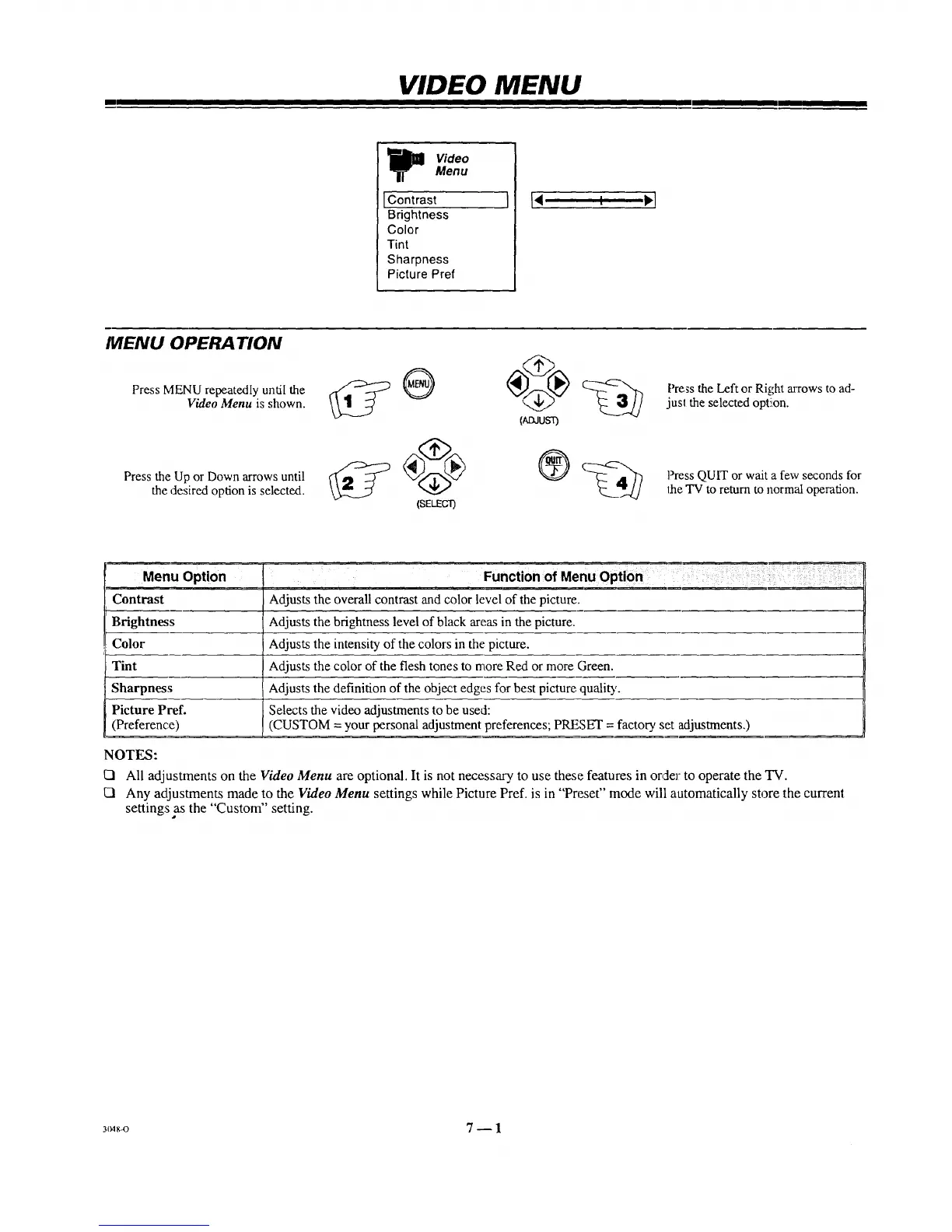
Press MENU repeatedly until the
Video Menu is shown.
Press the Up or Down arrows until
the desired option is selected.
pJ:uusD
Press the Left or Right a_Tows to ad-
jusl the selected optiion.
Press QUIT or wait a few seconds for
the "IV to return to normal operation.
Menu Option
Contrast
Brightness
Color
Tint
Sharpness
Picture Pref.
(Preference)
Function of Menu Option
Adjusts the overall contrast and color level of the picture.
Adjusts the brightness level of black areas in the picture.
Adjusts the intensity of the colors in the picture.
Adjusts the color of the flesh tones to more Red or more Green.
Adjusts the definition of the object edges for best picture quality.
Selects the video adjustments to be used:
(CUSTOM = your personal adjustment preferences; PRF_ET = factory set adjustments.)
NOTES:
All adjustments on the Video Menu are optional. It is not necessary to use these features in or,zlerto operate the TV.
Any adjustments made to the Video Menu settings while Picture Pref. is in "Preset" )node will automatically store the current
settings as the "Custom" setting.
304g-0 7 -- 1



 To Next Page