MFL34797058-en-simple 11/6/07 4:52 PM Page i0
;m
m
;m
O
z
REMOTECONTROL FUNCTMONS
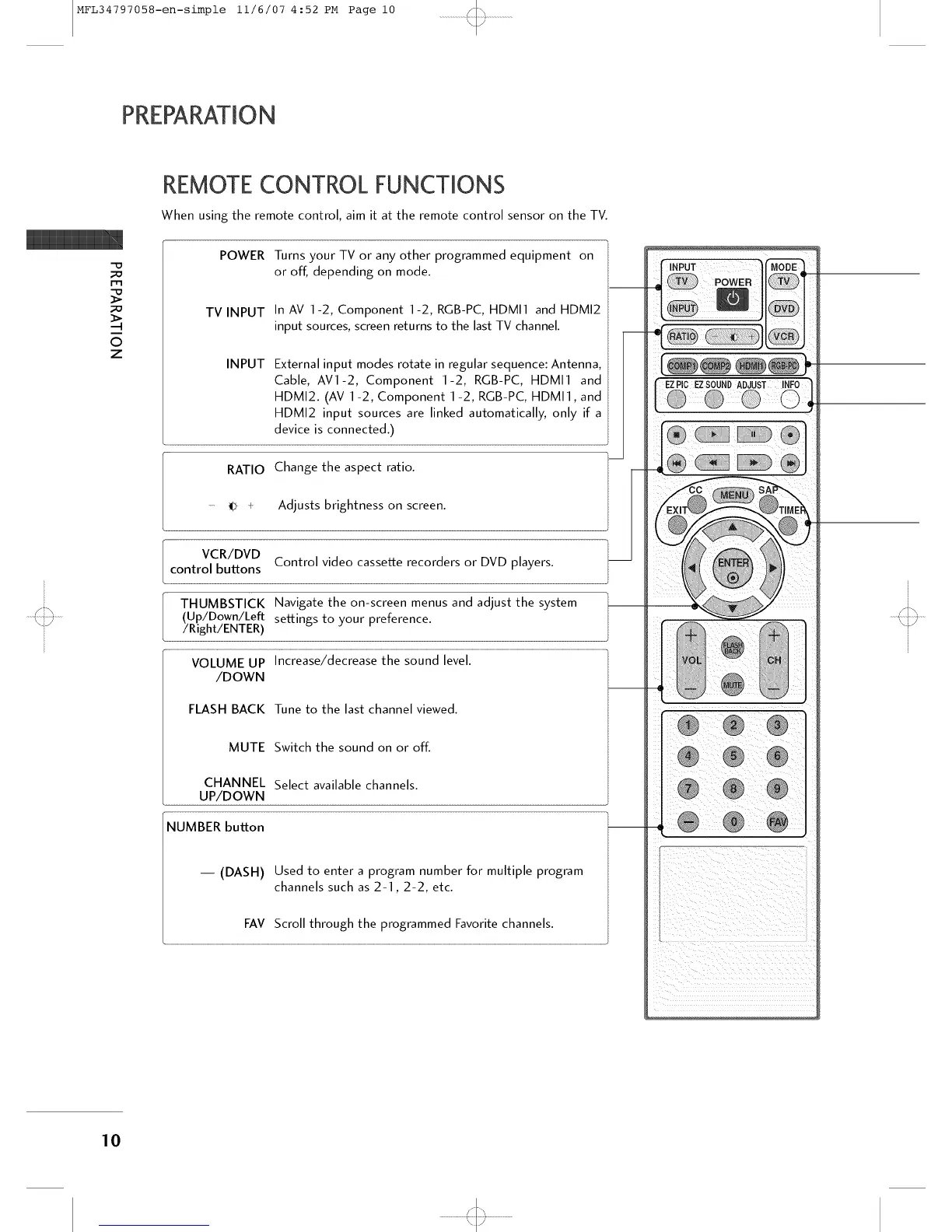
When using the remote control, aim it at the remote control sensor on the TV.
POWER Turns your TV or any other programmed equipment on
or off, depending on mode.
TV INPUT In AV 1-2, Component 1-2, RGB-PC, HDMI1 and HDMI2
input sources, screen returns to the last TV channel.
INPUT External input modes rotate in regular sequence: Antenna,
Cable, AV1-2, Component 1-2, RGB-PC, HDMI1 and
HDMI2. (AV 1-2, Component 1 -2, RGB-PC, HDMI1, and
HDMI2 input sources are linked automatically, only if a
device is connected.)
RATIO Change the aspect ratio.
- _ + Adjusts brightness on screen.
VCR/DVD
control buttons Control video cassette recorders or DVD players.
THUMBSTICK Navigate the on-screen menus and adjust the system
(Up/Down/Left settings to your preference.
/Right/ENTER)
VOLUME UP Increase/decrease the sound level.
/DOWN
FLASH BACK Tune to the last channel viewed.
MUTE Switch the sound on or off.
CHANNEL Select available channels.
UP/DOWN
NUMBER button
-- (DASH) Used to enter a program number for multiple program
channels such as 2-1,2-2, etc.
FAV Scroll through the programmed Favorite channels.
10
'<:::3



 To Next Page