MFL34797058-en-simple 11/6/07 4:52 PM Page 23
ON-SCREEN MENUS SELECTION
Your TV's OSD (On Screen Display) may differ slightly from what is shown in this manual.
@
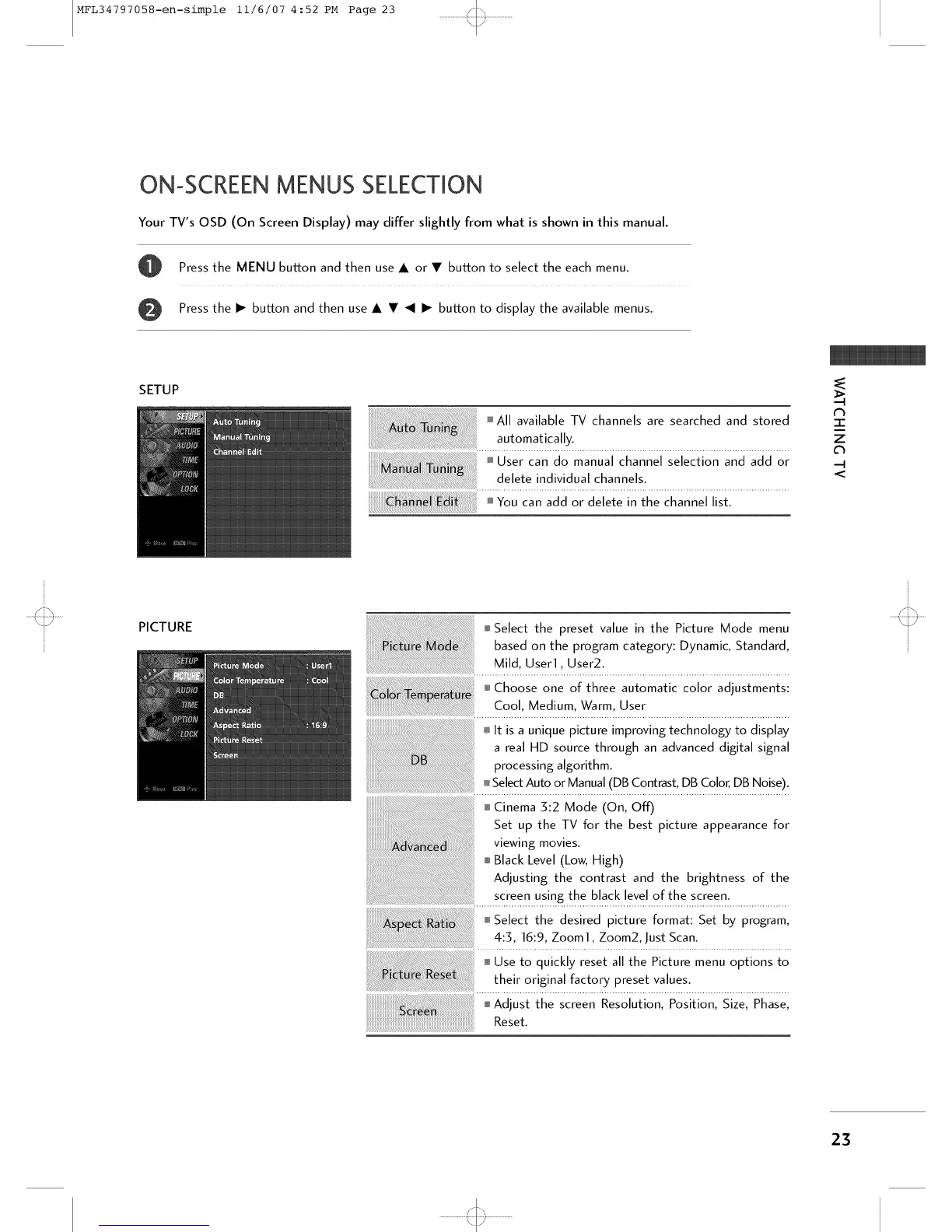
SETUP
Press the MENU button and then use • or • button to select the each menu.
Press the • button and then use • • _1 • button to display the available menus.
i All available TV channels are searched and stored
automatically.
i User can do manual channel selection and add or
delete individual channels.
N
"l-
Z
<
PICTURE
o Select the desired picture format: Set by program,
4:5, 16:9, Zoom1, Zoom2, Just Scan.
o Adjust the screen Reso ut on Post on S ze Phase
Reset.
23
'<::3



 To Next Page