MFL34797058-en-simple 11/6/07 4:52 PM Page 13
LCDTV Model
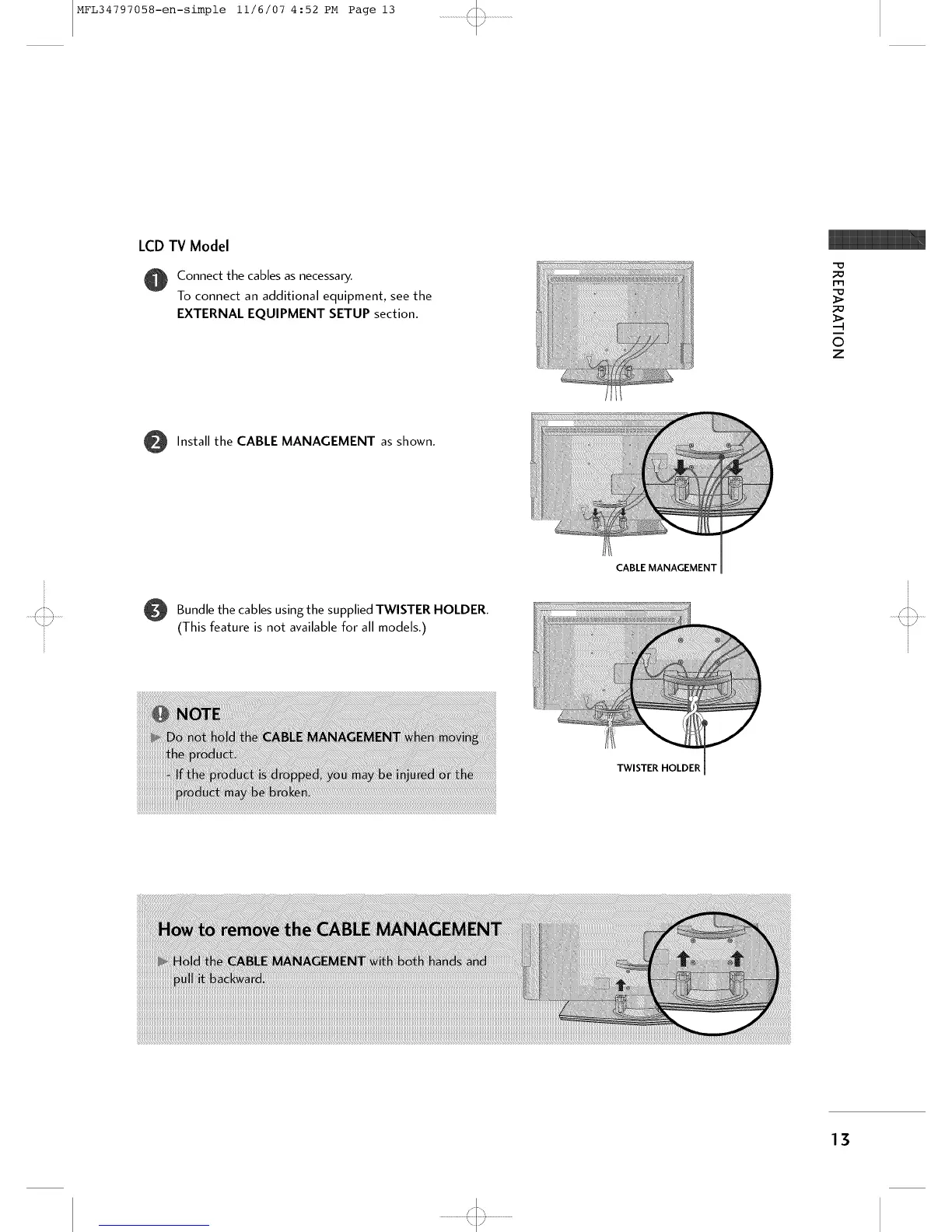
Connect the cables as necessary.
To connect an additional equipment, see the
EXTERNAL EQUIPMENT SETUP section.
-o
m
©
z
O
Install the CABLE MANAGEMENT as shown.
CABLE MANAGEMENT
Bundle the cables the TWISTER HOLDER.
using supplied
(This feature is not available for all models.)
TWISTER HOLDER
13



 To Next Page