16
3.4 Loading the Media
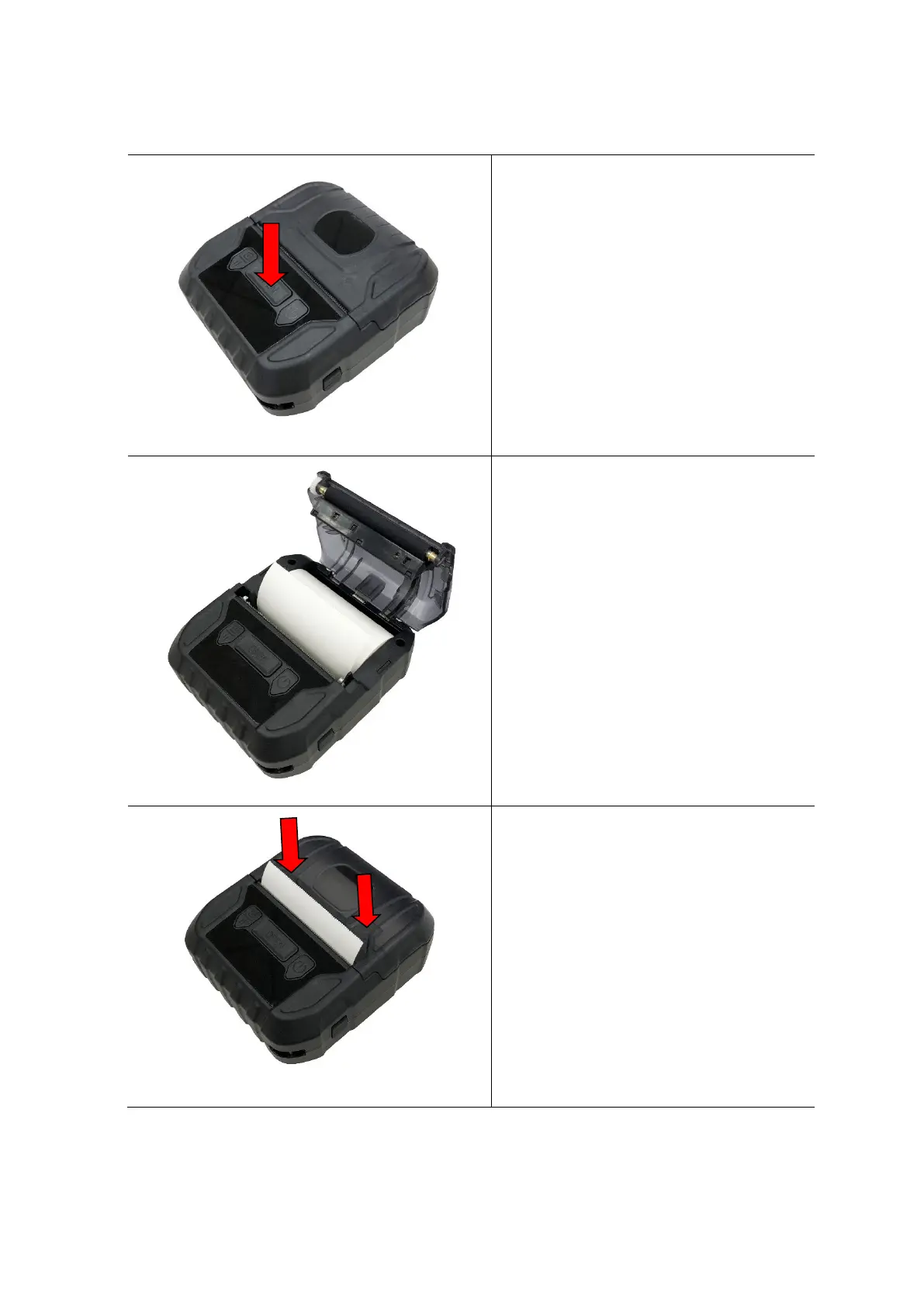
1. Open the printer media cover by
pressing the media cover release
button.
2. Place the media roll at the correct
side, and pull out enough paper
over the tear edge.
3. Press the media cover on both
sides to close it and make sure the
media cover have closed correctly.
PUSH



 To Next Page