22
5.2 Self-test and Dump Mode
Please follow the steps below.
1. Please check if the media roll has installed correctly.
2. Turn off the power switch ( ).
3. Hold on the FEED button ( ) then turn on the power switch ( ).
4. Release the FEED button ( ) when the indicator becomes and
blinking (Any blink will do during the 5 blinks).
5. It calibrates the sensor and measures the media length and prints internal settings
then enter the dump mode.
6. Turn off / on the power to resume printer for normal printing.
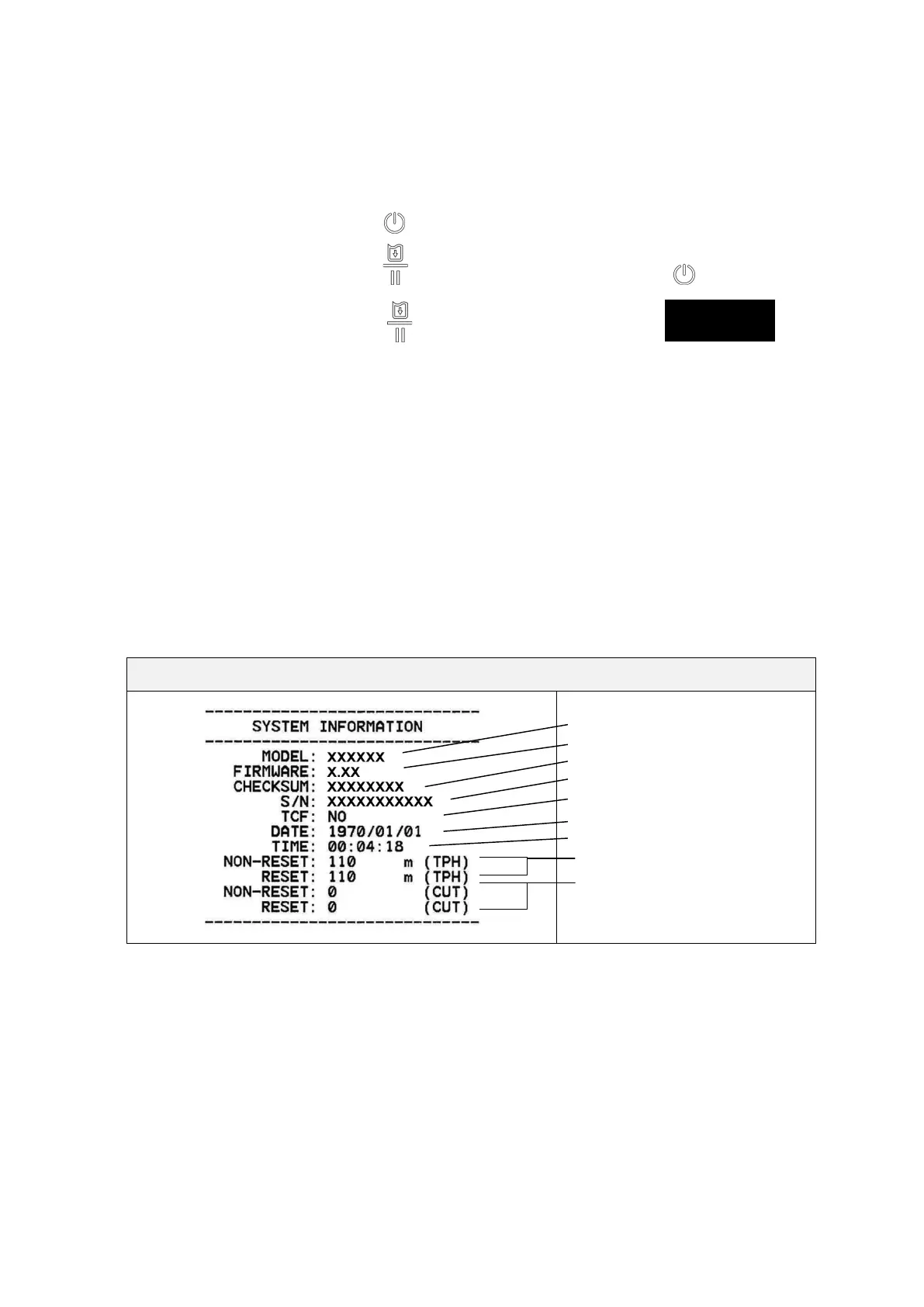
Self-test
Printer will print the printer configuration after media sensor calibration. Self-test
printout can be used to check if there is any dot damage on the heater element,
printer configurations and available memory space.
Self-test printout
Model name
F/W version
Firmware checksum
Printer S/N
Configuration file
System date
System time
Printed mileage (meter)
Cutting counter



 To Next Page