12
零度智控(北京)智能科技有限公司
Chargestatus:Thebatterycomeswithabatterystatusindicatorlight,whichshowsthebattery’s
currentcharge;
BalanceChargingProtection:automaticbalanceofthebattery’sinternalcellvoltagetopreservethebattery;
OverchargeProtection:Overchargingcanseriouslydamagethebattery.Thebatterywillstopchargingonceit
hasreached8.7V;
Over‐dischargeProtection:Over‐dischargingcanseriouslydamagethebattery.Thebatterywillceaseoutput
whenthedischargehasreached4.6V;
Short‐circuitProtection:Ifthebatteryshort‐circuits,itwillceaseoutputtoprotectitself.Before
usingDOBBY,ensurethatthebatteryisfullycharged.Formorede tails aboutchargingthe battery,
pleaserefertothe“ChargingtheBattery”sectiononpage9.
UsingtheBattery
BeforeusingDOBBY,pleaseputbatteriesinthebatterycompartment.
Pleasedon’tremovethebatterieswhileDOBBYisturnedon.
Don’tusedamagedorswollenbatteries.
Inhotenvironments,bemindfulofthebatteryoverheating.
Ifthebatterygivesoffastrangesmell,startsburning,changesshape/colourorshowsanytypeof
changeduringuse,whilechargingorinstorage,removethebatteryimmediatelyanddonotcontinuetouseit.
Incolderenvironments,thebattery’susagetimemaydrop.Pleasechargethebatterypriortouseandkeep
itwarm.Youcanwarmitupinthebatterycompartment.Waituntilithascompletelywarmingup
beforeflyingagain.
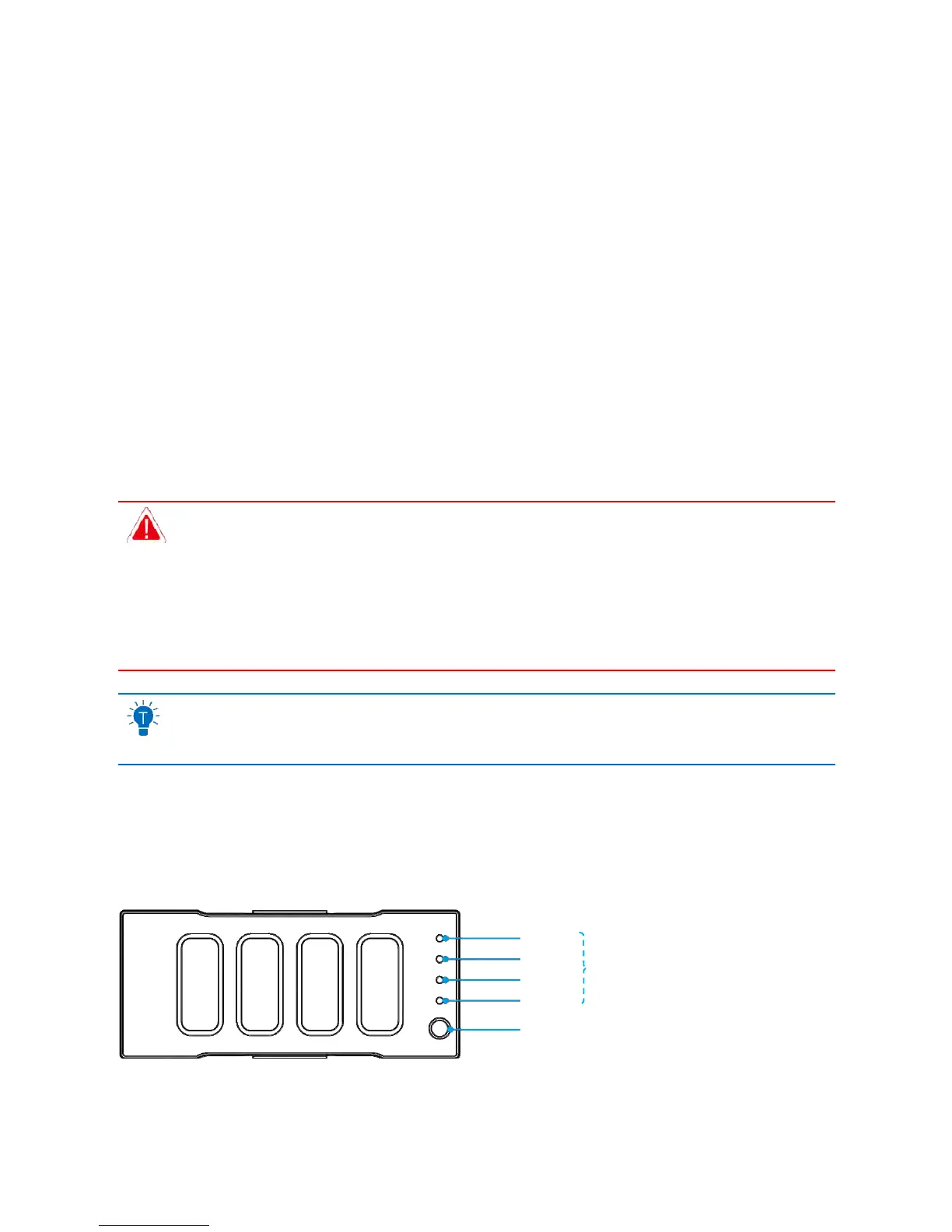
BatteryStatusIndicatorLights
Thebatteryalsohasabatterystatusindicatorlight.Itissetupasinthepicturebelow:
LED 1
LED 2
LED 3
LED 4
BatteryStatusIndicatorLights
BatteryStatusButton
ThebatterystatusindicatorlightsareplacedinorderasLED1,LED2,LED3andLED4.Pressthebatt erystatus
buttontoseethecurrentcharge.Theindicatorlightswillautomaticallyturnoffafter3seconds.Theindicator
light’sstatusandthecorrespondingchargeamountsareasfollows:



 To Next Page