29
零度智控(北京)智能科技有限公司
Youcanchoosefromthreerealtimepreviewresolutionoptions(1280x720,640x480and320x
240)ontheviewfinderscreen.
AvailableStorage
ChecktheavailablestoragespaceonDOBBY.Pleasebaseyourphoto‐shootingontheavailable
storagespaceandroutinelyclearDOBBY’smemory.
MediaLibrary
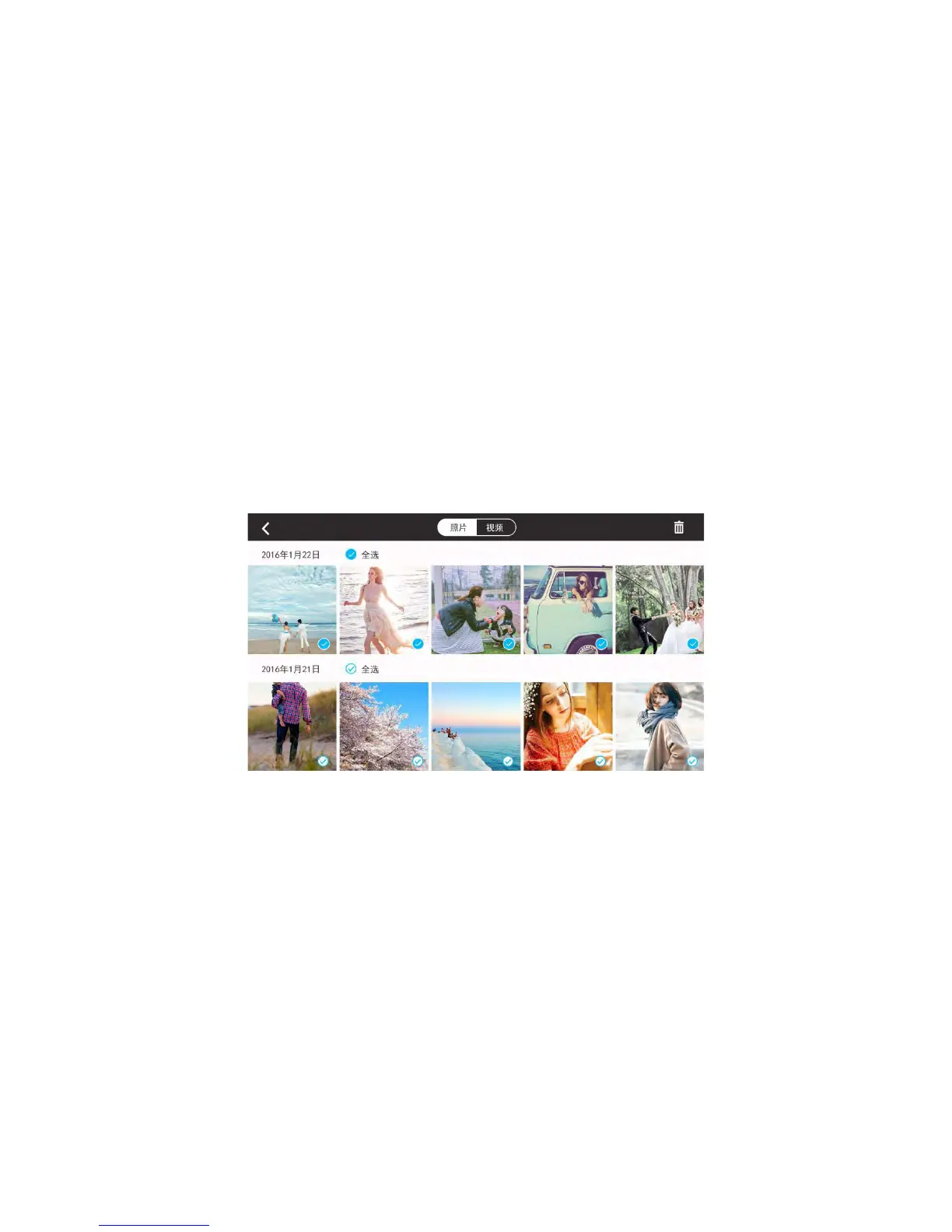
Whenopeningthemedia library ,itwillgotophotogallery bydefault.Itdisplaysphotosindateorder.Clickthe
“Video”buttonatthetopofthescreentoswitchtothevideogallery.
Photos
AfteryouconnecttoDOBBY’sWi‐Fi,whenyoutakephotosthethumbnailswillautomaticallybesenttoyour
mobiledevice.Thephotopagedisplaysthumbnailsindateorder.Swipeuptoloadmorethumbnails an d swipedown
theloadnewthumbnails.
SelectingPhotos
Toselectaphoto,clickthetickinthebottomrighthandcornerofthephoto.Toselectallphotos,
clickthe“SelectAll”iconnexttothedateatthetopofthescreen.
DeletingPhotos
Afterselectingaphoto,clickthe“Delete”iconintheupperrighthand
cornerofthescreentoremovethephoto
syouhaveselectedfrom
yourmedialibrary.WhenyouareconnectedtoDOBBY’sWi‐Fi,itwill
deletethefilesfrombothDOBBYandyourmobiledevice.Whenthe
Wi‐Fiisnotconnected,youarenotabletodeletethefilesfrom
DOBBY.
Thebrowsingpagealsohasa“Delete”iconsoyoucandelet
ephotos
directly.



 To Next Page